Weekend GapsIdentify unfilled gaps between the close of one candle and the opening of the next. Optimised for weekends by highlighting friday gaps with a triangle and bold horizontal ray. Depending on the price action required to fill it, they are marked in red or green.
In den Scripts nach "gaps" suchen

Crypto BTC Correlation Scalper Gaps StrategyThis strategy is based on the gaps theory.
In this case we have the BTC futures from CME, which acts in a way similar to stocks, and we can have gaps present between close/open session, and also sometimes between same candle due to huge movements intra candle.
At the same time I have combined this with a daily moving average, to help out a bit with the trend, since we are looking at small timeframe like 1-15/30min .
On top of that we have a reverse option, where long = short and viceversa, which can be used with against BTC pairs .
Rule are simple:
For long, we have a long gap and the close of the correlated candle is above daily sma
For short, we have a short gap and the close of the correlated candle is below daily sma
For exit:
For exit, we take the highest highest values for short entry TP, meaning we get the different from the HH and rest the current open candle distance, and use that distance as a TP.
At the same time for long entry, we take the lowest low value and rest current close of the candle to that value, and we get the TP.
Can also be applied this logic for SL aswell but from the test I have found out that exiting based on a reverse condition(when tp is not being hit), gives better results/dd overall.
If you have any questions, please let me know !

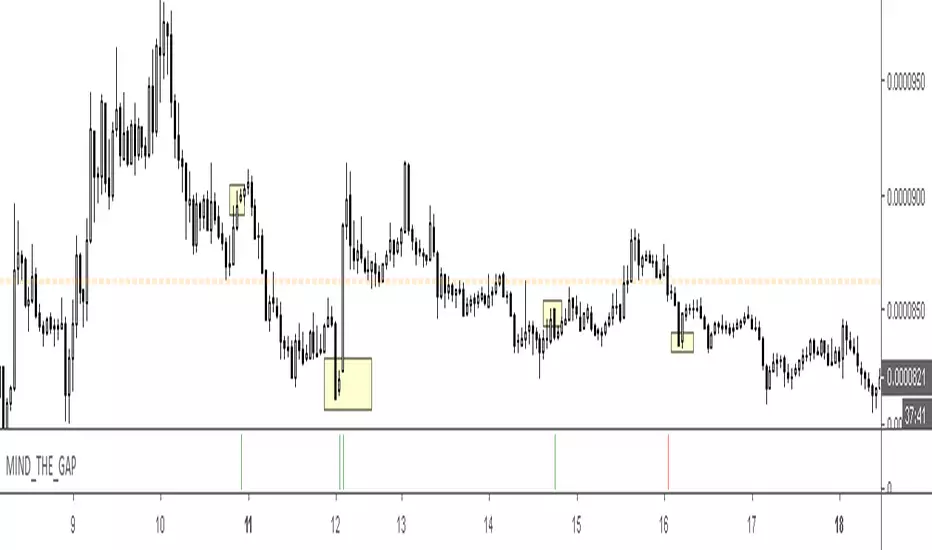
MIND_THE_GAP: Locate gaps on all time frames. Alerts enabled. • Identify gaps on all time frames
• Ability to set gap sensitivity
• Daily gaps overlaid on intra-day time frames
• Horizontal bars indicate gap on the current time frame
• Circles indicate gap on the daily time frame
• Alerts enabled
Simple Gaps for use on Bar ChartsThis script identifies when price gaps up and gaps down, represented by green and red box icons respectively.
Future enhancements to this script will work across Candle charts and will indicate the size of the script, perhaps with more prominent colours.
Please suggest improvements as you see fit. Thanks, and enjoy.

AD's - Indecisive Candles, volume spikes, gapsThis script identifies price pivots, volume spikes (more than twice of 20 SMA vol) & gaps (both up & down)

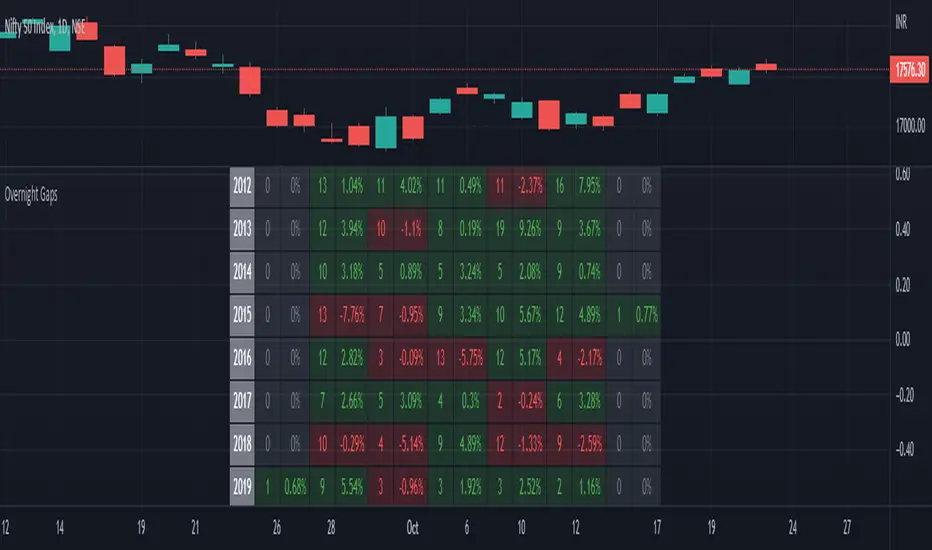
Seasonality Overnight Gaps - Tabular Form Use this indicator on Daily Timeframe
This script calculates the overnight gaps above a specific threshold (that can be set through input parameters) and displays the data in a tabular form with Year in the rows and the day of the week in the columns.
Also a summary row is displayed at the bottom for day of the week.
Detailed Gap info is displayed as tooltip for the cell data
Gap - Open should be outside the previous day's Open and Close
Gap % - open/prev. close - 1 if Gap is there
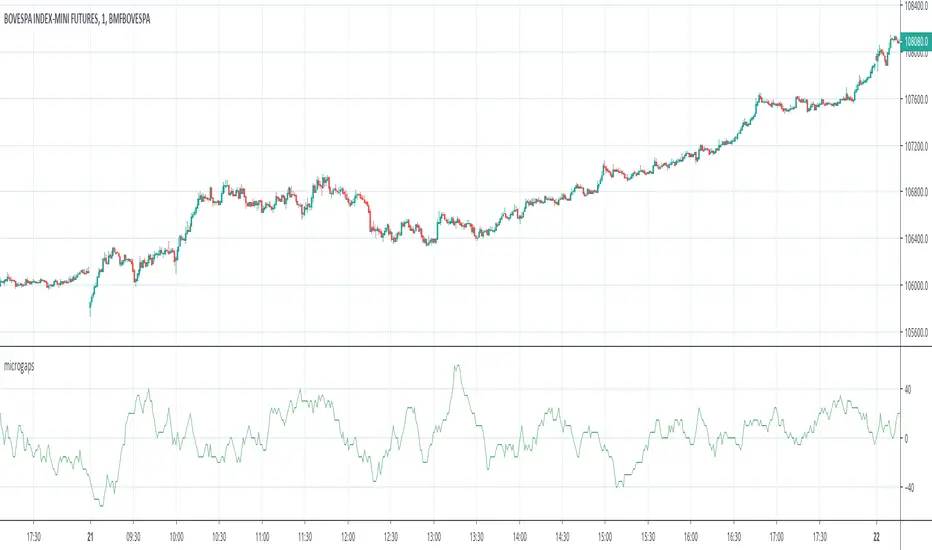
No gaps candlesThis indicator repaints the candles so that every candle's open price is the previous candle's close price. This helps visualize stocks and ETFs that have big gaps, usually between trading days.
You should hide visibility of the ticker for this to be displayed properly.

Find GapsShow a symbol or/and create an alert if there is a gap between candles. Percentage of gaps can be adjusted.

DAX GAPSIf you are interested in trading gaps in DAX, then DOW plotted in DAX's trading hours, will help you know whether the smoothed candle was a gap or not. Use a different script to plot yesterday's closing price. This will help you see the target for the gap close. Let me know if you find it helpful or not!
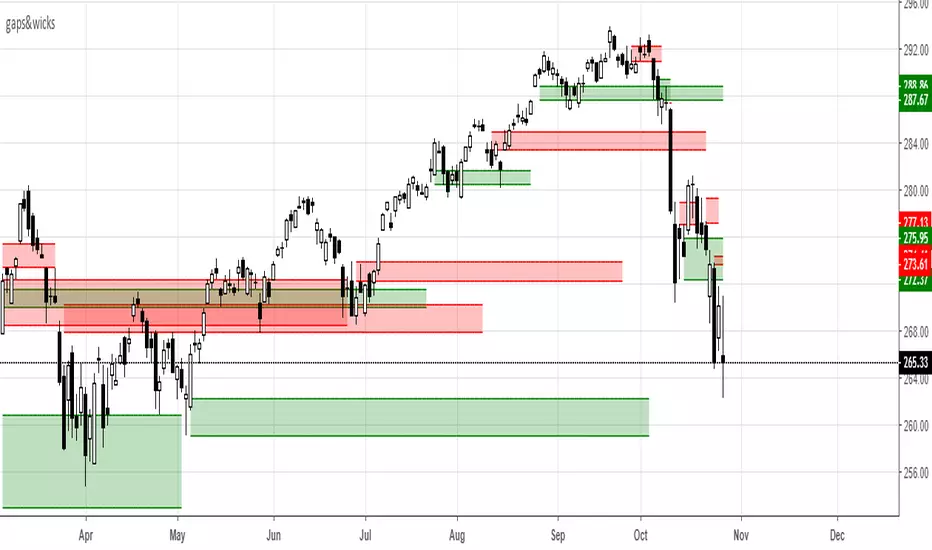
gaps&wicksA means for tracking price ranges for gap up/down and longer buying/selling tails. This may have some value for buying/selling opportunities based on the relative significance of the range. The look back period is adjustable and works for any time frame. If you have any success using it leave some feedback.
-Squam
Gaps Trend [ChartPrime]The Gaps Trend - ChartPrime indicator is designed to detect Fair Value Gaps (FVGs) in the market and apply a trailing stop mechanism based on those gaps. It identifies both bullish and bearish gaps and provides traders with a way to manage trades dynamically as gaps appear. The indicator visually highlights gaps and uses the detected momentum to assess trend direction, helping traders identify price imbalances caused by strong buy or sell pressure.
⯁ KEY FEATURES & HOW TO USE
⯌ Fair Value Gap (FVG) Detection :
The indicator automatically detects both bullish and bearish FVGs, identifying gaps between candle highs and lows. Bullish gaps are shown in green, and bearish gaps in purple. These gaps indicate price imbalances driven by strong momentum, such as when there is significant buying or selling pressure.
Use : Traders can use FVG detection to identify periods of high price momentum, offering insight into potential continuation or exhaustion of trends.
⯌ Trailing Stop Feature Based on FVGs :
A core feature of this indicator is the trailing stop mechanism, which adjusts dynamically based on the identified FVGs. When a bullish gap is detected, the trailing stop is placed below the price to capture upward momentum, while bearish gaps result in a trailing stop placed above the price. This feature helps traders stay in trends while protecting profits as the price moves.
Use : The trailing stop follows the momentum of the price, ensuring that traders can stay in profitable trades during strong trends and exit when the momentum shifts.
bullish set up
bearish set up
⯌ Trend Direction Indication :
The indicator colors the chart according to the current trend direction based on the position of the price relative to the trailing stop. Green indicates an uptrend (bullish gap), while purple shows a downtrend (bearish gap). This provides traders with a quick visual assessment of trend direction based on the presence of gaps.
Use : Traders can monitor the chart's color to stay aligned with the market’s trend, staying long during green phases and short during purple ones.
⯌ Gap Size Filtering :
Each detected gap is assigned a numerical ranking based on its size, with larger gaps having higher rankings. The gap size filter allows traders to only display gaps that meet a minimum size threshold, focusing on the most impactful gaps in terms of price movement.
Use : Traders can use the filter to focus on gaps of a certain size, filtering out smaller, less significant gaps. The numerical ranking helps identify the largest and most influential gaps for decision-making.
⯌ FVG Level Visualization :
The indicator can display dashed lines marking the levels of previously filled FVGs. These levels represent areas where price once experienced a gap and later filled it. Monitoring these levels can provide traders with key reference points for potential reactions in price.
Use : Traders can use these gap levels to track where price has filled gaps and potentially use these levels as zones for entry, exit, or assessing market behavior.
⯁ USER INPUTS
Filter Gaps : Adjust the size threshold to filter gaps by their size ranking.
Show Gap Levels : Toggle the display of dashed lines at filled FVG levels.
Enable Trailing Stop : Activate or deactivate the trailing stop feature based on FVGs.
Trailing Stop Length : Set the number of bars used to calculate the trailing stop.
Bullish/Bearish Colors : Customize the colors representing bullish and bearish gaps.
⯁ CONCLUSION
The Gaps Trend indicator combines Fair Value Gap detection with a dynamic trailing stop feature to help traders manage trades during periods of high price momentum. By detecting gaps caused by strong buy or sell pressure and applying adaptive stops, the indicator provides a powerful tool for riding trends and managing risk. The additional ability to filter gaps by size and visualize previously filled gaps enhances its utility for both trend-following and risk management strategies.

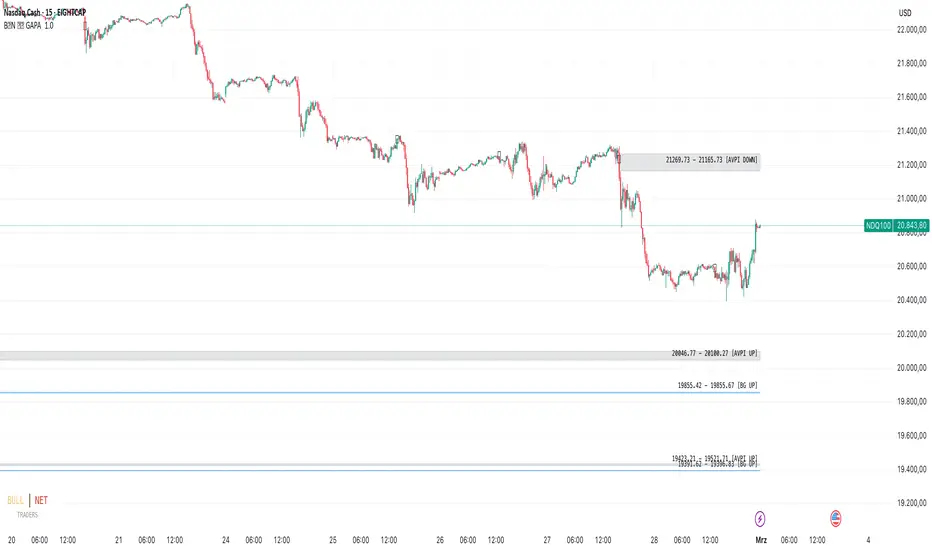
GAPs and AVPIs by BULL┃NETThe B | N - GAPA (GAPs and AVPIs by BULL|NET)
indicator helps traders to identify gaps between bars and imbalances in price and
volume.
read the 2 Disclaimers before use!
Disclaimer BullNett:
The information provided in this document is for educational and informational purposes only and does not constitute financial, investment, or trading advice. Any use of the content is at your own risk. No liability is assumed for any losses or damages resulting from reliance on this information. Trading financial instruments involves significant risks, including the potential loss of all invested capital. There is no guarantee of profits or specific outcomes. Please conduct your own research and consult a professional financial advisor if needed.
Disclaimer TradingView:
According to the www.tradingview.com
Gaps and imbalances are considered important price levels or ranges because the
price usually tends to close gaps and to get rid of imbalances sooner or later. At the
same time, gaps can deliver support or resistance and tell you a lot about market
sentiment.
Knowing where gaps and imbalances are or have been is vital for successful trading.
Read bevor use!!
Concepts and Functionality:
AVPI: Assumed Volume Price Imbalance
The price curve on a chart is like waves on the ocean. It goes up and
down and sometimes it is smooth. More wind means higher waves and if
the wind slows down the waves get smaller. An under sea earthquake
can cause a tsunami which is the exception of the rule: Extremely higher
waves without more wind.
This is what we consider an AVPI. The price is rising or falling sharply at
a single bar with only slightly increased or even decreased volume. The
change in price seems to be rather the result of a single event than of a
broader change in market sentiment. Such an imbalance is subject to be
corrected sooner or later: the price will return to where the imbalance
started. The Gap will get closed.
AVPIs can be spotted in any timeframe across any asset. And most
importantly you will usually see them at any broker for the same asset.
No matter whether you look i.e. at the original Nasdaq (NASDAQ:NDX)
chart or at the corresponding charts of CFD brokers.
Using the historical display feature of the indicator you will spot price
ranges where a couple of bearish and bullish AVPIs take turns. This is
usually the result of bears and bulls fighting for dominance. Play with the
historical display and the replay feature of TradingView to get a feeling
how things developed depending on who won the fight.
Candle Gaps
If the high and low of two consecutive candles do not overlap we talk
about a candle gap. Other than AVPIs which can be spotted across any
broker Candle Gaps are specific to a broker, the asset and the chart.
If you spot the same Candle Gap across different brokers and the original
chart, i.e. NASDAQ:NDX if you trade the Nasdaq, the Gap can be
considered meaningful and important because it marks a price range in
the market that hasn’t been traded at all (nobody was willing to sell or
buy in that price range).
Candle Gaps are usually closed within a very
short time. Often, you can see these gaps being filled on the same day,
but depending on the asset, they can also remain open for days.
Body Gaps
If you compare the high or low of the current bar with the open or close
of the bar before you will see there are times where the current extreme
does not overlap with the body of the previous bar. This is called a Body
Gap.
If the Body Gap extends a Candle Gap (see impressions section below)
to the body of the previous bar you should consider the Body Gap to be
a bigger Candle Gap.
If several Body Gaps occur in quick succession in a trend they indicate
acceleration and maybe an upcoming exhaustion of the trend.
Combined with the B | N – TREX by BULL|NETT you might find a good trend entry (see
impressions section below).
Single Body Gaps usually do not have much impact other than indicating
the price will likely turn quickly to close the Gap.
It is important to note Body Gaps should always be verified in the 1
minute time frame. You might see a body gap in the 3 minute timeframe
but not below because of the calculation of the Body in the higher time
frame. (see impressions section below)
AVPI OPTIONS
Default assumption for an AVPI:
• If the current bar height (high – low) is at least three times bigger
(growth >= 200%) than the height of the bar before (high –
low )
• And the current bar body (open – close or close – open) measures
at least 70% of its total height (high - low)
• And the growth of volume since the last bar (volume – volume ) is
not bigger than 1.5 times (growth <= 50%) the growth of the current
bar height
Example:
Current bar height: 13205.10 Previous bar height: 2500.60 Growth of
height = 13205.10 / 2500.60 = 5.28 times bigger Growth of height in
percent (GoH) = 13205.10 * 100 / 2500.60 – 100 = 428.08%
Current bar height: 13205.10 Current bar body: 11007.72 Proportion of
body (PoB): 11007.72 * 100 / 13205.10 = 83.36%
Current bar volume: 608470.00 Previous bar volume: 357365.00 Change
in volume: 608470 * 100 / 357365 – 100 = 70.27% Max. change in
volume allowed: 428.08 * 50% = 214%
Condition check: Growth of height (GoH) in percent 428.08% > 200%
Proportion of body 83.36% > 70% Growth of volume (GoV) 70.27% <
214%
All conditions are true and we can assume a volume to price imbalance.
The following settings allow you to modify the calculation parameters.
The defaults deliver highly reliable results across all markets and assets.
Any changes may end in displaying false results.
Settings:
● Maximum GoV in percent The default maximum growth of volume is
50% of the growth of height. You can change it down to 25% in steps of
1%. This setting decreases the allowed maximum growth of volume. The
calculation becomes more strict.
● Minimum GoH in percent The default minimum growth of height of the
current bar compared to the previous bar is 200%. You can change the
setting between 150% and 250%. The previous bar is taken as 100%. A
growth by 100% means the current bar height is two times the height of
the previous bar. If the previous bar has a height of 50 points, a growth of
200% expects the current height to be 150 (50 + 2 * 50) points. A setting
of 150% results in 125 (50 + 50 + 25) points, and 250% gives 175 (50 +
2 * 50 + 25) points.
● Minimum PoB in percent The default minimum proportion of the current
bar's body of its height is 70%. You can choose a value between 65%
and 90%. The height of the bar (high – low) is always 100%. If you
reduce the setting, you allow a smaller body (larger wicks). If you raise
the setting, you demand a larger body (less wicks).
● AVPIs By default, AVPI calculation and display are enabled. For
backtesting purposes, you can switch them off.
The two color fields allow you to differentiate between AVPIs with
increasing and decreasing volume. A lower volume at the current bar
than at the previous bar while the bar height is growing can tell you
something about the market sentiment in higher timeframes.
The text color field allows you to change the color of the range display in
the AVPI box.
● AVPI Insight By default, you will see a small 🛈 in the middle of the
AVPI bar. The tooltip of the label contains all parameters as shown in the
example calculation above. If you don’t need it, you can disable this
feature. The other two fields determine the color and size of the 🛈.
— Body and Candle Gap Options
● Body Gaps By default, the display of Body Gaps is enabled. You can
disable it for backtesting purposes. Change the color of the box and text
to your liking.
● Candle Gaps By default, the display of Candle Gaps is enabled. You
can disable it for backtesting purposes. Change the color of the box and
text to your liking.
— HISTORICAL OPTIONS
All historical options are for backtesting and learning purposes only.
● Show past AVPIs If enabled, the live display of AVPIs is switched off.
Select the number of the latest AVPIs to display. You can differentiate
between bullish (up) and bearish (down) AVPIs. Past AVPIs will be
displayed in their dimension at the moment they occurred.
● Show past Body Gaps If enabled, the live display of Body Gaps is
switched off. Select the number of the latest Body Gaps to display. You
can differentiate between bullish (up) and bearish (down) Body Gaps.
Past Body Gaps will be displayed in their dimension at the moment they
occurred.
● Show past Candle Gaps If enabled, the live display of Candle Gaps is
switched off. Select the number of the latest Candle Gaps to display. You
can differentiate between bullish (up) and bearish (down) Candle Gaps.
Past Candle Gaps will be displayed in their dimension at the moment
they occurred.
— DISPLAY OPTIONS
● 2 Decimals To streamline the appearance of prices, they are set to
display two decimals only. Numbers get rounded! However, trading
currency pairs or crypto assets might need to display the full amount of
decimals. In this case, simply disable the setting “2 Decimals.”
● Show Gap Range By default, each Gap Box will contain its range.
Depending on the direction (up/down), the range is displayed from
Bottom to Top or vice versa. If you want a cleaner chart, you can disable
the range.
— NERDS ONLY
These options are for nerdy pro-traders. For most of them, you need
knowledge about the Pine Protocol Console. If you have no idea what I
am talking about, these features are not for you.
● Bar Details In replay mode, you will see the details of the current bar in
the pine protocol.
_____________________________________________
Disclaimer BullNett:
The information provided in this document is for educational and informational purposes only and does not constitute financial, investment, or trading advice. Any use of the content is at your own risk. No liability is assumed for any losses or damages resulting from reliance on this information. Trading financial instruments involves significant risks, including the potential loss of all invested capital. There is no guarantee of profits or specific outcomes. Please conduct your own research and consult a professional financial advisor if needed.
Disclaimer TradingView:
According to the www.tradingview.com
Copyright: 2025-BULLNET - All rights reserved/b]
Roadmap:
Version 1.0 28.02.2025
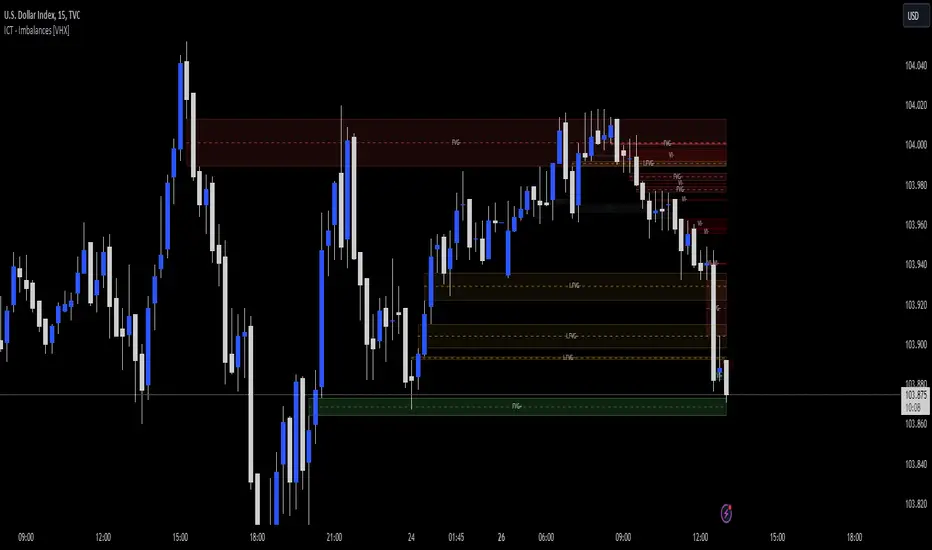
Gaps Profile [vnhilton]Note: If you get an error preventing indicator from executing due to a loop running longer than >500ms, please lower the amount of boxes shown and/or increase the minimum gap % threshold.
OVERVIEW
The Gaps Profile (GP) simply shows the remaining gaps on the chart that have yet to be closed. Gaps are created where there's a distance between the current open and the previous close. Big gaps suggest change in sentiment and volatility causing prices to pull away thereby creating gaps. Gaps can be used as pivot areas where price may attempt to close the inefficiency entirely and/or serve as supply/demand zones.
(FEATURES)
- 3 to 499 remaining up/down gaps can be displayed on the chart (furthest gaps away from price are removed to make way for new gaps)
- Minimum gap % threshold
- Ability to highlight largest or newest up/down gap
- 4 GP color themes: Mono, Up/Down, Up/Down Largest Gradients, Up/Down Newest Gradients
- GP Type: Left, Right (how it is built - overlapping gaps plotted from left/right to right/left)
- GP offset from current bar
- Box border width
- Box border style for up/down: Dashed, Dotted, Solid
- Toggles to hide border/box with ease


ICT - GAPs and Volume Imbalance
GAPs
Gaps are areas on chart where the price have moved sharply up or down, with no trading in between. Gaps often fill, but they don't have to.
Volume Imbalance
Volume imbalance - determined using 2 candles
Bullish Volume Imbalance - area between the close of 1st candle and the open of 2nd candle
Bearish Volume Imbalance - area between the close of 1st candle and the open of 2nd candle
How to use the indicator:-
When you find imbalance in volume or a GAP in the chart, you may expect price to rebalance it before continuation.
Importantly, GAPs/Imbalances do not always fill. Traders should never assume that a gap/imbalance will fill without understanding the reasons for the gap and monitoring trading activity around the gap.
Pair it with your current bias for better results.
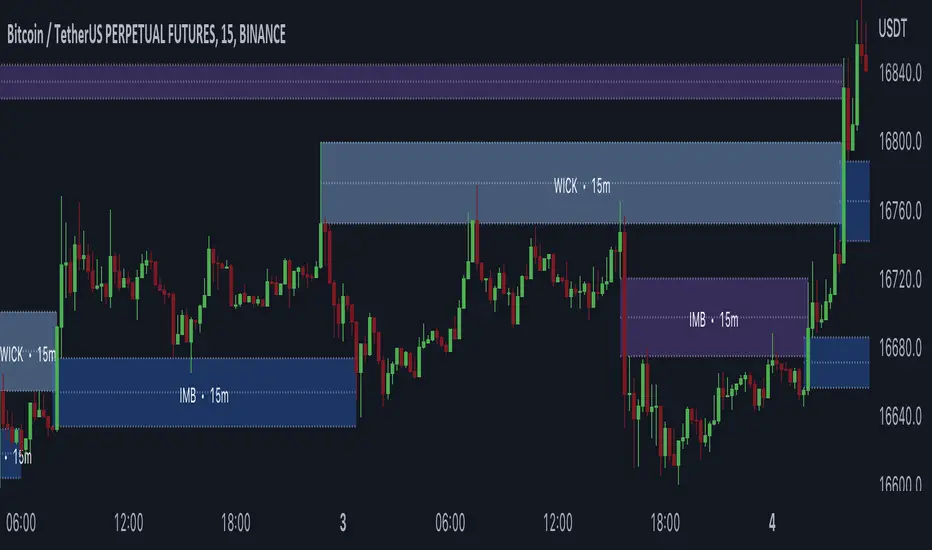
Gaps + Imbalances + Wicks (MTF) - By LeviathanThis script will identify and draw price gaps, wicks and imbalances with customizable fill conditions, multi-timeframe function, zone size filtering, volume comparison, lookback filtering, as well as highly customizable appearance and settings.
I’ve made this indicator to combine the three similar but different elements that occur in price movements and serve as significant zones of interest or way of PA interpretation in various different strategies.
Imbalances (or Fair Value Gap/FVG/Inefficiency/whatever)
- The Imbalance “pattern” consists of 3 candles (1- candle before the sharp move, 2 - sharp move candle and 3- candle after the sharp move). When price makes a move downwards, the imbalance zone is defined as the area between the low of 1 and the high of 3 When price makes a move upwards, the imbalance zone is defined as the area between the high of 1 and the low of 3.
Gaps
A price gap is an area on a chart where no trading activity has taken place. A gap up means that the low of the current candle is higher than the high of the previous candle and a gap down means that the high of the current candle is lower than the low of the previous candle.
Wicks (or shadows/tails/whatever)
Wicks are used to indicate where the price has fluctuated relative to the opening and closing price of the candle. An upper wick is the zone between candle high and candle close/open (whichever is higher) and a lower wick is the zone between candle’s low and candle’s close/open (whichever is lower).
Settings Overview
“Zone Type” - This input lets you decide which zones should the script plot and on which timeframe. You should always pick a timeframe higher than your chat’s.
“Middle Line, Top Line, Bottom Line” - Show or hide the Middle Line (horizontal level in the middle of each zone), Show or hide Top Line (horizontal level at the top of the zone), Show or hide Bottom Line (horizontal level at the bottom of the zone)
“UP/DOWN Zones" - This input lets you show/hide UP Zones or DOWN Zones an pick their color, border color and label color.
”Fill Condition” - If turned ON, the zones will end drawing when your prefered Fill Condition is met (Full Filll = price mitigates the whole zone, Half Fill = zone is at least halfway mitigated and Touch = zone is touched by price). If turned OFF, the zones will only be plotted for the amount of bars defined it “Zone Length”.
”Lookback (D)” - This input lets you limit the amount of zones plotted on the chart by choosing how many days back in time should the script go to find and plot zones. For example, input 1 will only show you the zones of the past day, input 7 will only show you the zones of the past week.
”Hide Filled Zones” - If turned ON, the zones that have been filled will be removed from the chart.
”Show Boxes” - Show or hide the boxes that represent the zones. This is useful for those who want the zones to be visualized by just lines.
“Filter Type” - this input lets you create a filter that will make the script only show zones that are larger than ATR or larger than a certain percentage. You can choose the ATR Length and the multiplier (higher multiplier → larger zone required), as well as the Percentage (%) and its multiplier (higher percentage → larger zone required). If you choose “None”, the zones of all sizes will be plotted.
”Zone Labels” - this part of the settings lets you: show/hide labels, decide on the size of the labels and their positions, choose a custom name for each zone, choose the data that the labels present (Type of the zone/Timeframe/ Volume ).
”Other settings” - ‘Stop/Delete zone after X number of candles’ will force stop/delete the zone if it’s plotted for more than prefered number of bars. ‘Line Style’ lets you choose the style and the color of the lines, ‘Zone Length’ defines the length of the zone if Fill Condition is “None”.
More settings, modifications and improvements coming in future updates. This script is a bit old so I will clean up and optimize the code once I have more time.
Gaps (modified TradingView standard indicator)Based on standard TradingView "Gaps" indicator, but modified so that the gaps are displayed until fully closed (not jus paritally like the original indicator).

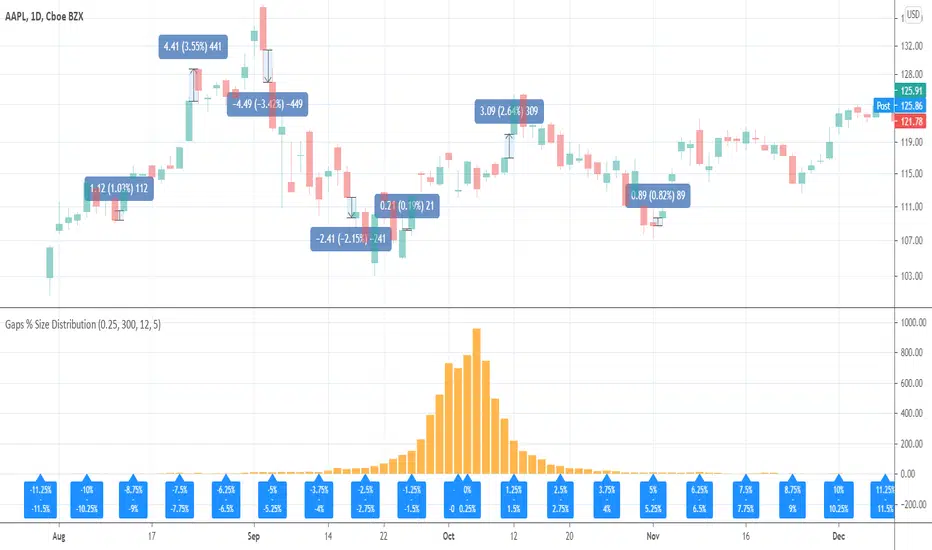
Gaps % Size DistributionThis tool is to visualize the distribution of gap % sizes, i.e. those things that I marked on the main chart. The tool uses the entire history of an instrument.
The detalization depends on the Binning Step parameter. The lower chart timeframe the lower that step should be.
Good luck.
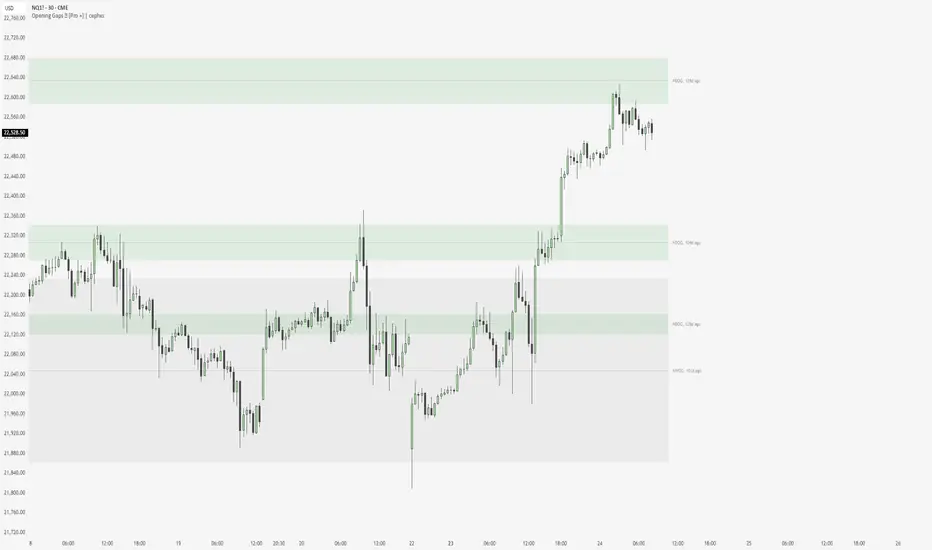
NWOG & NDOG - Opening Gaps 🧪 [Pro +] | cephxsNWOG & NDOG - OPENING GAPS 🧪
Smart Gap Detection with Intelligent Filtering
Visualizes New Week Opening Gaps (NWOGs) and New Day Opening Gaps (NDOGs) with built-in intelligence to show you only what matters. No more cluttered charts with gaps from 3 months ago that price will never revisit.
The Display chart is on default settings with the size filter set to "Juicy Gaps only"
THE PROBLEM WITH GAP INDICATORS
Most gap indicators dump every single gap on your chart and call it a day. You end up with 100+ boxes cluttering your screen, half of which are miles away from current price and the other half are so tiny they're basically noise.
This one's different (That's what they all say).
SMART FILTERING (THE GOOD STUFF)
Two filters work together to keep your chart clean:
Size Filter: Uses ATR-based detection to filter out insignificant gaps
- Filter None: Show everything (if you really want chaos)
- Filter Insignificant: Hide the micro-gaps that don't matter
- Juicy Gaps Only: Only show gaps worth paying attention to (Mostly for HTF trading)
Distance Filter: Only displays gaps within range of current price
- Really Close: 0.5 ATR - tight focus on immediate levels
- Balanced: 1 ATR - sweet spot for most traders
- Slightly Far: 3 ATR - wider view for swing traders
- ✨ Or just turn off the filter by distance and it becomes like other indicators ✨
The magic: gaps appear and disappear as price moves toward or away from them. Old gaps that price has left behind fade out, and gaps that become relevant fade back in. Remove auto scaling if price is not trending and gaps keep flashing in and out.
GAP TYPES EXPLAINED
New Week Opening Gaps (NWOGs):
The gap between Friday's close and Monday's open. These form over the weekend when markets are closed and often act as significant support/resistance.
Two classifications:
Void Gaps: Gap direction aligns with Friday's candle direction (continuation)
Overlap Gaps: Gap direction conflicts with Friday's candle (potential reversal)
New Day Opening Gaps (NDOGs):
The gap between one day's close and the next day's open. Smaller but frequent - useful for intraday traders looking for fill targets.
FEATURES
Automatic Week/Day Detection: Handles forex (17:00 ET open) and futures (18:00 ET open) correctly
DST-Aware: Uses New York timezone with automatic daylight saving adjustments
50% Equilibrium Line: Marks the midpoint of each gap - key level for entries
Days Ago Labels: Shows how old each gap is at a glance
Extension Modes: Choose between live-extending boxes or fixed-width boxes
Separate Color Schemes: Different colors for void vs overlap NWOGs, bullish vs bearish NDOGs
INPUTS
NWOG/NDOG Display
Show NWOGs / NDOGS: Master toggle
Extension Modes:
Maximum NWOGs: Limit displayed gaps
Show Void/Overlap Gaps: Toggle each type independently
Filter Settings
Size Filter:
Only Show Near Price: Enable/disable distance filtering
Distance Filter: Really Close / Balanced / Slightly Far
Styling
Box Transparency: Fill and border opacity
Midline Style: Solid / Dotted / Dashed
Label Style: Simple ("NWOG, 5d ago") or Descriptive ("NWOG (Void Bull), 5d ago")
Label Size: Tiny / Small / Normal / Large
RECOMMENDED SETTINGS
For intraday (1m-15m):
Size Filter: Filter Insignificant
Distance Filter: Really Close or Balanced
Show NDOGs: On
Maximum NDOGs: 5-10
For swing trading (1H-4H):
Size Filter: Juicy Gaps Only
Distance Filter: Balanced or Slightly Far
Show NWOGs: On
Maximum NWOGs: 10-20
TIMEFRAME NOTES
Works on daily timeframe and below. Above daily, the indicator disables itself since NWOG/NDOG gap detection requires daily open/close data.
ASSET SUPPORT
Automatically handles different market open times:
Forex:
Futures:
Stocks/indices:
FAQ
Why do gaps appear and disappear?
That's the distance filter working. As price moves, gaps that were far away become relevant and appear. Gaps that price leaves behind disappear. This keeps your chart focused on actionable levels.
What's the difference between void and overlap gaps?
Void gaps continue Friday's direction (trend continuation). Overlap gaps conflict with Friday's direction and don't actually have a volume gap in price. Different traders prefer different types so i chose to differentiate them.
Why can't I see any gaps?
Check your filter settings. "Juicy Gaps Only" with "Really Close" distance filter is very selective. Try "Filter Insignificant" with "Balanced" for more gaps. Or simply turn off the filter if you are on an asset that has very few/no gaps... The indicator has gone through rigorous testing.
DISCLAIMER
This indicator is for educational purposes only. Opening gaps are one tool among many - they don't guarantee fills or reversals. Always use proper risk management and never trade based on a single indicator. Past gap fills don't guarantee future performance. Do your own analysis.
CHANGELOG
Pro +: Added smart size/distance filtering, void/overlap classification, NDOG support, DST-aware timezone handling. Tradingview handles the actual time shift.
Base: Initial NWOG visualization
Made with ❤️ by cephxs
Rapid Price Skip Gaps V2.0Rapid Price Skip Gaps: Your Edge in Identifying Market Imbalances
The "Rapid Price Skip Gaps" indicator for TradingView is a powerful and intuitive tool designed to help traders quickly identify, visualize, and track significant price skip gaps on their charts. By highlighting these critical market imbalances and providing customizable alerts, it offers a unique perspective on potential areas of interest, support, and resistance.
What are Price Skip Gaps?
A price skip gap occurs when there is an un-traded range between two consecutive price bars. This signifies that price "skipped" over a certain level without any transactions occurring within that range.
Bullish Skip Gap : The current bar's lowest price is higher than the previous bar's highest price. This indicates strong buying pressure that "skipped" a price range.
Bearish Skip Gap : The current bar's highest price is lower than the previous bar's lowest price. This indicates strong selling pressure that "skipped" a price range.
Skip gaps often represent significant shifts in supply and demand, order imbalances, or rapid reactions to news events. Many trading strategies revolve around the idea of "gap fill," where price tends to retrace and fill these un-traded zones.
Core Functionality & How it Works
The "Rapid Price Skip Gaps" indicator continuously monitors price action to detect these imbalances:
1.Intelligent Gap Detection: The core of the indicator lies in its detectGap function. It meticulously compares the high and low of the current bar against the high and low of the previous bar.
For a Bullish Skip Gap: It confirms if current bar's low > previous bar's high. The gap size is then calculated as current low - previous high.
For a Bearish Skip Gap: It confirms if current bar's high < previous bar's low. The gap size is calculated as previous low - current high.
2.Dynamic Visual Representation: Once a skip gap is detected, the indicator brings it to life on your chart:
Colored Boxes: Skip gaps are automatically drawn as distinct rectangular boxes directly on the chart.
Bullish Skip Gaps: Filled with a customizable Bullish Gap Color (default: Green) with adjustable transparency.
Bearish Skip Gaps: Filled with a customizable Bearish Gap Color (default: Red) with adjustable transparency.
Gap Size Labels: A clear label is placed near each detected gap, showing its precise size (e.g., " Bull Gap"). Label size is also customizable for optimal readability.
Automatic Extension & Closure: The indicator intelligently tracks active gaps. If a gap remains unfilled, its box extends dynamically across subsequent bars, reminding you of its presence. When price enters the gap area (meaning the gap is "filled"), the corresponding box is automatically deleted, keeping your chart clean and relevant.
3.Configurable "Quiet Hours" Filter (User-Selected Timezone): A powerful feature for traders who focus on specific market sessions or wish to avoid noise during less active periods. The indicator includes a "Quiet Hours" filter, allowing you to define a specific time window (in a user-selected timezone) during which new skip gap signals will not be generated. This ensures that the indicator only highlights gaps that occur during your preferred trading hours, reducing false signals and improving focus.
How it's Programmed: This is achieved by using Pine Script's time() function to check if the current bar's time falls within the defined "quiet session" (defaulting to 12:00-21:00 UTC). New gap signals are only allowed if the current bar is outside this quiet session. The timezone for this quiet session is also a customizable input.
4.Customizable Vertical Line Timestamps (User-Selected Timezone): To further enhance your chart's context, the indicator provides the option to draw prominent vertical lines at specific, user-defined hours (in a user-selected timezone). These lines act as persistent "stamps" on your timeline, helping you visualize and remember key times, such as market open/close, news events, or session overlaps relevant to your strategy.
Functionality: You can toggle this feature on/off, select the exact hour, choose its style (Solid, Dashed, Dotted), pick its color, and adjust its width for clear visibility. You can configure up to three distinct vertical lines.
How it's Programmed: This is achieved by creating line drawing objects directly at the specified bar_index and extending them across the entire vertical range of the chart using precise Y-coordinate values, ensuring they are always visible regardless of zoom level. The indicator intelligently manages these lines, drawing them only once per specified hour and removing them if the feature is toggled off or the time condition is no longer met. Each line is also accompanied by an optional customizable text label for quick identification.
How This Indicator Can Help Your Trading
Identify Support & Resistance: Unfilled skip gaps often act as strong dynamic support or resistance levels where price might react.
Gauge Market Strength: Large skip gaps, especially on significant news, can indicate strong directional momentum.
Gap Fill Strategies: Traders employing gap-fill strategies can use the visual boxes to pinpoint entry and exit points, targeting the closure of these gaps.
Confirmation Tool: Use skip gaps as a confluence factor with your existing analysis, confirming breakouts or reversals.
Session & Time Awareness: The quiet hours filter and vertical line timestamps help you stay aware of market sessions and specific times that might influence price behavior, tailored to your preferred timezone.
Visual Clarity: The intuitive visual representation keeps your chart clean and quickly highlights critical information, allowing for faster decision-making.
Customizable Inputs:
Indicator Timezone (under "Time Settings"): Sets the primary timezone for time-related calculations within the indicator.
Bullish Gap Color: Choose the fill color for upward skip gaps.
Bearish Gap Color: Choose the fill color for downward skip gaps.
Gap Transparency: Adjust the opacity of the skip gap boxes (0-100).
Border Width: Set the thickness of the skip gap box borders.
Label Size: Select the size of the text labels for skip gap sizes ("Tiny," "Small," "Normal," "Large").
Timeframe: Optionally apply the skip gap detection to a different timeframe than your chart (e.g., detect Daily gaps on a 1-hour chart). Leave blank for current chart timeframe.
Quiet Session Start-End (under "Time Settings"): Define a time range (e.g., "1200-2100") in the specified Quiet Session Timezone where new skip gap signals will be suppressed.
Quiet Session Timezone (under "Time Settings"): Select the timezone for the Quiet Session Start-End input.
Vertical Timestamps (Group):
V1, V2, V3 (Toggles): Enable or disable each of the three customizable vertical lines.
Text (for V1, V2, V3): Customize the text label displayed on each vertical line (e.g., "Sydney open").
Time (for V1, V2, V3): Define the exact session time (e.g., "2100-2101" for 9 PM UTC) when each vertical line should appear. These sessions are interpreted in UTC.
Color (for V1, V2, V3): Set the color for each vertical line.
Style (for V1, V2, V3): Choose between "Solid," "Dashed," or "Dotted" for each vertical line.
Width (for V1, V2, V3): Adjust the thickness of each vertical line.
The "Rapid Price Skip Gaps" indicator is a versatile tool for any trader looking to incorporate gap analysis and precise time-based markers into their trading strategy. Add it to your chart today and gain a new perspective on market dynamics!

Gap Statistics (Zeiierman)█ Overview
The Gap Statistics (Zeiierman) indicator is crafted to monitor, analyze, and visually present price gaps on a trading chart. Price gaps are areas on a chart where the price jumps up or down from the previous close to the next open, creating a "gap" in the normal price pattern. This script delivers an extensive range of statistics related to these gaps, encompassing their size, direction (whether bullish or bearish), frequency of getting filled, as well as the average number of bars it takes for a gap to be filled. The indicator also visually represents the gaps, making it easier for traders to spot and analyze them.
█ How It Works
Gap Identification: The script identifies gaps by comparing the open price of a bar to the close price of the previous bar. If there is a discrepancy between the two, it is recognized as a gap.
Gap Classification: Once a gap is identified, it is classified based on its size (as a percentage of the previous close price) and direction (bullish or bearish). The gap is then added to a specific category based on its size.
Gap Tracking: The script keeps track of all identified gaps using arrays and user-defined types, storing details like their size, direction, and whether they have been filled.
Gap Filling: The script continuously monitors the price to check if any previously identified gaps get filled. A gap is considered filled if the price moves back into the gap area.
Statistics and Alerts: The script calculates various statistics like the total number of gaps, the number of filled gaps, the average number of bars it takes for a gap to fill, and the percentage of gaps that get filled. It also generates alerts when a new gap is identified or an existing gap gets filled.
█ How to Use
Gaps are often classified into four main types:
Common Gaps: These are not associated with any major news and are likely to get filled quickly.
Breakaway Gaps: These occur at the end of a price pattern and signal the beginning of a new trend.
Runaway Gaps: Also known as continuation gaps, these occur in the middle of a trend and signal a surge in interest in the stock.
Exhaustion Gaps: These occur near the end of a price pattern and signal a final attempt to hit new highs or lows.
The Gap Statistics (Zeiierman) indicator enhances a trader's ability to use gaps in their trading strategy in several ways:
Statistical Analysis: Traders get comprehensive statistics on gaps, such as their size, direction, and how often they get filled.
Performance Tracking: The indicator tracks how many bars it typically takes for a gap to fill, providing traders with an average timeframe for gap closure.
█ Settings
Display Gaps: Choose to display "All Gaps," "Active Gaps," or "None."
Show Gap Size: Toggle on/off the display of the gap size.
-----------------
Disclaimer
The information contained in my Scripts/Indicators/Ideas/Algos/Systems does not constitute financial advice or a solicitation to buy or sell any securities of any type. I will not accept liability for any loss or damage, including without limitation any loss of profit, which may arise directly or indirectly from the use of or reliance on such information.
All investments involve risk, and the past performance of a security, industry, sector, market, financial product, trading strategy, backtest, or individual's trading does not guarantee future results or returns. Investors are fully responsible for any investment decisions they make. Such decisions should be based solely on an evaluation of their financial circumstances, investment objectives, risk tolerance, and liquidity needs.
My Scripts/Indicators/Ideas/Algos/Systems are only for educational purposes!

Session Gap Fill [LuxAlgo]The Session Gap Fill tool detects and highlights filled and unfilled price gaps between regular sessions. It features a dashboard with key statistics about the detected gaps.
The tool is highly customizable, allowing users to filter by different types of gaps and customize how they are displayed on the chart.
🔶 USAGE
By default, the tool detects all price gaps between sessions. A price gap is defined as a difference between the opening price of one session and the closing price of the previous session. In this case, the tool uses the opening price of the first bar of the session against the closing price of the previous bar.
A bullish gap is detected when the session open price is higher than the last close, and a bearish gap is detected when the session open price is lower than the last close.
Gaps represent a change in market sentiment, a difference in what market participants think between the close of one trading session and the open of the next.
What is useful to traders is not the gap itself, but how the market reacts to it.
Unfilled gaps occur when prices do not return to the previous session's closing price.
Filled gaps occur when prices come back to the previous session's close price.
By analyzing how markets react to gaps, traders can understand market sentiment, whether different prices are accepted or rejected, and take advantage of this information to position themselves in favor of bullish or bearish market sentiment.
Next, we will cover the Gap Type Filter and Statistics Dashboard.
🔹 Gap Type Filter
Traders can choose from three options: display all gaps, display only overlapping gaps, or display only non-overlapping gaps. All gaps are displayed by default.
An overlapping gap is defined when the first bar of the session has any price in common with the previous bar. No overlapping gap is defined when the two bars do not share any price levels.
As we will see in the next section, there are clear differences in market behavior around these types of gaps.
🔹 Statistics Dashboard
The Statistics Dashboard displays key metrics that help traders understand market behavior around each type of gap.
Gaps: The percentage of bullish and bearish gaps.
Filled: The percentage of filled bullish and bearish gaps.
Reversed: The percentage of filled gaps that move in favor of the gap
Bars Avg.: The average number of bars for a gap to be filled.
Now, let's analyze the chart on the left of the image to understand those stats. These are the stats for all gaps, both overlapping and non-overlapping.
Of the total, bullish gaps represent 55%, and bearish ones represent 44%. The gap bias is pretty balanced in this market.
The second statistic, Filled, shows that 63% of gaps are filled, both bullish and bearish. Therefore, there is a higher probability that a gap will be filled than not.
The third statistic is reversed. This is the percentage of filled gaps where prices move in favor of the gap. This applies to filled bullish gaps when the close of the session is above the open, and to filled bearish gaps when the close of the session is below the open. In other words, first there is a gap, then it fills, and finally it reverses. As we can see in the chart, this only happens 35% of the time for bullish gaps and 29% of the time for bearish gaps.
The last statistic is Bars Avg., which is the average number of bars for a gap to be filled. On average, it takes between one and two bars for both bullish and bearish gaps. On average, gaps fill quickly.
As we can see on the chart, selecting different types of gaps yields different statistics and market behavior. For example, overlapping gaps have a greater than 90% chance of being filled, whereas non-overlapping gaps have a less than 40% chance.
🔶 SETTINGS
Gap Type: Select the type of gap to display.
🔹 Dashboard
Dashboard: Enable or disable the dashboard.
Position: Select the location of the dashboard.
Size: Select the dashboard size.
🔹 Style
Filled Bullish Gap: Enable or disable this gap and choose the color.
Filled Bearish Gap: Enable or disable this gap and choose the color.
Unfilled Gap: Enable or disable this gap and choose the color.
Max Deviation Level: Enable or disable this level and choose the color.
Open Price Level: Enable or disable this level and choose the color.

Unfilled Gaps TrackerIndicator Description: Unfilled Gaps Tracker
Overview:
The Unfilled Gaps Tracker is a powerful TradingView indicator designed to identify and visualize unfilled gaps on a price chart. This indicator highlights bullish and bearish gaps with continuous horizontal bars, helping traders quickly identify potential areas of support and resistance.
Features:
Gap Detection: Automatically detects bullish gaps (where the current low is higher than the previous close) and bearish gaps (where the current high is lower than the previous close).
Continuous Visualization: Displays gaps as horizontal bars extending to the most recent candle. Bullish gaps are filled with green, and bearish gaps are filled with red.
Single Label per Gap: Each gap is labeled once, ensuring a clean and uncluttered chart. Labels move with the gap's right edge as new bars are added.
Dynamic Updates: Gaps are dynamically updated, and the visualization adjusts as new bars are added. Gaps are removed from the chart once they are filled by subsequent price action.
Multiple Gaps: Tracks multiple gaps simultaneously, providing a comprehensive view of unfilled gaps over time.
Usage:
Adding the Indicator:
To add the Unfilled Gaps Tracker to your chart, search for "Unfilled Gaps Tracker" in the TradingView indicators menu and apply it to your desired chart.
Interpreting the Indicator:
Bullish Gaps: Represented by green horizontal bars with the label "Bull Gap." These indicate areas where the price gapped up, potentially acting as future support levels.
Bearish Gaps: Represented by red horizontal bars with the label "Bear Gap." These indicate areas where the price gapped down, potentially acting as future resistance levels.
Trading Strategy:
Use the identified gaps to inform your trading strategy. Unfilled bullish gaps can be potential buy zones, while unfilled bearish gaps can be potential sell zones.
Monitor how the price interacts with these gaps. A gap fill (where the price moves back to close the gap) can provide valuable trading signals.
