Volume average for up bars and down bars separatelythis easy script describes what happens with down bars and up bars in volume.
In den Scripts nach "bar" suchen

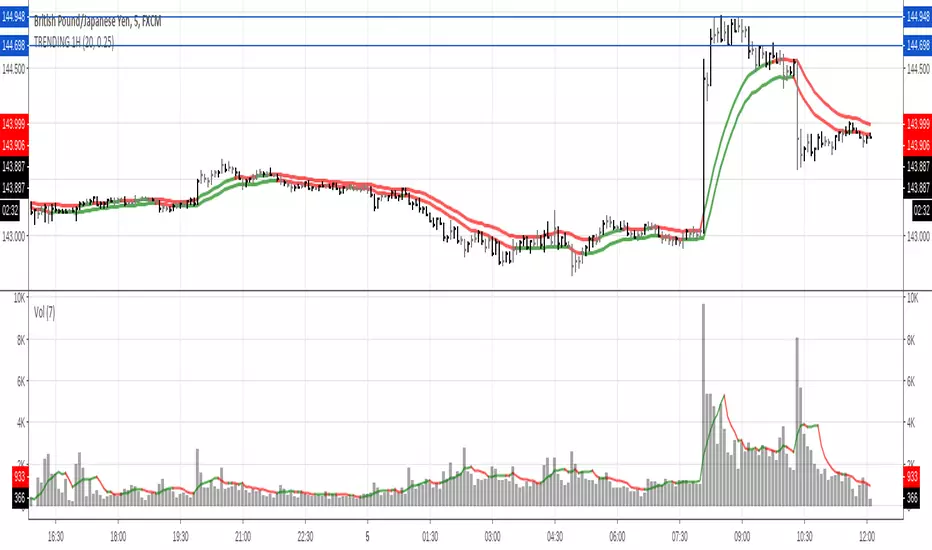
TRENDING high / low 20s EMA with GRAY Bars / Black BarsColored 20 default EMAs describing the trend
Black bars showing strength or weakness on 25% default.
Gray bars showing uncertainty
check volume to take decisions.
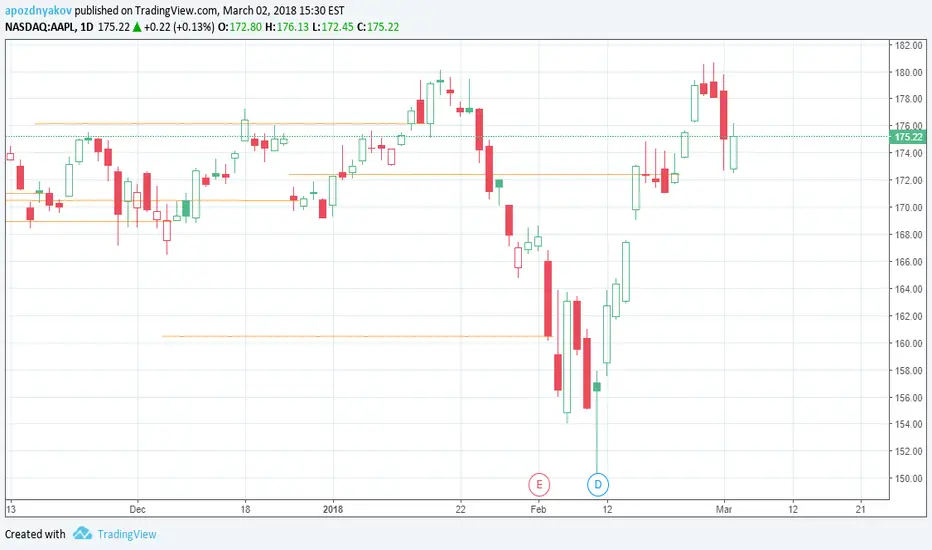
draw line at bar on condition, up to 40 bars in lengthDraws line at bar on condition, up to 40 bars in length.
Well, that's not a line, but a set of `—` characters. But it looks like a line, so it is line.
Green BarsA simple script to count the number of up days, or intraday bars, (Green Bars) for a given Look Back period.
Inputs are: Look Back Period and Increment.
Use 0 for the Increment to count only the up days, or bars.
Use -1 to include the down days, or bars, in the sum.

TH Outside Bars Marker IndicatorMarks Outside Bars with a subtle orange arrow. Bearish Outside Bars have an arrow above, Bullish Outside Bars have an arrow below.

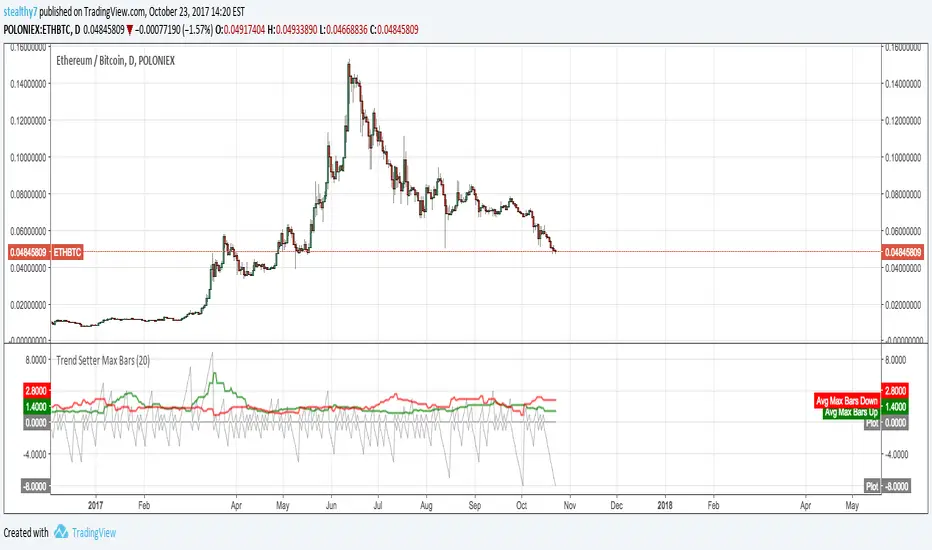
Trend Setter Max BarsThis script allows you to visualize trends. It counts continuous bars in the same direction, then makes an average of the maximum count in the look back period. If Green is above Red, its strength is upward and vice versa. This doesn't use returns or measure price moves.
*Positive Gray is current up bars count. Negative Gray down current down bars count
*Green and Red are average max counts.
This info could possibly be used to gauge trends or momentum.
Note: I finally figured out how to use loops and mutable variables in V3.

simple signal barsBITCOIN / TETHER USD
Put !! bellow red bar and catch!! above lime bar
simple signal bars!
한글로 발급신청해주세요.

[RS]Dollar Basket - Bar by Bar Percent ChangeDisplays a horizontal selection of instruments Vs the dollar, value is percent change from bar to bar with option to smooth the data with a simple average.

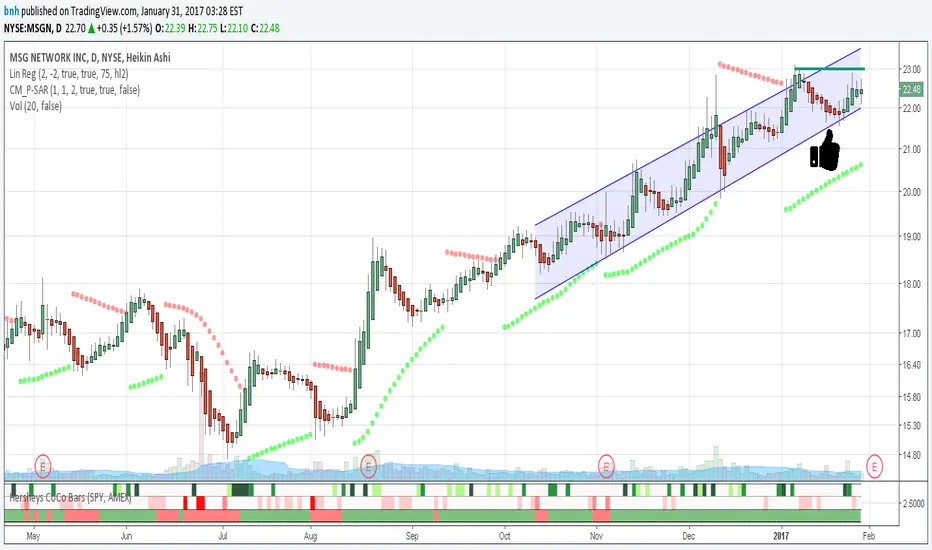
Hersheys CoCo BarsThis is my latest attempt to show price movement differences between symbols. I want to see the buying and selling pressure... is that price movement going with the market or is it moving alone? It's VERY interesting to watch this indicator and see how things play out!
In my previous versions the arrows on the chart were too much clutter, while the single row of color under the chart was not enough info. Also, I removed the calculations to build a world index because the correlation between US and world markets is a hard nut to crack, plus it took many seconds to calculate.
So here is "CoCo Bars", which clearly show price moves with or against another symbol. The default symbol is the US index SPY. The coolest thing here is there are three rows of data in ONE INDICATOR! Many thanks to user rollas for helping with that code.
"CoCo" stands for correlation coefficient, which is what I was studying when I got the idea for this project.
GREEN bars in row #1 = Symbol up, US up, Symbol up more than US
RED bars in row #2 = Symbol down, US down, Symbol down more than US
In rows 1 and 2 the color intensity is based on the biggest difference, light, medium and dark colors.
green/red colors in bottom row are a 7 period average of the sum of price changes of both symbol and index, green = positive, red = negative
Enjoy, and good trading!
Brian Hershey
Price Action Awesome IndicatorThis indicator is everything you need to do Price Action Trading.
It provides signals about:
Inside Bars
Pin Bars
Fakey Pin Bars (background color red or green for bearish or bullish fakeys)

2BARCounts Bars,
After 2 Bars in same direction Entry on 3rd.
Its looking at 4H bar, but best viewed on 1h chart or less.

Fakey pattern (Inside Bar False Breakout)Inside Bar + False-Breakout = Fakey pattern
A Fakey pattern can have a pin bar as the false-break bar or not. Fakey’s are a very important and potent price action trading strategy because they can help us identify stop-hunting and provide us with a very good clue as to what price might do next.

UCS Squeeze BarThis indicator is a request from tvmember jackvmk. Credits to jackvmk.
Squeeze bar = a bar which encompasses 5, 10, 15, 20, 30, 40 SMA
Squeeze bars high and lows are support and resistance. when price break one of them, this direction is direction of explosion.
I have added a further more customization
1. Using EMA instead of SMA
2. Using Heikin Ashi Optimization
3. Using Realbody (ignore wicks)
4. Plot the MA Ribbon

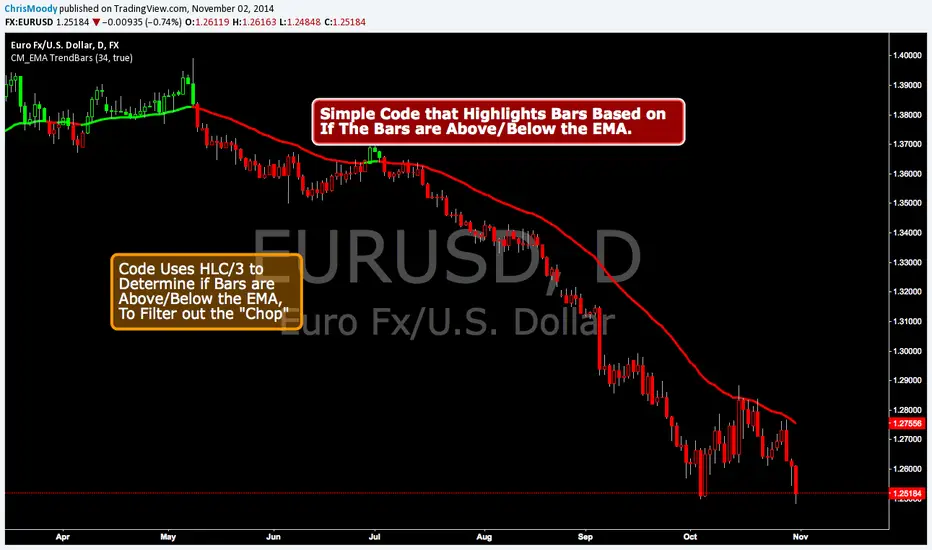
CM EMA Trend BarsThis Code Simply Changes the Bar Colors based on if the Bar is Above or Below the EMA.
Inputs via the Inputs Tab:
Ability to change the EMA Period.
Ability to Turn On/Off the EMA Plotted on the Screen
***Note - I used the HLC/3 To determine if the bar/candle is above or below the EMA. This Filters out the Chop and gets rid of many of the False Breaks above or below the EMA.
Mory-SMC Swings (5 bars) + BOS (close)Mory-SMC Swings (5 bars) + BOS (close)
This indicator is designed for 'Smart Money Concepts (SMC)' traders to identify market structure clearly across all timeframes.
It uses a '5-bar swing pivot method' (2 candles to the left + 2 candles to the right) to automatically detect valid:
* Swing Highs
* Swing Lows
These swing points represent the true structural highs and lows used in institutional trading.
Key Features:
Swing High (SH)
Printed when a candle forms the highest high among 5 candles, marking a major structural top.
Swing Low (SL)
Printed when a candle forms the lowest low among 5 candles, marking a major structural bottom.
Break of Structure (BOS)
The indicator confirms structure breaks only by 'candle close', not by wick sweeps:
BOS ↑ : when price closes above the last confirmed Swing High
BOS ↓ : when price closes below the last confirmed Swing Low
This helps traders avoid false breakouts and focus on true market shifts.
How to Use:
1- Use BOS signals to define the current market direction.
2- After BOS, wait for price to retrace into Swing zones, Order Blocks, or Demand/Supply areas.
3- Ideal for building strategies based on:
-Trend Continuation
-Market Structure Shifts
-Institutional Swing Trading
Disclaimer:
This tool is not a buy/sell signal indicator.
Always combine it with proper risk management and additional SMC concepts like liquidity, OBs, and FVGs.

Strict Inside Bar Candle Coloring (4H Only)Strict Inside Bar Candle Coloring (4H Only)
Colors strict inside bars (high & low inside previous candle) directly on the 4H chart. Helps identify compression zones and potential breakout areas. Fully customizable color, minimal chart clutter, no altered logic, no repaint.

Pivot Levels Real-Time Latest Bar (Skip Current, With Zones)ddPivot Levels Real-Time Indicator with Shaded Zones
Author: Ammar Hasan
Overview
The Pivot Levels Real-Time Indicator is a TradingView Pine Script (v5) indicator that plots classic pivot levels using the most recently confirmed bar while skipping the currently forming bar.
It enhances the chart with shaded zones between pivot levels to help visualize potential support, resistance, and price reaction areas.
Key Features
Uses the latest confirmed bar only (no repainting)
Plots Pivot, S1, S2, S3 and R1, R2, R3
Displays shaded zones between levels
Automatically removes old drawings to keep the chart clean
Lightweight and suitable for lower timeframes
No labels for a clean visual layout
Pivot Level Calculations
Pivot (P) = (High + Low + Close) / 3
Support Levels
S1 = 2 x Pivot - High
S2 = Pivot - (High - Low)
S3 = Low - 2 x (High - Pivot)
Resistance Levels
R1 = 2 x Pivot - Low
R2 = Pivot + (High - Low)
R3 = High + 2 x (Pivot - Low)
All values are calculated using the last confirmed candle to ensure stable, non-repainting levels.
Visual Components
Lines
The pivot line is drawn in yellow and slightly thicker for emphasis.
Support lines are drawn in red.
Resistance lines are drawn in green.
Shaded Zones
Resistance Zones
R3 to R2
R2 to R1
R1 to Pivot
Support Zones
Pivot to S1
S1 to S2
S2 to S3
These zones help visualize supply and demand areas and potential price reaction zones.
Use Cases
Intraday trading
Scalping
Support and resistance analysis
Price action confirmation
Notes and Limitations
Levels update once per confirmed candle
Zones are drawn only for a short forward range by default
This indicator is not intended to be used as a standalone trading system
Conclusion
The Pivot Levels Real-Time Indicator with Shaded Zones provides a clean and reliable visualization of key market levels while avoiding repainting. The shaded zones add depth and context, helping traders better understand price behavior around important levels.
Developed by Ammar Hasan

INFO TIME BARInfo Time Bar by EternityWorld is a table-style overlay indicator that displays real-time, non-repainting information from the current chart.
Included Information
Asset ticker
Current chart timeframe
Candle countdown timer, formatted as HH:MM:SS
Key Features
✔ Fixed 3-row table for visual stability
✔ Auto-updates on the latest confirmed bar
✔ Independent enable/disable toggles per row
✔ Fully adjustable table position on chart
✔ Minimalist, clean, and functional design
Usage
This indicator is built exclusively for chart information display, without plotting signals, levels, drawings, or additional graphical elements.
Compatibility
Works on all TradingView assets that support overlay indicators, adapting automatically to any active chart timeframe.
Disclaimer ⚠️
This indicator is not financial advice nor a market-prediction tool. It solely displays current chart data. Options and derivatives trading involves risk. Use responsibly and execute based on your own trading decisions.

Print Bar DataThis script print out the recent bar data. You can configure the position, bar numbers, of the data


Al Brooks - Bar CountIndicator Purpose:
This indicator displays bar counts on the chart to help traders identify important time nodes and cycle transitions
Features smart session filtering with automatic futures/stock detection and appropriate trading session counting
Core Features:
Smart asset detection: Auto-detect futures and stocks
Session filter toggle: Choose all-day or session-specific counting
Auto timezone handling: Chicago time for futures, NY time for stocks
Flexible display control: Customizable display frequency and label size
Session Settings:
8:30-15:15 (CT) / Futures mode: Chicago time 8:30-15:15 (CT)
9:30-16:00 (ET) / Stock mode: New York time 9:30-16:00 (ET)
All-day mode: Count from first bar of the day
Timeframe Correspondence:
Multiples of 3: Correspond to 15-minute chart update cycles
Multiples of 12: Correspond to 1-hour chart update cycles
18: Key nodes, important time turning points

Price Action - Bar CountDrawing from Al Brooks' emphasis on session rhythms in his books, this counts bars from market opens, resetting at US (0930-1600 ET), HK (0930-1200,1300-1600 HKT), or London (0800-1630 GMT) if selected. Labels every N bars (default 2) below, with custom colors per session and after-hours gray. Up to 79 in regular color, then faded. Helps track opening range tests and two-legged moves—focus on first hour dynamics for high-probability trades.
