FrostyBotLibrary "FrostyBot"
JSON Alert Builder for FrostyBot.js Binance Futures and FTX orders
github.com
More Complete Version Soon.
TODO: Comment Functions and annotations from command reference ^^
TODO: Add additional whitelist and symbol mappings.
leverage()
buy()
sell()
cancelall()
closelong()
closeshort()
traillong()
trailshort()
long()
short()
takeprofit()
stoploss()
In den Scripts nach "alert" suchen

bytimeLibrary "bytime"
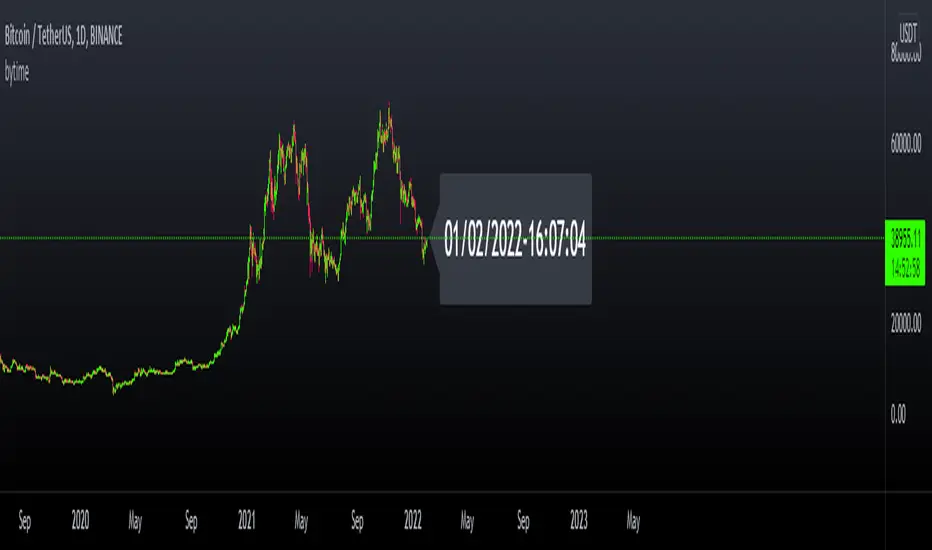
TODO: to do something at the specified time.
////Return =>> ht = hour , mt = minute , st = second ,Dt = Day, Mt = month, Yt = year , dateTime = full time format./////////////
Note : Remember to always add import when you call our library and change Gtime() to Timeset.Gtime() is used to access internal data.
import hapharmonic/bytime/1 as Timeset
=Timeset.Gtime()
/////////////Set a time to trigger an alert./////////////
ck = false
///hour : minute : second
if ht == TH and mt == TM and st == TS
//some action
//...
//.
ck := true
Gtime()
OteHmacSha256Library "OteHmacSha256"
Library to use HMAC SHA-256 by OgahTerkenal
hmac_sha256(string) HMAC SHA-256
Parameters:
string : msg String to be hashed
Returns: Return a hashed string in hex format and an array of 8 32 bits integer
Library to use HMAC SHA-256 for authenticating alert message going out from TradingView.
It has limitation on allowed characters (because PineScript cannot access the underlying bits of each ASCII) from ASCII 32 to 126 only.
Usage Example section at the end of the source code pretty much tell everything about this library.
General example as how to import to your PineScript code is not included (please refer to the PineScript manual).

myAutoviewAlertsLibrary "myAutoviewAlerts"
My Alerts Functions - To use with autoview
@returns - These functions returns a string to use in alerts to send commands to autoview. You can open an order, place a stop or take order, close an opened order or a opened position, or open a hedge position.
@param a = String - Account Identification
@param e = String - Exchange
@param s = String - Symbol
@param b = String - Book Side
@param q = Float - Quantity
@param fp = Float - Fixed Price
@param delay = Integer - In Seconds
@param i = Integer - Account Index (to multiple accounts allerts)
@param base = String - Base Currency (bitmex) - "Tether" or "Bitcoin"
@param fsl = Float - Stop Loss Limit Price
@param c = String - Close -> "order" or "position"
@param ro = Bool - Reduce Only
@param sl = Bool - Stop Loss -> bitfinex
@param t = String - Type -> "market" or "limit"
@function f_order => Open Orders
@function f_stop => Set Stop Loss Order
@function f_take => Set Take Order
@function f_closeOrder => Close Open Orders
@function f_closePosition => Close Open Positions
@function f_hedge => To Open a Hedge Position (short 100% of balance)

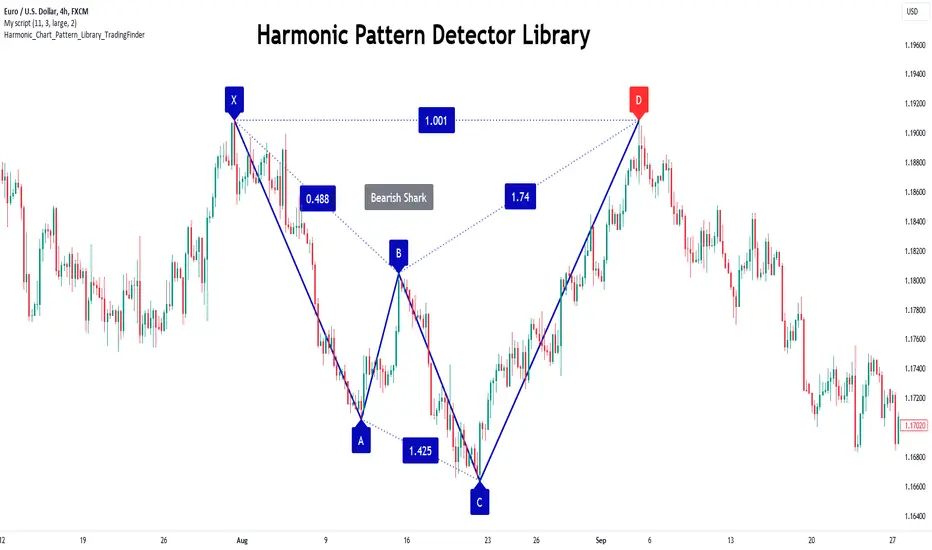
Harmonic Patterns Library [TradingFinder]🔵 Introduction
Harmonic patterns blend geometric shapes with Fibonacci numbers, making these numbers fundamental to understanding the patterns.
One person who has done a lot of research on harmonic patterns is Scott Carney.Scott Carney's research on harmonic patterns in technical analysis focuses on precise price structures based on Fibonacci ratios to identify market reversals.
Key patterns include the Gartley, Bat, Butterfly, and Crab, each with specific alignment criteria. These patterns help traders anticipate potential market turning points and make informed trading decisions, enhancing the predictability of technical analysis.
🟣 Understanding 5-Point Harmonic Patterns
In the current library version, you can easily draw and customize most XABCD patterns. These patterns often form M or W shapes, or a combination of both. By calculating the Fibonacci ratios between key points, you can estimate potential price movements.
All five-point patterns share a similar structure, differing only in line lengths and Fibonacci ratios. Learning one pattern simplifies understanding others.
🟣 Exploring the Gartley Pattern
The Gartley pattern appears in both bullish (M shape) and bearish (W shape) forms. In the bullish Gartley, point X is below point D, and point A surpasses point C. Point D marks the start of a strong upward trend, making it an optimal point to place a buy order.
The bearish Gartley mirrors the bullish pattern with inverted Fibonacci ratios. In this scenario, point D indicates the start of a significant price drop. Traders can place sell orders at this point and buy at lower prices for profit in two-way markets.
🟣 Analyzing the Butterfly Pattern
The Butterfly pattern also manifests in bullish (M shape) and bearish (W shape) forms. It resembles the Gartley pattern but with point D lower than point X in the bullish version.
The Butterfly pattern involves deeper price corrections than the Gartley, leading to more significant price fluctuations. Point D in the bullish Butterfly indicates the beginning of a sharp price rise, making it an entry point for buy orders.
The bearish Butterfly has inverted Fibonacci ratios, with point D marking the start of a sharp price decline, ideal for sell orders followed by buying at lower prices in two-way markets.
🟣 Insights into the Bat Pattern
The Bat pattern, appearing in bullish (M shape) and bearish (W shape) forms, is one of the most precise harmonic patterns. It closely resembles the Butterfly and Gartley patterns, differing mainly in Fibonacci levels.
The bearish Bat pattern shares the Fibonacci ratios with the bullish Bat, with an inverted structure. Point D in the bearish Bat marks the start of a significant price drop, suitable for sell orders followed by buying at lower prices for profit.
🟣 The Crab Pattern Explained
The Crab pattern, found in both bullish (M shape) and bearish (W shape) forms, is highly favored by analysts. Discovered in 2000, the Crab pattern features a larger final wave correction compared to other harmonic patterns.
The bearish Crab shares Fibonacci ratios with the bullish version but in an inverted form. Point D in the bearish Crab signifies the start of a sharp price decline, making it an ideal point for sell orders followed by buying at lower prices for profitable trades.
🟣 Understanding the Shark Pattern
The Shark pattern appears in bullish (M shape) and bearish (W shape) forms. It differs from previous patterns as point C in the bullish Shark surpasses point A, with unique level measurements.
The bearish Shark pattern mirrors the Fibonacci ratios of the bullish Shark but is inverted. Point D in the bearish Shark indicates the start of a sharp price drop, ideal for placing sell orders and buying at lower prices to capitalize on the pattern.
🟣 The Cypher Pattern Overview
The Cypher pattern is another that appears in both bullish (M shape) and bearish (W shape) forms. It resembles the Shark pattern, with point C in the bullish Cypher extending beyond point A, and point D forming within the XA line.
The bearish Cypher shares the Fibonacci ratios with the bullish Cypher but in an inverted structure. Point D in the bearish Cypher marks the start of a significant price drop, perfect for sell orders followed by buying at lower prices.
🟣 Introducing the Nen-Star Pattern
The Nen-Star pattern appears in both bullish (M shape) and bearish (W shape) forms. In the bullish Nen-Star, point C extends beyond point A, and point D, the final point, forms outside the XA line, making CD the longest wave.
The bearish Nen-Star has inverted Fibonacci ratios, with point D indicating the start of a significant price drop. Traders can place sell orders at point D and buy at lower prices to profit from this pattern in two-way markets.
The 5-point harmonic patterns, commonly referred to as XABCD patterns, are specific geometric price structures identified in financial markets. These patterns are used by traders to predict potential price movements based on historical price data and Fibonacci retracement levels.
Here are the main 5-point harmonic patterns :
Gartley Pattern
Anti-Gartley Pattern
Bat Pattern
Anti-Bat Pattern
Alternate Bat Pattern
Butterfly Pattern
Anti-Butterfly Pattern
Crab Pattern
Anti-Crab Pattern
Deep Crab Pattern
Shark Pattern
Anti- Shark Pattern
Anti Alternate Shark Pattern
Cypher Pattern
Anti-Cypher Pattern
🔵 How to Use
To add "Order Block Refiner Library", you must first add the following code to your script.
import TFlab/Harmonic_Chart_Pattern_Library_TradingFinder/1 as HP
🟣 Parameters
XABCD(Name, Type, Show, Color, LineWidth, LabelSize, ShVF, FLPC, FLPCPeriod, Pivot, ABXAmin, ABXAmax, BCABmin, BCABmax, CDBCmin, CDBCmax, CDXAmin, CDXAmax) =>
Parameters:
Name (string)
Type (string)
Show (bool)
Color (color)
LineWidth (int)
LabelSize (string)
ShVF (bool)
FLPC (bool)
FLPCPeriod (int)
Pivot (int)
ABXAmin (float)
ABXAmax (float)
BCABmin (float)
BCABmax (float)
CDBCmin (float)
CDBCmax (float)
CDXAmin (float)
CDXAmax (float)
🟣 Genaral Parameters
Name : The name of the pattern.
Type: Enter "Bullish" to draw a Bullish pattern and "Bearish" to draw an Bearish pattern.
Show : Enter "true" to display the template and "false" to not display the template.
Color : Enter the desired color to draw the pattern in this parameter.
LineWidth : You can enter the number 1 or numbers higher than one to adjust the thickness of the drawing lines. This number must be an integer and increases with increasing thickness.
LabelSize : You can adjust the size of the labels by using the "size.auto", "size.tiny", "size.smal", "size.normal", "size.large" or "size.huge" entries.
🟣 Logical Parameters
ShVF : If this parameter is on "true" mode, only patterns will be displayed that they have exact format and no noise can be seen in them. If "false" is, the patterns displayed that maybe are noisy and do not exactly correspond to the original pattern.
FLPC : if Turned on, you can see this ability of patterns when their last pivot is formed. If this feature is off, it will see the patterns as soon as they are formed. The advantage of this option being clear is less formation of fielded patterns, and it is accompanied by the lateest pattern seeing and a sharp reduction in reward to risk.
FLPCPeriod : Using this parameter you can determine that the last pivot is based on Pivot period.
Pivot : You need to determine the period of the zigzag indicator. This factor is the most important parameter in pattern recognition.
ABXAmin : Minimum retracement of "AB" line compared to "XA" line.
ABXAmax : Maximum retracement of "AB" line compared to "XA" line.
BCABmin : Minimum retracement of "BC" line compared to "AB" line.
BCABmax : Maximum retracement of "BC" line compared to "AB" line.
CDBCmin : Minimum retracement of "CD" line compared to "BC" line.
CDBCmax : Maximum retracement of "CD" line compared to "BC" line.
CDXAmin : Minimum retracement of "CD" line compared to "XA" line.
CDXAmax : Maximum retracement of "CD" line compared to "XA" line.
🟣 Function Outputs
This library has two outputs. The first output is related to the alert of the formation of a new pattern. And the second output is related to the formation of the candlestick pattern and you can draw it using the "plotshape" tool.
Candle Confirmation Logic :
Example :
import TFlab/Harmonic_Chart_Pattern_Library_TradingFinder/1 as HP
PP = input.int(3, 'ZigZag Pivot Period')
ShowBull = input.bool(true, 'Show Bullish Pattern')
ShowBear = input.bool(true, 'Show Bearish Pattern')
ColorBull = input.color(#0609bb, 'Color Bullish Pattern')
ColorBear = input.color(#0609bb, 'Color Bearish Pattern')
LineWidth = input.int(1 , 'Width Line')
LabelSize = input.string(size.small , 'Label size' , options = )
ShVF = input.bool(false , 'Show Valid Format')
FLPC = input.bool(false , 'Show Formation Last Pivot Confirm')
FLPCPeriod =input.int(2, 'Period of Formation Last Pivot')
//Call function
= HP.XABCD('Bullish Bat', 'Bullish', ShowBull, ColorBull , LineWidth, LabelSize ,ShVF, FLPC, FLPCPeriod, PP, 0.382, 0.50, 0.382, 0.886, 1.618, 2.618, 0.85, 0.9)
= HP.XABCD('Bearish Bat', 'Bearish', ShowBear, ColorBear , LineWidth, LabelSize ,ShVF, FLPC, FLPCPeriod, PP, 0.382, 0.50, 0.382, 0.886, 1.618, 2.618, 0.85, 0.9)
//Alert
if BearAlert
alert('Bearish Harmonic')
if BullAlert
alert('Bulish Harmonic')
//CandleStick Confirm
plotshape(BearCandleConfirm, style = shape.arrowdown, color = color.red)
plotshape(BullCandleConfirm, style = shape.arrowup, color = color.green, location = location.belowbar )
Order Block Overlapping Drawing [TradingFinder]🔵 Introduction
Technical analysis is a fundamental tool in financial markets, helping traders identify key areas on price charts to make informed trading decisions. The ICT (Inner Circle Trader) style, developed by Michael Huddleston, is one of the most advanced methods in this field.
It enables traders to precisely identify and exploit critical zones such as Order Blocks, Breaker Blocks, Fair Value Gaps (FVGs), and Inversion Fair Value Gaps (IFVGs).
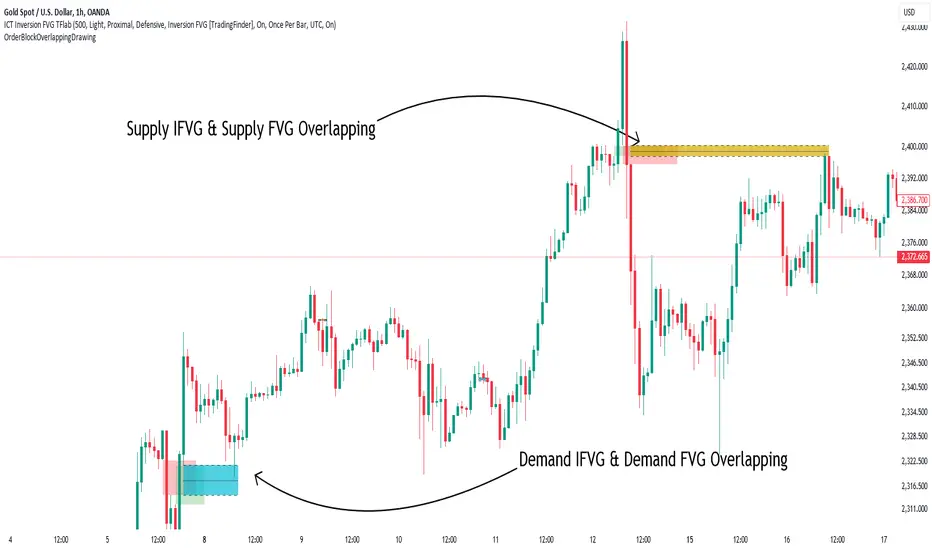
To streamline and simplify the use of these key areas, a library has been developed in Pine Script, the scripting language for the TradingView platform. This library allows you to automatically detect overlapping zones between Order Blocks and other similar areas, and visually display them on your chart.
This tool is particularly useful for creating indicators like Balanced Price Range (BPR) and ICT Unicorn Model.
🔵 How to Use
This section explains how to use the Pine Script library. This library assists you in easily identifying and analyzing overlapping areas between Order Blocks and other zones, such as Breaker Blocks and Fair Value Gaps.
To add "Order Block Overlapping Drawing", you must first add the following code to your script.
import TFlab/OrderBlockOverlappingDrawing/1
🟣 Inputs
The library includes the "OBOverlappingDrawing" function, which you can use to detect and display overlapping zones. This function identifies and draws overlapping zones based on the Order Block type, trigger conditions, previous and current prices, and other relevant parameters.
🟣 Parameters
OBOverlappingDrawing(OBType , TriggerConditionOrigin, distalPrice_Pre, proximalPrice_Pre , distalPrice_Curr, proximalPrice_Curr, Index_Curr , OBValidGlobal, OBValidDis, MitigationLvL, ShowAll, Show, ColorZone) =>
OBType (string)
TriggerConditionOrigin (bool)
distalPrice_Pre (float)
proximalPrice_Pre (float)
distalPrice_Curr (float)
proximalPrice_Curr (float)
Index_Curr (int)
OBValidGlobal (bool)
OBValidDis (int)
MitigationLvL (string)
ShowAll (bool)
Show (bool)
ColorZone (color)
In this example, various parameters are defined to detect overlapping zones and draw them on the chart. Based on these settings, the overlapping areas will be automatically drawn on the chart.
OBType : All order blocks are summarized into two types: "Supply" and "Demand." You should input your Current order block type in this parameter. Enter "Demand" for drawing demand zones and "Supply" for drawing supply zones.
TriggerConditionOrigin : Input the condition under which you want the Current order block to be drawn in this parameter.
distalPrice_Pre : Generally, if each zone is formed by two lines, the farthest line from the price is termed Pervious "Distal." This input receives the price of the "Distal" line.
proximalPrice_Pre : Generally, if each zone is formed by two lines, the nearest line to the price is termed Previous "Proximal" line.
distalPrice_Curr : Generally, if each zone is formed by two lines, the farthest line from the price is termed Current "Distal." This input receives the price of the "Distal" line.
proximalPrice_Curr : Generally, if each zone is formed by two lines, the nearest line to the price is termed Current "Proximal" line.
Index_Curr : This input receives the value of the "bar_index" at the beginning of the order block. You should store the "bar_index" value at the occurrence of the condition for the Current order block to be drawn and input it here.
OBValidGlobal : This parameter is a boolean in which you can enter the condition that you want to execute to stop drawing the block order. If you do not have a special condition, you should set it to True.
OBValidDis : Order blocks continue to be drawn until a new order block is drawn or the order block is "Mitigate." You can specify how many candles after their initiation order blocks should continue. If you want no limitation, enter the number 4998.
MitigationLvL : This parameter is a string. Its inputs are one of "Proximal", "Distal" or "50 % OB" modes, which you can enter according to your needs. The "50 % OB" line is the middle line between distal and proximal.
ShowAll : This is a boolean parameter, if it is "true" the entire order of blocks will be displayed, and if it is "false" only the last block order will be displayed.
Show : You may need to manage whether to display or hide order blocks. When this input is "On", order blocks are displayed, and when it's "Off", order blocks are not displayed.
ColorZone : You can input your preferred color for drawing order blocks.
🟣 Output
Mitigation Alerts : This library allows you to leverage Mitigation Alerts to detect specific conditions that could lead to trend reversals. These alerts help you react promptly in your trades, ensuring better management of market shifts.
🔵 Conclusion
The Pine Script library provided is a powerful tool for technical analysis, especially in the ICT style. It enables you to detect overlapping zones between Order Blocks and other significant areas like Breaker Blocks and Fair Value Gaps, improving your trading strategies. By utilizing this tool, you can perform more precise analysis and manage risks effectively in your trades.
PlurexSignalIntegrationLibrary "PlurexSignalIntegration"
Provides tools for integrating Strategies and Alerts into plurex.io signals.
plurexMarket() Build a Plurex market from a base and quote asset symbol.
Returns: A market string that can be used in Plurex Signal messages.
tickerToPlurexMarket() Builds simple Plurex market string from the syminfo
Returns: A market string that can be used in Plurex Signal messages.
simpleMessage(secret, action, marketOverride) Builds simple Plurex Signal Messages
Parameters:
secret : The secret for your Signal on plurex
action : The action of the message. One of .
marketOverride : Optional, defaults to the syminfo for the ticker. Use the `plurexMarket` function to build your own.
Returns: A json string message that can be used in alerts to send messages to Plurex.
executeStrategy(secret, openLong, openShort, closeLongs, closeShorts, marketOverride) Executes strategy actions with Plurex Signal messages
Parameters:
secret : The secret for your Signal on plurex
openLong : Strategy should open long if true, aggregated with other boolean values
openShort : Strategy should open short if true, aggregated with other boolean values
closeLongs : Strategy should close longs if true, aggregated with other boolean values
closeShorts : Strategy should close shorts if true, aggregated with other boolean values
marketOverride : Optional, defaults to the syminfo for the ticker. Use the `plurexMarket` function to build your own.

myAlertsLibrary "myAlerts"
My Alerts Functions - To use with autoview
f_order(_price, _qty, _position, _account, _exchange, _i, i_qtyTypeOrder, typeMsg, syminfoticker)
- Write the entry order message
Parameters:
_price : - The order price
_qty : - The order quantity
_position : - The order side
_account : - The user account
_exchange : - The user exchange
_i : - Used for multi-accounts, this represents the index of accounts
i_qtyTypeOrder : - String used to set Thether or Bitcoin Type Orders
typeMsg : - True = Autoview; False = Metatrader
syminfoticker : - Ticker
Returns: - Returns the open order message
f_stop(_stop_price, _slLimit_price, _account, _exchange, _i, i_delayOrders, typeMsg, syminfoticker)
- Write the stop order message
Parameters:
_stop_price : - The order stop price
_slLimit_price : - The order stop limit price
_account : - The user account
_exchange : - The user exchange
_i : - Used for multi-accounts, this represents the index of accounts
i_delayOrders : - Time in seconds to delay command on autoview
typeMsg : - True = Autoview; False = Metatrader
syminfoticker : - Ticker
Returns: - Returns the open order message
f_take(_take_price, _account, _exchange, _i, i_delayOrders, typeMsg, syminfoticker)
- Write the stop order message
Parameters:
_take_price : - The order stop price
_account : - The user account
_exchange : - The user exchange
_i : - Used for multi-accounts, this represents the index of accounts
i_delayOrders : - Time in seconds to delay command on autoview
typeMsg : - True = Autoview; False = Metatrader
syminfoticker : - Ticker
Returns: - Returns the open order message
f_update(_account, _exchange, _i, i_delayOrders, typeMsg, syminfoticker)
- Write the update order message
Parameters:
_account : - The user account
_exchange : - The user exchange
_i : - Used for multi-accounts, this represents the index of accounts
i_delayOrders : - Time in seconds to delay command on autoview
typeMsg : - True = Autoview; False = Metatrader
syminfoticker : - Ticker
Returns: - Returns the open order message
f_exit(_account, _exchange, _i, i_delayOrders, typeMsg, syminfoticker)
- Write the exit order message
Parameters:
_account : - The user account
_exchange : - The user exchange
_i : - Used for multi-accounts, this represents the index of accounts
i_delayOrders : - Time in seconds to delay command on autoview
typeMsg : - True = Autoview; False = Metatrader
syminfoticker : - Ticker
Returns: - Returns the open order message
f_hedge(_account, _exchange, _i, i_delayOrders, typeMsg, syminfoticker)
- Write the exit order message
Parameters:
_account : - The user account
_exchange : - The user exchange
_i : - Used for multi-accounts, this represents the index of accounts
i_delayOrders : - Time in seconds to delay command on autoview
typeMsg : - True = Autoview; False = Metatrader
syminfoticker : - Ticker
Returns: - Returns the open order message
tgpFibonacciLib_v2Library "tgpFibonacciLib_v2"
getFib(tf, ratio)
Parameters:
tf (string)
ratio (float)
getGoldenPocket(tf)
Parameters:
tf (string)
getMonthlyFib(ratio)
Parameters:
ratio (float)
getWeeklyFib(ratio)
Parameters:
ratio (float)
getYestFib(ratio)
Parameters:
ratio (float)

CarolTradeLibLibrary "CarolTradeLib"
f_generateSignalID(strategyName)
Parameters:
strategyName (string)
f_buildJSON(orderType, action, symbol, price, strategyName, apiKey, additionalFields, indicatorJSON)
Parameters:
orderType (string)
action (string)
symbol (string)
price (float)
strategyName (string)
apiKey (string)
additionalFields (string)
indicatorJSON (string)
sendSignal(action, symbol, price, strategyName, apiKey, indicatorJSON)
Parameters:
action (string)
symbol (string)
price (float)
strategyName (string)
apiKey (string)
indicatorJSON (string)
marketOrder(action, symbol, price, strategyName, apiKey, stopLoss, takeProfit, rrRatio, size, indicatorJSON)
Parameters:
action (string)
symbol (string)
price (float)
strategyName (string)
apiKey (string)
stopLoss (float)
takeProfit (float)
rrRatio (float)
size (float)
indicatorJSON (string)
limitOrder(action, symbol, price, strategyName, apiKey, limitPrice, size, indicatorJSON)
Parameters:
action (string)
symbol (string)
price (float)
strategyName (string)
apiKey (string)
limitPrice (float)
size (float)
indicatorJSON (string)
stopLimitOrder(action, symbol, price, strategyName, apiKey, stopPrice, limitPrice, size, indicatorJSON)
Parameters:
action (string)
symbol (string)
price (float)
strategyName (string)
apiKey (string)
stopPrice (float)
limitPrice (float)
size (float)
indicatorJSON (string)

vector0Library "vector0"
TODO: add library description here
test()
TODO: add function description here
Returns: TODO: add what function returns
ICTHL_PublicLibrary "ICTSwingsPublic"
f_ictSwings(leftStrength, rightStrength, maxLines, highColor, lowColor)
Parameters:
leftStrength (int)
rightStrength (int)
maxLines (int)
highColor (color)
lowColor (color)

SMC_CommonLibrary "SMC_Common"
Common types and utilities for Smart Money Concepts indicators
get_future_time(bars_ahead)
Parameters:
bars_ahead (int)
get_time_at_offset(offset)
Parameters:
offset (int)
get_mid_time(time1, time2)
Parameters:
time1 (int)
time2 (int)
timeframe_to_string(tf)
Parameters:
tf (string)
is_psychological_level(price)
Parameters:
price (float)
detect_swing_high(src_high, lookback)
Parameters:
src_high (float)
lookback (int)
detect_swing_low(src_low, lookback)
Parameters:
src_low (float)
lookback (int)
detect_fvg(h, l, min_size)
Parameters:
h (float)
l (float)
min_size (float)
analyze_volume(vol, volume_ma)
Parameters:
vol (float)
volume_ma (float)
create_label(x, y, label_text, bg_color, label_size, use_time)
Parameters:
x (int)
y (float)
label_text (string)
bg_color (color)
label_size (string)
use_time (bool)
SwingPoint
Fields:
price (series float)
bar_index (series int)
bar_time (series int)
swing_type (series string)
strength (series int)
is_major (series bool)
timeframe (series string)
LiquidityLevel
Fields:
price (series float)
bar_index (series int)
bar_time (series int)
liq_type (series string)
touch_count (series int)
is_swept (series bool)
quality_score (series float)
level_type (series string)
OrderBlock
Fields:
start_bar (series int)
end_bar (series int)
start_time (series int)
end_time (series int)
top (series float)
bottom (series float)
ob_type (series string)
has_liquidity_sweep (series bool)
has_fvg (series bool)
is_mitigated (series bool)
is_breaker (series bool)
timeframe (series string)
mitigation_level (series float)
StructureBreak
Fields:
level (series float)
break_bar (series int)
break_time (series int)
break_type (series string)
direction (series string)
is_confirmed (series bool)
source_swing_bar (series int)
source_time (series int)
SignalData
Fields:
signal_type (series string)
entry_price (series float)
stop_loss (series float)
take_profit (series float)
risk_reward_ratio (series float)
confluence_count (series int)
confidence_score (series float)
strength (series string)
EnhancedSignalGeneratorLibrary "EnhancedSignalGenerator"
Enhanced Signal Generator – clean v6 implementation (UDT-based)
generateAdvancedSignal(unifiedScore, trendComp, momInd, volFactor, qualScore, cyclePos, regime)
Generates advanced signal analysis with multi-pathway evaluation
Parameters:
unifiedScore (float) : Unified market score input
trendComp (float) : Trend component analysis factor
momInd (float) : Momentum indicator value
volFactor (float) : Volatility adjustment factor
qualScore (float) : Quality assessment metric
cyclePos (float) : Market cycle position (0.0-1.0, where 0.5 = neutral cycle phase)
regime (string) : Market regime classification string ("bull", "bear", "sideways", "volatile")
Returns: Signal Comprehensive signal analysis result
analyzePatternSignals(h, l, c, v, w, reg)
Analyzes pattern-based signal components with multi-dimensional price action evaluation
Parameters:
h (float) : High price value for range analysis
l (float) : Low price value for support/resistance detection
c (float) : Close price value for momentum assessment
v (float) : Volume data for confirmation analysis
w (int) : Analysis window period for pattern formation timeframe
reg (string) : Market regime string for context-aware pattern interpretation
Returns: Signal Pattern analysis signal with comprehensive technical evaluation
optimizeSignalParameters(s, p, w, m)
Optimizes signal generation parameters through advanced statistical analysis
Parameters:
s (array) : Signal array input for performance evaluation
p (array) : Parameter array input for optimization target values
w (int) : Window period for rolling optimization analysis
m (string) : Optimization method string ("sharpe", "sortino", "calmar", "variance")
Returns: float Optimization result score representing parameter fitness
Signal
Signal data structure for market analysis
Fields:
dir (series int) : Signal direction: +1 bull, -1 bear, 0 flat
strength (series float) : Signal strength magnitude (0-1)
conf (series float) : Confidence level (0-1)
rationale (series string) : Human-readable explanation
source (series string) : Signal source classification
quality (series float) : Blended quality assessment score

metaconnectorLibrary "metaconnector"
metaconnector
buy_market_order(License_ID, symbol, lot)
Places a buy market order
Parameters:
License_ID (string) : Unique license ID of the user
symbol (string) : Trading symbol
lot (int) : Number of lots to buy
Returns: String syntax for the buy market order
sell_market_order(License_ID, symbol, lot)
Places a sell market order
Parameters:
License_ID (string) : Unique license ID of the user
symbol (string) : Trading symbol
lot (int) : Number of lots to sell
Returns: String syntax for the sell market order
buy_limit_order(License_ID, symbol, lot, price)
Places a buy limit order
Parameters:
License_ID (string) : Unique license ID of the user
symbol (string) : Trading symbol
lot (int) : Number of lots to buy
price (float) : Limit price for the order
Returns: String syntax for the buy limit order
sell_limit_order(License_ID, symbol, lot, price)
Places a sell limit order
Parameters:
License_ID (string) : Unique license ID of the user
symbol (string) : Trading symbol
lot (int) : Number of lots to sell
price (float) : Limit price for the order
Returns: String syntax for the sell limit order
stoploss_for_buy_order(License_ID, symbol, lot, stoploss_price)
Places a stop-loss order for a buy position
Parameters:
License_ID (string) : Unique license ID of the user
symbol (string) : Trading symbol
lot (int) : Number of lots to buy
stoploss_price (float)
Returns: String syntax for the buy stop-loss order
stoploss_for_sell_order(License_ID, symbol, lot, stoploss_price)
Places a stop-loss order for a sell position
Parameters:
License_ID (string) : Unique license ID of the user
symbol (string) : Trading symbol
lot (int) : Number of lots to sell
stoploss_price (float)
Returns: String syntax for the sell stop-loss order
takeprofit_for_buy_order(License_ID, symbol, lot, target_price)
Places a take-profit order for a buy position
Parameters:
License_ID (string) : Unique license ID of the user
symbol (string) : Trading symbol
lot (int) : Number of lots to buy
target_price (float)
Returns: String syntax for the buy take-profit order
takeprofit_for_sell_order(License_ID, symbol, lot, target_price)
Places a take-profit order for a sell position
Parameters:
License_ID (string) : Unique license ID of the user
symbol (string) : Trading symbol
lot (int) : Number of lots to sell
target_price (float)
Returns: String syntax for the sell take-profit order
buy_stop_order(License_ID, symbol, lot, price)
Places a buy stop order above the current market price
Parameters:
License_ID (string) : Unique license ID of the user
symbol (string) : Trading symbol
lot (int) : Number of lots to buy
price (float) : Stop order price
Returns: String syntax for the buy stop order
sell_stop_order(License_ID, symbol, lot, price)
Places a sell stop order below the current market price
Parameters:
License_ID (string) : Unique license ID of the user
symbol (string) : Trading symbol
lot (int) : Number of lots to sell
price (float) : Stop order price
Returns: String syntax for the sell stop order
close_all_positions(License_ID, symbol)
Closes all positions for a specific symbol
Parameters:
License_ID (string) : Unique license ID of the user
symbol (string) : Trading symbol
Returns: String syntax for closing all positions
close_buy_positions(License_ID, symbol)
Closes all buy positions for a specific symbol
Parameters:
License_ID (string) : Unique license ID of the user
symbol (string) : Trading symbol
Returns: String syntax for closing all buy positions
close_sell_positions(License_ID, symbol)
Closes all sell positions for a specific symbol
Parameters:
License_ID (string) : Unique license ID of the user
symbol (string) : Trading symbol
Returns: String syntax for closing all sell positions
close_partial_buy_position(License_ID, symbol, lot)
Closes a partial buy position for a specific symbol
Parameters:
License_ID (string) : Unique license ID of the user
symbol (string) : Trading symbol
lot (int) : Number of lots to close
Returns: String syntax for closing a partial buy position
close_partial_sell_position(License_ID, symbol, lot)
Closes a partial sell position for a specific symbol
Parameters:
License_ID (string) : Unique license ID of the user
symbol (string) : Trading symbol
lot (int) : Number of lots to close
Returns: String syntax for closing a partial sell position

KillzoneLibraryLibrary "KillzoneLibrary"
isKillzone(currentTime, tz)
Vérifie si l'heure actuelle est dans une Killzone
Parameters:
currentTime (int) : L'heure actuelle (entier représentant le timestamp)
tz (string) : Le fuseau horaire (par défaut : "GMT+1")
Returns: true si dans une Killzone, sinon false

TradingHook_LibraryLibrary "TradingHook_Library"
This library is a client script for making a webhook signal formatted string to TradingHook webhook server.
buy_message(password, amount, order_name)
Make a buy Message for TradingHook.
Parameters:
password (string) : (string) password that you set in .env file.
amount (float) : (float) amount. If not set, your strategy qty will be sent.
order_name (string) : (string) order_name. The default name is "Order".
Returns: (string) A string containing the formatted webhook message.
sell_message(password, percent, order_name)
Make a sell message for TradingHook.
Parameters:
password (string) : (string) password that you set in .env file.
percent (string) : (string) what percentage of your quantity you want to sell.
order_name (string) : (string) order_name. The default name is "Order".
Returns: (string) A string containing the formatted webhook message.
entry_message(password, amount, leverage, order_name)
Make a Entry Message for TradingHook.
Parameters:
password (string) : (string) password that you set in .env file.
amount (float) : (float) amount. If not set, your strategy qty will be sent.
leverage (int) : (int) leverage. If not set, your leverage doesn't change.
order_name (string) : (string) order_name. The default name is "Order".
Returns: (string) A string containing the formatted webhook message.
close_message(password, percent, amount, order_name)
Make a close message for TradingHook.
Parameters:
password (string) : (string) password that you set in .env file.
percent (string) : (string) what percentage of your quantity you want to close.
amount (float) : (float) quantity you want to close.
order_name (string) : (string) order_name. The default name is "Order".
Returns: (string) A string containing the formatted webhook message.

JSONWebhooksLibrary "JSONWebhooks"
TODO: add library description here
method buildWebhookJson(msg, constants)
Builds the final JSON payload from a webhookMessage type.
Namespace types: webhookMessage
Parameters:
msg (webhookMessage) : (webhookMessage) A prepared webhookMessage.
constants (CONSTANTS)
Returns: A JSON Payload.
method buildTakeProfitJson(msg)
Builds the takeProfit JSON message to be used in a webhook message.
Namespace types: takeProfitMessage
Parameters:
msg (takeProfitMessage) : (takeProfitMessage)
Returns: A JSON takeProfit payload.
method buildStopLossJson(msg, constants)
Builds the stopLoss JSON message to be used in a webhook message.
Namespace types: stopLossMessage
Parameters:
msg (stopLossMessage) : (stopLossMessage)
constants (CONSTANTS)
Returns: A JSON stopLoss payload.
CONSTANTS
Constants for payload values.
Fields:
ACTION_BUY (series string)
ACTION_SELL (series string)
ACTION_EXIT (series string)
ACTION_CANCEL (series string)
ACTION_ADD (series string)
SENTIMENT_BULLISH (series string)
SENTIMENT_BEARISH (series string)
SENTIMENT_LONG (series string)
SENTIMENT_SHORT (series string)
SENTIMENT_FLAT (series string)
STOP_LOSS_TYPE_STOP (series string)
STOP_LOSS_TYPE_STOP_LIMIT (series string)
STOP_LOSS_TYPE_TRAILING_STOP (series string)
webhookMessage
Final webhook message.
Fields:
ticker (series string)
action (series string)
sentiment (series string)
price (series float)
quantity (series float)
takeProfit (series string)
stopLoss (series float)
takeProfitMessage
Take profit message.
Fields:
limitPrice (series float)
percent (series float)
amount (series float)
stopLossMessage
Stop loss message.
Fields:
type (series string)
percent (series float)
amount (series float)
stopPrice (series float)
limitPrice (series float)
trailPrice (series float)
trailPercent (series float)

LightyearWebhookLibrary "LightyearWebhook"
This library provides functionality to create a webhook signal configuration for trading strategies.
It generates a JSON string with relevant trading information which can be sent to external systems.
signal_config(leverage, contract_size, token)
signal_config
@description Generates a JSON string containing the signal configuration for trading strategies. This includes
information about the symbol, order action, market position, amount, price, cost, fee, order ID,
trade timestamp, previous entry price, previous market position size, initial capital, leverage,
contract size, and strategy token.
Parameters:
leverage (int)
contract_size (int)
token (string)
Returns: string A JSON string containing the signal configuration.
MyTVBOTLibrary "MyTVBOT"
TODO: add library description here
buy_message(password, amount, order_name)
Make a buy Message for TradingHook.
Parameters:
password (string) : (string) password that you set in .env file.
amount (float) : (float) amount. If not set, your strategy qty will be sent.
order_name (string) : (string) order_name. The default name is "Order".
Returns: (string) A string containing the formatted webhook message.
sell_message(password, percent, order_name)
Make a sell message for TradingHook.
Parameters:
password (string) : (string) password that you set in .env file.
percent (string) : (string) what percentage of your quantity you want to sell.
order_name (string) : (string) order_name. The default name is "Order".
Returns: (string) A string containing the formatted webhook message.
entry_message(password, amount, leverage, order_name)
Make a Entry Message for TradingHook.
Parameters:
password (string) : (string) password that you set in .env file.
amount (float) : (float) amount. If not set, your strategy qty will be sent.
leverage (int) : (int) leverage. If not set, your leverage doesn't change.
order_name (string) : (string) order_name. The default name is "Order".
Returns: (string) A string containing the formatted webhook message.
close_message(password, percent, amount, order_name)
Make a close message for TradingHook.
Parameters:
password (string) : (string) password that you set in .env file.
percent (string) : (string) what percentage of your quantity you want to close.
amount (float) : (float) quantity you want to close.
order_name (string) : (string) order_name. The default name is "Order".
Returns: (string) A string containing the formatted webhook message.
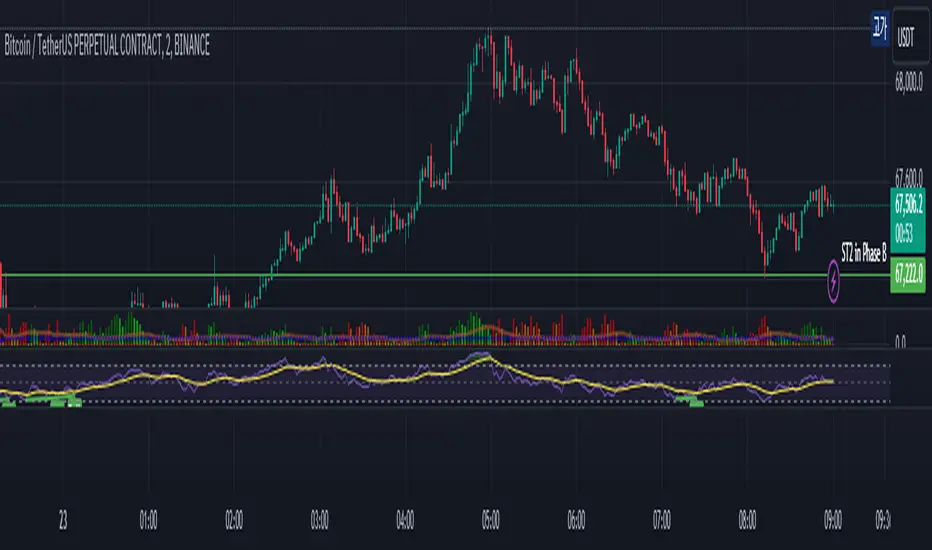
MyLibrary001Library "MyLibrary001"
Library for calculating the number of bars in the last X trading days
BarsInLastXDays(numTradingDays)
BarsInLastXDays
@description Calculates the number of bars in the last X trading days
Parameters:
numTradingDays (int) : int Number of trading days to consider
Returns: tuple(float, float) A tuple with the number of bars and the bar duration

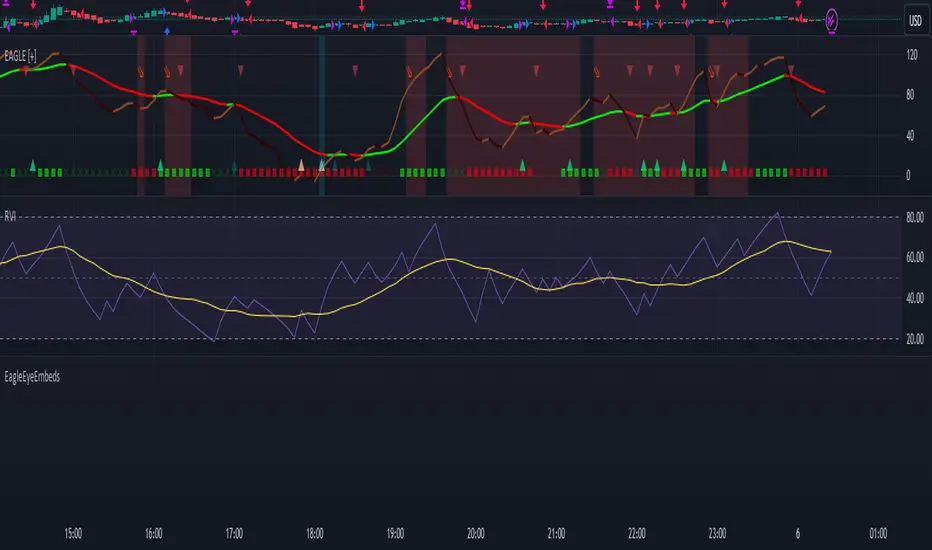
EagleEyeEmbedsLibrary "EagleEyeEmbeds"
Pine Script library to build out a webhook that is catered to Discord Embed
formatTimeframe()
discordWebhookJSON(contentText, username, avatar_url, embeds)
Constructs a JSON string for a Discord webhook message. This string includes optional fields for content, username, avatar URL, and embeds.
Parameters:
contentText (string) : (string, optional): The main text content of the webhook message. Default is 'na'.
username (string) : (string, optional): Overrides the default username of the webhook. Default is 'na'.
avatar_url (string) : (string, optional): Overrides the default avatar URL of the webhook. Default is 'na'.
embeds (string) : (string, optional): A string containing one or more embed JSON objects. This should be formatted correctly as a JSON array. Default is 'na'.
createEmbedJSON(title, description, url, thumbImgUrl, color, authorName, authorUrl, authorIconUrl, fields, imageUrl, timeStamp, footerText, footerIconUrl)
Creates a JSON string for a single embed object for a Discord webhook.
Parameters:
title (string) : (string, optional): The title of the embed. Default is 'na' (not applicable).
description (string) : (string, optional): The description text of the embed. Supports basic formatting. Default is 'na'.
url (string)
thumbImgUrl (string)
color (int) : (int, optional): The color code of the embed, typically in decimal format. Default is 'na'.
authorName (string) : (string, optional): The name of the author to display in the embed. Default is 'na'.
authorUrl (string) : (string, optional): The URL linked to the author's name. Default is 'na'.
authorIconUrl (string) : (string, optional): The URL of the icon to display next to the author's name. Default is 'na'.
fields (string) : (string, optional): A string containing one or more field JSON objects. This should be formatted correctly as a JSON array. Default is 'na'. Note: Use the 'createEmbedFieldJSON' function to generate these JSON field strings before adding them to the array.
imageUrl (string)
timeStamp (string)
footerText (string) : (string, optional): The footer text to display in the embed.
footerIconUrl (string) : (string, optional): The URL of the icon to display next to the footer text.
createEmbedFieldJSON(name, value, inline)
Creates a JSON string representing a single field object within an embed for a Discord webhook message.
Parameters:
name (string) : (string): The name of the field, acting as a title for the field content.
value (string) : (string): The value of the field, containing the actual text or information you want to display within the field.
inline (bool) : (bool, optional): A boolean flag indicating whether the field should be displayed inline with other fields. If set to true, the field will be displayed on the same line as the next field
DBTVLibrary "DBTV"
entry_message(password, percent, leverage, margin_mode, kis_number)
Create a entry message for POABOT
Parameters:
password (string) : (string) The password of your bot.
percent (float) : (float) The percent for entry based on your wallet balance.
leverage (int) : (int) The leverage of entry. If not set, your levereage doesn't change.
margin_mode (string) : (string) The margin mode for trade(only for OKX). "cross" or "isolated"
kis_number (int) : (int) The number of koreainvestment account. Default 1
Returns: (string) A json formatted string for webhook message.