AI Oversold Swing - Screener//@version=5
indicator("AI Oversold Swing - Screener", overlay=false)
// ─────────────────────────
// USER INPUTS
// ─────────────────────────
maxPrice = input.float(75.0, "Max Price ($)")
rsiLen = input.int(14, "RSI Length")
rsiOversold = input.float(35.0, "RSI Oversold Level")
bbLen = input.int(20, "BB Length")
bbMult = input.float(2.0, "BB StdDev")
supportLen = input.int(20, "Support Lookback (days)")
nearSupportPct = input.float(1.5, "Near Support %")
undercutPct = input.float(0.5, "Allowed Undercut %")
atrLen = input.int(14, "ATR Length")
maxATRfromSup = input.float(1.0, "Max ATR From Support")
minDollarVol = input.float(75000000.0, "Min Dollar Volume", step=1000000)
requireTrigger = input.bool(false, "Require Reversal Trigger")
// ─────────────────────────
// DAILY DATA (screener uses indicator outputs)
// ─────────────────────────
dClose = request.security(syminfo.tickerid, "D", close)
dLow = request.security(syminfo.tickerid, "D", low)
dVol = request.security(syminfo.tickerid, "D", volume)
dPrevC = request.security(syminfo.tickerid, "D", close )
// ─────────────────────────
// INDICATORS
// ─────────────────────────
rsi = ta.rsi(dClose, rsiLen)
basis = ta.sma(dClose, bbLen)
dev = bbMult * ta.stdev(dClose, bbLen)
bbLow = basis - dev
atr = request.security(syminfo.tickerid, "D", ta.atr(atrLen))
support = ta.lowest(dLow, supportLen)
distPct = support > 0 ? (dClose - support) / support * 100.0 : na
distATR = atr > 0 ? (dClose - support) / atr : na
dollarVol = dClose * dVol
// ─────────────────────────
// CONDITIONS
// ─────────────────────────
priceOK = dClose > 0 and dClose <= maxPrice
liqOK = dollarVol >= minDollarVol
oversold = (rsi <= rsiOversold) and (dClose <= bbLow)
nearSup =
support > 0 and
dClose <= support * (1 + nearSupportPct / 100.0) and
dClose >= support * (1 - undercutPct / 100.0) and
distATR <= maxATRfromSup
setup = priceOK and liqOK and oversold and nearSup
// Optional reversal confirmation
rsiReversal = ta.crossover(rsi, rsiOversold)
greenCandle = dClose > dPrevC
trigger = rsiReversal or greenCandle
signal = requireTrigger ? (setup and trigger) : setup
// ─────────────────────────
// SCREENER OUTPUTS
// ─────────────────────────
plot(signal ? 1 : 0, title="Signal (1 = YES)")
plot(rsi, title="RSI (Daily)")
plot(distPct, title="Dist to Support % (Daily)")
plot(distATR, title="Dist to Support ATR (Daily)")
plot(dollarVol, title="Dollar Volume (Daily)")
In den Scripts nach "screener" suchen

Donchian 20/10 Screener + Alerts Donchian 20/10 Screener + Alerts identifies stocks breaking their 20-day high.
Includes ADX trend filter to confirm strong momentum.
Plots Donchian high/low lines and marks BUY/SELL signals on chart.
Screener output shows “PASS” for stocks meeting entry criteria.
Supports alerts for entry, exit, and screener signals for easy monitoring.

IPO Date ScreenerThis script, the IPO Date Screener, allows traders to visually identify stocks that are relatively new, based on the number of bars (days) since their IPO. The user can set a custom threshold for the number of days (bars) after the IPO, and the script will highlight new stocks that fall below that threshold.
Key Features:
Customizable IPO Days Threshold: Set the threshold for considering a stock as "new." Since Pine screener limits number bars to 500, it will work for stocks having trading days below 500 since IPO which almost 2 years.
Column Days since IPO: Sort this column from low to high to see newest to oldest STOCK with 500 days of trading.
Since a watchlist is limited to 1000 stocks, use this pines script to screen stocks within the watch list having trading days below 500 or user can select lower number of days from settings.
This is not helpful to add on chart, this is to use on pine screener as utility.

PMax Explorer STRATEGY & SCREENERProfit Maximizer - PMax Explorer STRATEGY & SCREENER screens the BUY and SELL signals (trend reversals) for 20 user defined different tickers in Tradingview charts.
Simply input the name of the ticker in Tradingview that you want to screen.
Terminology explanation:
Confirmed Reversal: PMax reversal that happened in the last bar and cannot be repainted.
Potential Reversal: PMax reversal that might happen in the current bar but can also not happen depending upon the timeframe closing price.
Downtrend: Tickers that are currently in the sell zone
Uptrend: Tickers that are currently in the buy zone
Screener has also got a built in PMax indicator which users can confirm the reversals on graphs.
Screener explores the 20 tickers in current graph's time frame and also in desired parameters of the SuperTrend indicator.
Also you can optimize the parameters manually with the built in STRATEGY version.
PMax indicator :
Profit Maximizer - PMax is a brand new indicator developed by me.
It's a combination of two trailing stop loss indicators;
One is Anıl Özekşi's MOST (Moving Stop Loss) Indicator
and the other one is well known ATR based SuperTrend
Profit Maximizer - PMax tries to solve this problem. PMax combines the powerful sides of MOST (Moving Average Trend Changer) and SuperTrend (ATR price detection) in one indicator.
Backtest and optimization results of PMax are far better when compared to its ancestors MOST and SuperTrend. It reduces the number of false signals in sideways and give more reliable trade signals.
PMax is easy to determine the trend and can be used in any type of markets and instruments. It does not repaint.
The first parameter in the PMax indicator set by the three parameters is the period/length of ATR.
The second Parameter is the Multiplier of ATR which would be useful to set the value of distance from the built in Moving Average.
I personally think the most important parameter is the Moving Average Length and type.
PMax will be much sensitive to trend movements if Moving Average Length is smaller. And vice versa, will be less sensitive when it is longer.
As the period increases it will become less sensitive to little trends and price actions.
In this way, your choice of period, will be closely related to which of the sort of trends you are interested in.
We are under the effect of the uptrend in cases where the Moving Average is above PMax;
conversely under the influence of a downward trend, when the Moving Average is below PMax.
Built in Moving Average type defaultly set as EMA but users can choose from 8 different Moving Average types like:
SMA : Simple Moving Average
EMA : Exponential Movin Average
WMA : Weighted Moving Average
TMA : Triangular Moving Average
VAR : Variable Index Dynamic Moving Average aka VIDYA
WWMA : Welles Wilder's Moving Average
ZLEMA : Zero Lag Exponential Moving Average
TSF : True Strength Force
Tip: In sideways VAR would be a good choice
You can use PMax default alarms and Buy Sell signals like:
1-
BUY when Moving Average crosses above PMax
SELL when Moving Average crosses under PMax
2-
BUY when prices jumps over PMax line.
SELL when prices go under PMax line.


SAS 4H Positional ScreenerSAS 4H Positional Screener is a structure-based trend filter designed for 4-hour positional trading in Indian large-cap stocks.
It identifies high-probability bullish setups by combining trend alignment, price acceptance, and institutional market structure.
This screener is not a buy/sell strategy.
It is a professional pre-trade filter used to shortlist stocks that are ready or near-ready for LONG trades.

Stockbee Screener - Momentum Burst & Episodic Pivot ScannerPLEASE NOTE: This is a screening tool, not a chart indicator!
Overview
A multi-filter screening indicator based on Stockbee/Pradeep Bonde's momentum trading methodology. This screener combines his signature setups to identify stocks exhibiting the characteristics of momentum bursts and institutional accumulation.
You can ditch that extra TC2000 subscription now (you're welcome) - spend the money on some Sugar Babies instead.
The Stockbee Philosophy
Stocks move in momentum bursts of 3 to 5 days, during which they can gain 8-40%. The key to profiting from these moves is identifying range expansion at the beginning of the burst—not chasing after the move is already underway. This screener implements multiple Stockbee scans to catch these setups early.
---
Core Indicators
TI65 - Trend Intensity
Measures whether a stock is in a confirmed uptrend by comparing short-term to medium-term price action.
Formula: avgC7 / avgC65 >= 1.05
When the 7-day average close is 5% or more above the 65-day average close, the stock demonstrates trending momentum. This filters for stocks with established directional movement rather than choppy price action.
9M Volume Flag
Are you a lover of dogs, cats, sugar babies or...umm...lava?? If yes, this feature's for you: it identifies potential Episodic Pivots (EPs)—catalyst-driven moves with massive institutional participation.
When a stock trades 9 million+ shares in a single day, it signals serious accumulation that often precedes multi-day or multi-week runs. These volume surges typically coincide with earnings surprises, news catalysts, or sector rotations that cause the market to fundamentally re-evaluate a stock.
+4% Change Flag
Detects bullish range expansion—the signature of a momentum burst beginning.
A 4% single-day gain (especially when preceded by quiet, narrow-range days) indicates the start of potential explosive movement. This is Stockbee's primary scan for catching momentum bursts on day one.
---
Pattern Filters
Ants TTT (Tight-Tight-Tight - yeah, like that Backstreet Boys T-shirt you still wear)
Identifies tight consolidation patterns indicating controlled institutional accumulation.
Criteria:
- Minimum volume threshold met over recent days
- 3-bar price range extremely tight (≤1.5% change)
- Today's range even tighter (≤0.3% change)
- No disruptive gaps in lookback period
These "quiet before the storm" setups often precede explosive breakouts as institutions finish accumulating positions.
Ants Bullish (Momentum Without Gaps)
Finds stocks with controlled, sustainable momentum—steady accumulation without the volatility of gap moves.
Criteria:
- Momentum confirmed (20% above 30-day low, OR 7-day avg 5% above 65-day avg)
- Controlled daily moves (no wild single-day swings)
- No large gaps in lookback period
- Consistent volume
This filter favors "stair-step" advances that indicate methodical institutional buying.
Bullish Combo
Stockbee's combination scan for high-probability entries combining price action and volume.
Condition 1 - Bullish Candle:
- Close ≥ $0.90 above open
- Volume > 1M shares
- Today's range ≥ yesterday's range
- Prior day was stable (≤2% move)
Condition 2 - Breakout:
- Price up ≥4% from prior close
- Volume surge (today > yesterday)
- Close strength ≥70% (closing near highs)
---
Additional Metrics which may support decision-making
┌─────────────────┬──────────────────────────────────────────────────────────────────────────┐
│ Metric │ Description │
├─────────────────┼──────────────────────────────────────────────────────────────────────────┤
│ ADR% │ Average Daily Range as percentage — measures volatility │
├─────────────────┼──────────────────────────────────────────────────────────────────────────┤
│ ATR Extension │ Distance from 50d SMA in ATR units — identifies overextended stocks │
├─────────────────┼──────────────────────────────────────────────────────────────────────────┤
│ Below 10/21 EMA │ Pullback flags for timing entries in uptrends │
├─────────────────┼──────────────────────────────────────────────────────────────────────────┤
│ +DI/-DI Filter │ Directional indicator confirmation for trend direction │
└─────────────────┴──────────────────────────────────────────────────────────────────────────┘

IA-12 ScreenerIA-12 Screener is a table-based, multi-asset indicator designed to help traders quickly identify potential buying and shorting opportunities across up to 12 instruments simultaneously.
The indicator combines Fibonacci-based price levels, trend context, momentum, and volatility-adjusted risk metrics into a single, easy-to-scan dashboard. It is intended as a decision-support tool, allowing you to evaluate multiple assets at a glance without cluttering your chart.
Key Features
Supports up to 12 user-defined assets
Uses All-Time High (ATH) as the Fibonacci anchor
Automatically identifies Nearest Buy Fib (support) and Nearest Sell Fib (resistance) levels
Highlights potential opportunities when price is close to a Fib level
Normalizes distance using ATR for volatility-aware risk assessment
Includes trend and momentum filters to improve signal quality
Column Overview
Column | Description
Ticker | Asset symbol
Price | Current / live price on the chart timeframe
ATH (D) | All-time high calculated from daily data
Dist ATH % | Percentage distance below ATH
Trend | Daily trend regime using 50/200 MA (Bull / Bear / Neutral)
RSI | Momentum regime (OB = Overbought, OS = Oversold, N = Neutral)
Buy Fib | Nearest Fibonacci level below price (support)
Buy % | Percentage distance to Buy Fib
Buy ATR | Distance to Buy Fib expressed in ATR units
Sell Fib | Nearest Fibonacci level above price (resistance)
Sell % | Percentage distance to Sell Fib
Sell ATR | Distance to Sell Fib expressed in ATR units
Band % | Width between Buy and Sell Fib (compression measure)
Last Chg | Bars since the nearest Fib side changed
Visual Highlights
Green cells indicate the price is closest to that Fib side (Buy or Sell) and within a user-defined distance threshold.
“Tight” Band % highlights Fibonacci compression zones, which often precede volatility expansion.
How to Use the Screener
For Long (Buy) Ideas
Trend = Bull
Buy Fib highlighted (green)
Buy ATR < ~1.0
RSI = Neutral or Oversold
For Short (Sell) Ideas
Trend = Bear or Neutral
Sell Fib highlighted (green)
Sell ATR < ~1.0
Price close to ATH (low Dist ATH %)
For Watchlist Priority
Look for Tight Band % values
Signals with low “Last Chg” are fresher
Customization
Assets are fully user-configurable (defaults are provided)
Thresholds for highlighting and compression can be adjusted
Designed to work on any chart timeframe
⚠️ Disclaimer
This indicator is not a trading system and does not generate buy or sell orders. It is intended for analysis and screening purposes only. Always confirm signals with your own risk management and additional analysis.

SelfContained Momentum Screener (TT+Momentum+Vol+VCP)This script is a self-contained Pine Screener indicator that does not rely on indexes or external symbols. It uses Minervini’s Trend Template to confirm a strong uptrend structure, then evaluates mid-term momentum (6–12 months) and short-term momentum (about 1 month). Optional volume spikes and volatility contraction (simple VCP) can be toggled on or off. The screener filters for stocks that have risen strongly, maintain recent momentum, and show tight consolidation near highs, making it suitable for efficiently identifying high-quality momentum candidates.
このスクリプトは、指数や外部データを使わず自己完結で動作するPineスクリーナー用インジケーターです。ミネルビニのTrend Templateで上昇トレンドの構造を確認し、中長期モメンタム(6〜12か月)と短期モメンタム(約1か月)で勢いを判定します。必要に応じて出来高スパイクと高値圏でのボラティリティ収縮(VCP簡易)をON/OFFでき、条件を満たした銘柄のみを抽出します。強く上昇してきており、直近も勢いがあり、かつ高値圏で締まっている銘柄を効率的に見つけるためのスクリーナーです。

Breakout Scanner (Screener)Breakout Scanner (Screener style — single indicator to drop in Screener tab)

Multi Condition Stock Screener & Alert SystemMulti Condition Stock Screener & Strategy Builder
This script is a comprehensive Stock Screener and Strategy Builder designed to scan predefined groups of stocks (specifically focused on BIST/Istanbul Stock Exchange symbols) or a custom list of symbols based on user-defined technical conditions.
It allows users to combine multiple technical indicators to create complex entry or exit conditions without writing code. The script iterates through a list of symbols and triggers alerts when the conditions are met.
Key Features
• Custom Strategy Building: Users can define up to 6 separate conditions. • Logical Operators: Conditions can be linked using logical operators (AND / OR) to create flexible strategies. • Predefined Groups: Includes 14 groups of stocks (covering BIST symbols) for quick scanning. • Custom Scanner: Users can select the "SPECIAL" group to manually input up to 40 custom symbols to scan. • Directional Scanning: Capable of scanning for both Buy/Long and Sell/Short signals. • Alert Integration: Generates JSON-formatted alert messages suitable for webhook integrations (e.g., sending notifications to Telegram bots).
Supported Indicators for Conditions
The script utilizes built-in ta.* functions to calculate the following indicators:
• MA (Moving Average): Supports EMA, SMA, RMA, and WMA. • RSI (Relative Strength Index) • CCI (Commodity Channel Index) • ATR (Average True Range) • BBW (Bollinger Bands Width) • ADX (Average Directional Index) • MFI (Money Flow Index) • MOM (Momentum)
How it Works
The script uses request.security() to fetch data for the selected group of symbols based on the current timeframe. It evaluates the user-defined logic (Condition 1 to 6) for each symbol.
• Comparison Logic: You can compare an indicator against a value (e.g., RSI > 50 ) or against another indicator (e.g., MA1 CrossOver MA2 ). • Signal Generation: If the logical result is TRUE based on the "AND/OR" settings, a visual label is plotted on the chart, and an alert condition is triggered.
Alert Configuration
The script produces a JSON output containing the Ticker, Signal Type, Period, and Price. This is optimized for users who want to parse alerts programmatically or send them to external messaging apps via webhooks.
Disclaimer This tool is for informational purposes only and does not constitute financial advice. Since it uses request.security across multiple symbols, please allow time for the script to load data on the chart.

FOX ScreenerFOX Screener is a multi-indicator market scanner designed to analyze up to 10 symbols simultaneously and display their technical conditions in a clean, real-time table. It helps traders quickly identify bullish, bearish, and neutral setups based on a combined signal system.
The screener evaluates each symbol using:
RSI (Overbought/Oversold levels)
MACD (Momentum direction)
EMA Difference (Short–Long trend bias)
Bollinger Bands (Volatility-based reversal zones)
Price, High, Low (For quick reference)
Each indicator generates its own BUY/SELL/NEUTRAL reading, and the script consolidates them into a Total Signal with color-coded highlighting:
BUY when bullish signals dominate
SELL when bearish signals dominate
NEUTRAL when signals are mixed
Disclaimer:
The information provided is for educational and informational purposes only. It does not constitute financial or investment advice. Trading and investing in stocks involves risk, including the possible loss of capital. Any decisions to buy, sell, or hold securities are the sole responsibility of the reader. Past performance is not indicative of future results. Always do your own research and, if necessary, consult with a licensed financial advisor before making investment decisions.

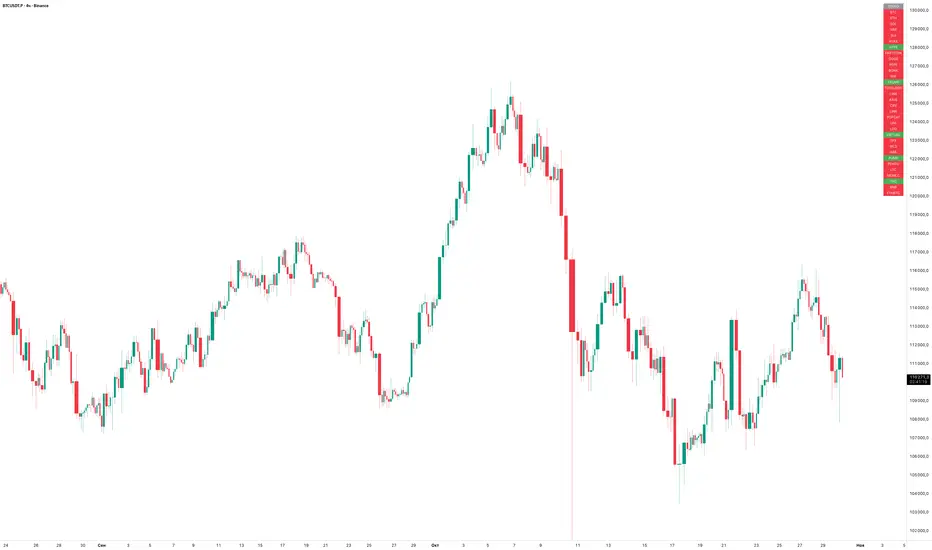
EMA Trend ScreenerThe EMA Trend Screener is a multi-symbol dashboard that quickly shows the trend direction of up to 40 cryptocurrencies (or any selected assets) based on their relationship to a chosen Exponential Moving Average (EMA).
For each symbol, the script checks whether the current price is above or below the specified EMA (default 75).
• Green = Uptrend (price above EMA)
• Red = Downtrend (price below EMA)
All results are displayed in a compact on-chart table, updating in real time for your selected timeframe.
Main benefits:
• Instantly monitor trend direction across multiple coins or markets
• Fully customizable symbol list (up to 40 assets)
• Adjustable EMA length for different trading styles
• Works on any timeframe
• Lightweight and efficient visual summary
In short:
EMA Trend Screener gives traders a fast, clean overview of which markets are trending up or down — ideal for trend following, momentum filtering, or trade selection.
Сreated with vibecoding using ChatGPT and Claude.
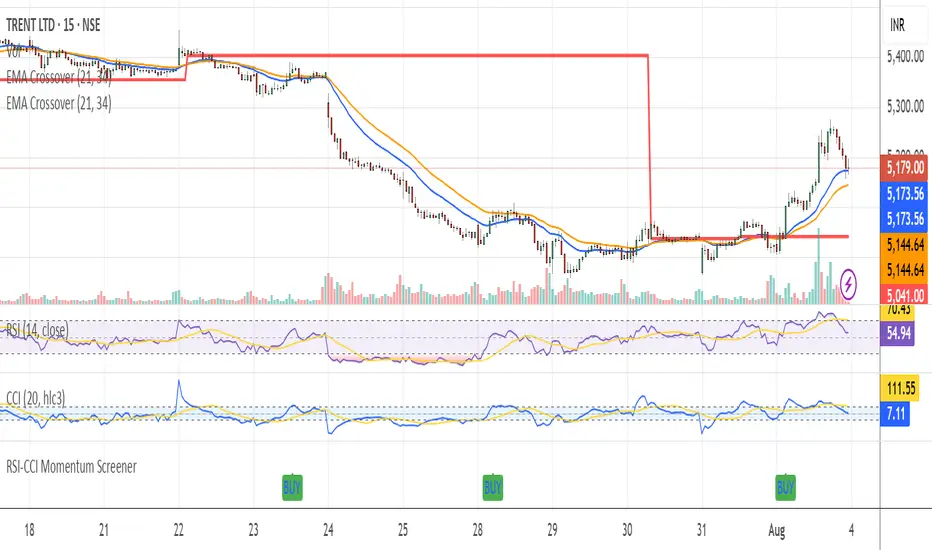
RSI-CCI Momentum ScreenerRSI-CCI Momentum Screener;
How to Use:
Apply this script to 1H or 4H timeframe
Works well for NSE stocks, crypto, or forex
Look for a green label “BUY” that shows when the screener conditions are met
Pradeep Vad - Quallamaggie Stock ScreenerBelow is a Pine Script that implements a custom stock screener based on your requirements. This script uses TradingView's Pine Script version 5 and allows you to screen stocks using the Pine Screener with the specified features and customization options.

Peak & Valley Screener RadarThis Pine Script indicator is designed to help traders and investors analyze the percentage distance of stock prices from their recent All-Time High (ATH) and All-Time Low (ALH) over a user-defined number of bars.
It functions as a multi-stock screener, scanning a customizable list of stocks (default: 40 BIST 500 stocks) and displaying results in a dynamic table on the chart.
The script identifies stocks that have pulled back more than a specified percentage from their ATH (potential buying opportunities) or risen less than a specified percentage from their ALH (potential caution zones).
Key Features:
Customizable Stock List: Users can input a comma-separated list of stock tickers (e.g., "AAPL,GOOGL,MSFT") to scan any symbols available on TradingView.
User-Defined Parameters: Adjust the lookback period (bars back, default 250), ATH pullback threshold (default 10%), and ALH rise threshold (default 10%).
Dynamic Table Display: Results are shown in a table with two columns: "Distance to TOP" (ATH pullbacks in red) and "Distance to BOTTOM" (ALH rises in green). The table includes input parameters for quick reference and can be positioned anywhere on the chart (top/bottom left/center/right).
Optional Plots: Toggle plots to visualize the percentage distances for the current chart symbol (red for ATH, green for ALH).
Efficient Data Handling: Uses request.security with tuples for optimized multi-symbol data fetching, supporting up to ~80 stocks without exceeding Pine Script limits (adjust table rows if needed for more).
Real-Time Updates: The table updates only on the last bar for performance efficiency.
How It Works:
The script calculates the highest high and lowest low over the specified bars for each stock.
It computes the percentage difference from the current close: negative for ATH (pullback) and positive for ALH (rise).
Stocks meeting the thresholds are listed in the table with their exact percentages.
Usage Tips:
Apply this indicator to any chart (e.g., a BIST index or stock) to run the screener in the background.
Ideal for swing traders scanning for undervalued stocks near ATH or overbought near ALH.
Note: Performance may vary with large stock lists due to TradingView's security call limits (~40-50 calls per script). Test with smaller lists if needed.
You can bypass the 40-stock limit by adding the indicator twice to the chart, entering 40 different stocks in the second indicator and setting a different table position from the first one, allowing you to scan 80 stocks simultaneously. In fact, this way, you can scan as many stocks as your plan's limits allow.
This script is released under the Mozilla Public License 2.0. Feedback and suggestions are welcome, but please adhere to TradingView's House Rules—no guarantees of profitability, use at your own risk.Disclaimer: This is not financial advice. Past performance does not predict future results. Always conduct your own research.

TTM Squeeze Value OscillatorThis indicator is specifically designed for use with TradingView's Stock Screener, not for chart analysis. It provides numerical values and binary signals that allow traders to efficiently scan stocks for specific TTM Squeeze conditions, momentum patterns, and EMA alignments.
What It Does
The TTM Squeeze Value Oscillator converts the popular TTM Squeeze indicator into a screenable format by outputting specific numerical values and binary signals (1 or 0) that can be filtered in TradingView's screener tool.
Key Features
1. TTM Squeeze Compression Levels
Value 0: Low Compression (Black) - Bollinger Bands inside outer Keltner Channels
Value 1: Mid Compression (Red) - Bollinger Bands inside middle Keltner Channels
Value 2: High Compression (Orange) - Bollinger Bands inside inner Keltner Channels
Value 3: Squeeze Fired (Green) - Bollinger Bands outside Keltner Channels
2. Momentum Analysis
Four distinct momentum conditions based on TTM Squeeze methodology:
Buy Momentum Increasing - Positive momentum growing stronger
Buy Momentum Decreasing - Positive momentum weakening
Sell Momentum Increasing - Negative momentum growing stronger
Sell Momentum Decreasing - Negative momentum weakening
3. EMA Stacking Analysis
Three EMA alignment patterns using 8, 21, and 48 period EMAs:
EMA Stacked Bullish - 8 EMA > 21 EMA > 48 EMA (uptrend alignment)
EMA Stacked Bearish - 8 EMA < 21 EMA < 48 EMA (downtrend alignment)
EMA Mixed - EMAs not in clear bullish or bearish alignment
4. Consecutive Day Counters
Tracks how many consecutive days each squeeze condition has persisted:
Low Compression Days
Mid Compression Days
High Compression Days
Squeeze Fired Days
5. Combined Signal Analysis
Pre-calculated combinations of squeeze conditions with momentum:
All squeeze levels combined with all four momentum conditions
16 total combined signals for advanced screening

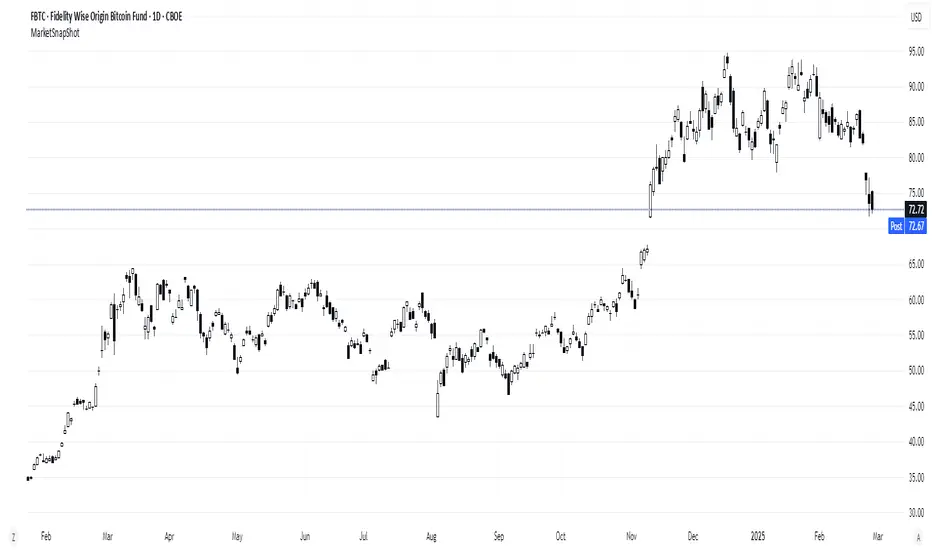
Market Snap Shot with Pine ScreenerMarket Snap Shot
The Market Snap Shot is a comprehensive technical analysis tool designed to track and display key price metrics across multiple timeframes, including daily, weekly, monthly, quarterly, and yearly data. This script provides a range of essential calculations for traders and investors, enabling them to assess price action, volatility, and market trends at a glance.
Features:
Daily Metrics: Includes the daily percentage change, closing range relative to the daily high/low.
Weekly Metrics: Tracks weekly open, close, range, and calculates week-to-date performance for a broader market view.
Monthly Metrics: Provides similar calculations for monthly price action, offering insights into monthly performance.
Quarter-to-Date (QTD): Displays performance for the current quarter, offering insights into quarterly price movements.
Year-to-Date (YTD): Calculates year-to-date price change, helping users track performance relative to the start of the year.
52-Week High/Low: Displays the current price's distance from the 52-week high and low, giving context to long-term price levels.
Usage:
Traders can use this screener to quickly assess the current market position and make informed decisions based on short-term and long-term trends.
Investors can leverage the 52-week and YTD metrics to gauge the overall strength of an asset in the market.
The tool is versatile for both active traders looking for real-time performance data and for those focusing on longer-term market trends.
Instructions:
This script displays multiple metrics such as percentage changes and range data for daily, weekly, monthly, quarterly, and yearly timeframes. It is designed to be used as a screener tool to assess price action and monitor performance across these key time periods.
Warning:
The "Market Snap Shot" does not provide buy or sell signals but rather serves as a performance tracking tool. Users are encouraged to use this data in conjunction with other technical and fundamental analysis tools.
Average Price Range Screener [KFB Quant]Average Price Range Screener
Overview:
The Average Price Range Screener is a technical analysis tool designed to provide insights into the average price volatility across multiple symbols over user-defined time periods. The indicator compares price ranges from different assets and displays them in a visual table and chart for easy reference. This can be especially helpful for traders looking to identify symbols with high or low volatility across various time frames.
Key Features:
Multiple Symbols Supported:
The script allows for analysis of up to 10 symbols, such as major cryptocurrencies and market indices. Symbols can be selected by the user and configured for tracking price volatility.
Dynamic Range Calculation:
The script calculates the average price range of each symbol over three distinct time periods (default are 30, 60, and 90 bars). The price range for each symbol is calculated as a percentage of the bar's high-to-low difference relative to its low value.
Range Visualization:
The results are visually represented using:
- A color-coded table showing the calculated average ranges of each symbol and the current chart symbol.
- A line plot that visually tracks the volatility for each symbol on the chart, with color gradients representing the range intensity from low (red/orange) to high (blue/green).
Customizable Inputs:
- Length Inputs: Users can define the time lengths (default are 30, 60, and 90 bars) for calculating average price ranges for each symbol.
- Symbol Inputs: 10 symbols can be tracked at once, with default values set to popular crypto pairs and indices.
- Color Inputs: Users can customize the color scheme for the range values displayed in the table and chart.
Real-Time Ranking:
The indicator ranks symbols by their average price range, providing a clear view of which assets are exhibiting higher volatility at any given time.
Each symbol's range value is color-coded based on its relative volatility within the selected symbols (using a gradient from low to high range).
Data Table:
The table shows the average range values for each symbol in real-time, allowing users to compare volatility across multiple assets at a glance. The table is dynamically updated as new data comes in.
Interactive Labels:
The indicator adds labels to the chart, showing the average range for each symbol. These labels adjust in real-time as the price range values change, giving users an immediate view of volatility rankings.
How to Use:
Set Time Periods: Adjust the time periods (lengths) to match your trading strategy's timeframe and volatility preference.
Symbol Selection: Add and track the price range for your preferred symbols (cryptocurrencies, stocks, indices).
Monitor Volatility: Use the visual table and plot to identify symbols with higher or lower volatility, and adjust your trading strategy accordingly.
Interpret the Table and Chart: Ranges that are color-coded from red/orange (lower volatility) to blue/green (higher volatility) allow you to quickly gauge which symbols are most volatile.
Disclaimer: This tool is provided for informational and educational purposes only and should not be considered as financial advice. Always conduct your own research and consult with a licensed financial advisor before making any investment decisions.

Multiple Indicators Screener v2After taking the approval of Mr. QuantNomad
Multiple Indicators Screener by QuantNomad
New lists have been modified and added
Built-in indicators:
RSI (Relative Strength Index): Provides trading opportunities based on overbought or oversold market conditions.
MFI (Cash Flow Index): Measures the flow of cash into or from assets, which helps in identifying buying and selling areas.
Williams Percent Range (WPR): Measures how high or low the price has been in the last time period, giving signals of periods of saturation.
Supertrend: Used to determine market direction and potential entry and exit locations.
Volume Change Percentage: Provides an analysis of the volume change percentage, which helps in identifying demand and supply changes for assets.
How to use:
Users can choose which symbols they want to monitor and analyze using a variety of built-in indicators.
The indicator provides visual signals that help traders identify potential trading opportunities based on the selected settings.
RSI in purple = buy weak liquidity (safe entry).
MFI in yellow = Liquidity
WPR in blue = RSI, MFI and WPR in oversold areas for all.
Allows users to customize the display locations and appearance of the cursor to their personal preferences.
Disclaimer
Please remember that past performance may not be indicative of future results.
Due to various factors, including changing market conditions, the strategy may no longer perform as well as in historical backtesting.
This post and the script don’t provide any financial advice.
=========================================================================
فاحص لمؤشرات متعددة مع مخرجات جدول شاملة لتسهيل مراقبة الكثير من العملات تصل الى 99 في وقت واحد
بختصر الشرح
ظهور اللون البنفسجي يعني كمية الشراء ضعف السيولة .
ظهور اللون الازرق جميع المؤشرات وصلة الى مرحلة التشبع البيعي ( دخول آمن )
ظهور اللون الاصفر يعني السيولة ضعفين الشراء ( عكس اتجاه قريب ) == ركزو على هاللون خصوصا مع عملات الخفيفة

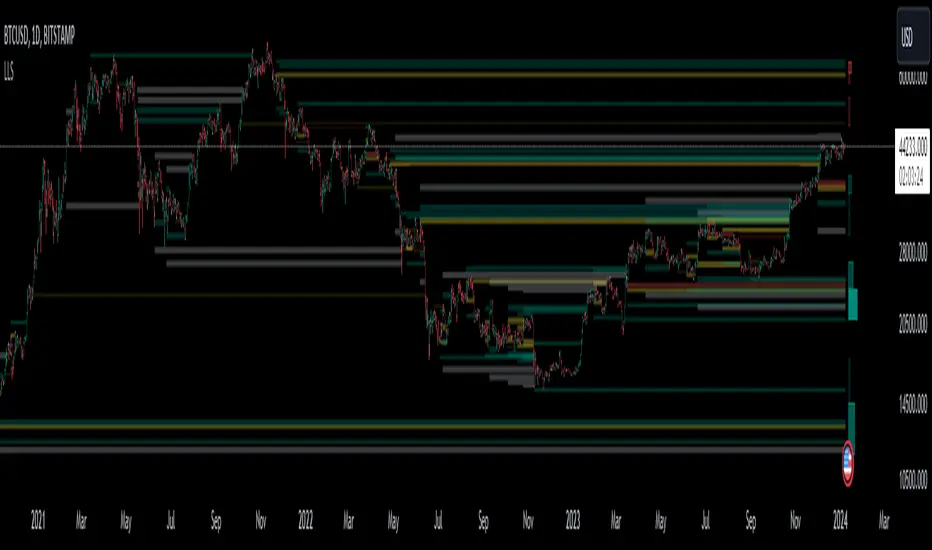
Liquidation Level ScreenerThe Liquidation Level Screener is an analytical tool designed for traders who seek a comprehensive view of potential liquidation zones in the market. This script, adaptable to almost any timeframe from 1 minute to 3 days, offers a unique perspective by mapping out key liquidation levels where significant market actions could occur.
Key Features:
Multi-Exchange Data Aggregation: Unlike many other indicators, the Liquidation Levels Indicator compiles data from multiple leading exchanges including Binance, Bitmex, Kraken, and Bitfinex. This approach ensures a more holistic and accurate representation of market sentiment, providing insights into potential liquidation points across various platforms.
Customizable Timeframes and Modes: The script is versatile, working effectively across various timeframes. It operates in two distinct modes:
Actual Levels Display: Visually represents potential liquidation levels.
Settings Mode: Showcases an open interest (OI) oscillator. When OI is exceptionally high, indicating a surge in opened positions at a specific candle, it signals traders to be vigilant about upcoming liquidation levels.
Three-Tier Liquidation System: The indicator categorizes liquidation levels into three distinct tiers based on open interest levels—1, 2, and 3—with Level 3 representing the highest concentration of open positions. This tiered approach allows traders to gauge the significance of each level and adjust their strategies accordingly.
Histogram Visualization: A novel feature of this script is the histogram on the chart's right side, representing the concentration of liquidation levels in specific market zones. This visual aid helps traders identify crucial areas that warrant close attention, enhancing decision-making.
Customizable Options:
Moving Averages: Choose from a wide range of moving average types, including VWMA, SMA, EMA, and more, to tailor the indicator to your analysis style.
Histogram Settings: Adjust the number of histograms, lookback bars, and their proximity to the latest candle, allowing for a personalized density and range of visualization.
Liquidation Level Sensitivity: Set thresholds for different liquidation levels, fine-tuning the indicator to detect varying degrees of market leverage.
Color Coding: Customize the color scheme for different leverage levels, enhancing visual clarity and ease of interpretation.
The Liquidation Level Screener offers a unique edge by highlighting potential zones where significant market movements can occur due to liquidations. By consolidating data from multiple exchanges, it provides a more rounded view of market behavior, which is essential in today’s interconnected trading environment. The tiered liquidation system and histogram feature equip traders with the ability to identify and focus on key market segments where high activity is expected. This tool is particularly valuable for traders who base their strategies on market liquidity and leverage dynamics.
Nasdaq 100 ScreenerNasdaq 100 screener is comprehensive table displaying the following parameters :
Op = Open Price of the Day.
LaP = Last Price.
O-L = Open Price of the Day - Last Price.
ROC = Rate of Change .
SMA20 = Simple Moving Average 20 period.
S20d = Last Price - SMA 20.
SMA50 = Simple Moving Average 50 period.
S50d = Last Price - SMA 50.
SMA200 = Simple Moving Average 200 period.
S200d = Last Price - SMA 200.
ADX(14) = Average Directional Index.
RSI(14) = Relative Strength Index.
CCI(20) = Commodity Channel Index.
ATR(14) = Average True Range.
MOM(10) = Momentum.
AcDis(K) = Accumulation/Distribution.
CMF(20) = Chaikin Money Flow.
MACD = Moving Average Convergence Divergence.
Sig = MACD signal.
Nasdaq 100 stocks are divided into following alphabetical grouping for input access purpose under “Options” in “Settings” menu.
A to B 21 stocks “Input symbols” are listed under the “Options” in “Input A to B”
C to E 18 stocks “Input symbols” are listed under the head “Options” in “Input C to E”
F to L 19 stocks “Input symbols” are listed under the head “Options” in “Input F to L”
M to P 22 stocks “Input symbols” are listed under the head “Options” in “Input M to P”
R to Z 20 stocks “Input symbols” are listed under the head “Options” in “Input R to Z”
A to Z 100 stocks “Input symbols” are listed under the head “Options” in “Input A to Z”
User after visiting the “Settings” menu simply is required to select the “input symbol” from the stock listed under respective alphabetical Input lists to which the particular stock belongs. The resultant data is tabulated under respective row in Table .At a time User can see 5 different stocks i.e one each in different alphabetical lists in respective alphabetical order rows stated in the Table. User can scroll in each list to access and shift to any other stock in the list. In addition a Master list of all 100 stocks is given under “ Input A to Z “ at the last row of table.
Nasdaq 100 screener is a simple table , which facilitate to view 6 different stocks at a time (inclusive one from Master list of “Input A to Z” with a display of 19 parameters.

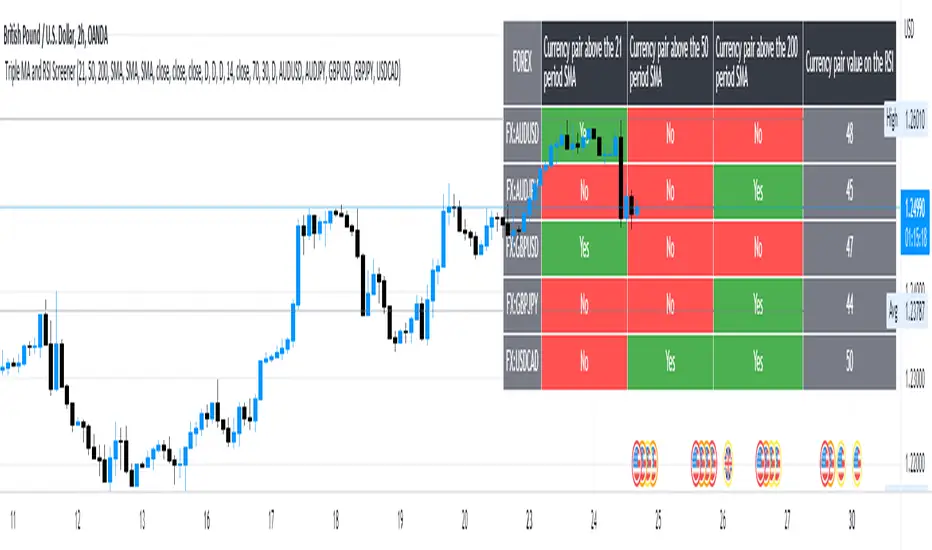
5 Symbol screener with triple MA and RSIBelow is a simple screener script fitted with 5 different symbols in the first column and in the other 4 columns the screener displays the respective moving averages and the RSI, the user has the ability to change between timeframes and different moving averages such as the SMA, EMA, RMA and WMA .
Market Sector Scanner/Screener With MOM + RSI + MFI + DMI + MACDMARKET SECTOR SCANNER/SCREENER MOM + RSI + MFI + DMI + MACD FOR STOCKS CRYPTO & FOREX
This script scans 9 markets constantly and returns the values of 5 different popular indicators.
This indicator helps you see when one of your favorite stocks is bullish or bearish when you are not watching that chart so you can always catch the big moves as they happen.
***HOW TO USE***
A great way to use this market screener is to set up separate chart layouts for each sector you like to trade. Such as the top 9 stocks in the S & P 500, top 9 stocks in the XLF etf, etc. Make sure to set up separate chart layouts in Tradingview so you don’t have to change the symbols constantly. This will give you a good idea in real time if that entire sector is bullish, bearish or mixed. When the entire grid goes red or green, those are very strong signs of market direction across that entire sector, so trades in the corresponding direction are quite safe.
This can be done for crypto as well, using the top 9 cryptocurrencies by market cap. Watch the grid and wait for the entire lot to turn green or red and then take a position in that direction.
You can also use this with a variety of your favorite tickers so you can see when specific markets are looking strong in either direction, instead of constantly changing charts or missing good opportunities because you weren’t watching that specific chart.
This grid can also be used to determine how long to hold a position as well. If the entire grid is still green or red, according to your trade direction, you can usually expect price to continue in that direction until you see some conflicting colors start to pop up on the grid. As it starts to give mixed signals, you can expect the market to be indecisive or reverse which is a good time to get out.
If you have your scanner setup to show similar markets in one sector, be careful taking trades when the grid is very mixed in color. This shows signs of indecision and will likely have choppy price action until the market decides a direction so make sure to use caution when the grid is mixed. It is best to wait for the entire grid to turn green or red and then take position.
***COLOR MEANINGS***
When each indicator value is in bullish territory, the background of that value will turn green.
When each indicator value is in bearish territory, the background of that value will turn red.
When each indicator value is in neutral territory, the background of that value will turn blue.
When all 5 indicators for a ticker are bullish, the ticker background will turn green.
When all 5 indicators for a ticker are bearish, the ticker background will turn red.
When there is a mixture of bullish and bearish values, the ticker background will turn blue.
***CUSTOMIZATION***
You can customize which tickers are in your scanner including stocks, crypto, futures and forex, the source of the indicators, the length of the indicator settings and the smoothing parameters.
***INDICATORS USED***
The indicators used for each ticker are as follows:
Momentum(MOM) - Default length is 14. Bullish is above zero, bearish is below zero.
Relative Strength Index(RSI) - Default length is 14. Bullish is above 50, bearish is below 50.
Money Flow Index(MFI) - Default length is 14. Bullish is above 50, bearish is below 50.
Directional Movement Index(DMI) - Default length is 14 and smoothing is 14. Calculated by subtracting di minus from di plus. If the value is positive, it is bullish. If the value is negative, it is bearish.
Moving Average Convergence & Divergence(MACD) - Default settings are 12, 26, 9. If the short line is greater than the long line, then it is bullish. If the short line is less than the long line, it is bearish.
***MARKETS***
This market scanner can be used as a signal on all markets, including stocks, crypto, futures and forex.
***TIMEFRAMES***
This scanner can be used on all timeframes and pulls data from other tickers using the same timeframe as what your current chart is set to.
***TIPS***
Try using numerous indicators of ours on your chart so you can instantly see the bullish or bearish trend of multiple indicators in real time without having to analyze the data. Some of our favorites are Trend Friend Scalp & Swing Signals, Auto Fibonacci, Directional Movement Index, Volume Profile With Buy/Sell Pressure, Auto Support And Resistance and Money Flow Index in combination with this Scanner. They all have real time Bullish and Bearish labels as well so you can immediately understand each indicator's trend.
