In den Scripts nach "daily" suchen
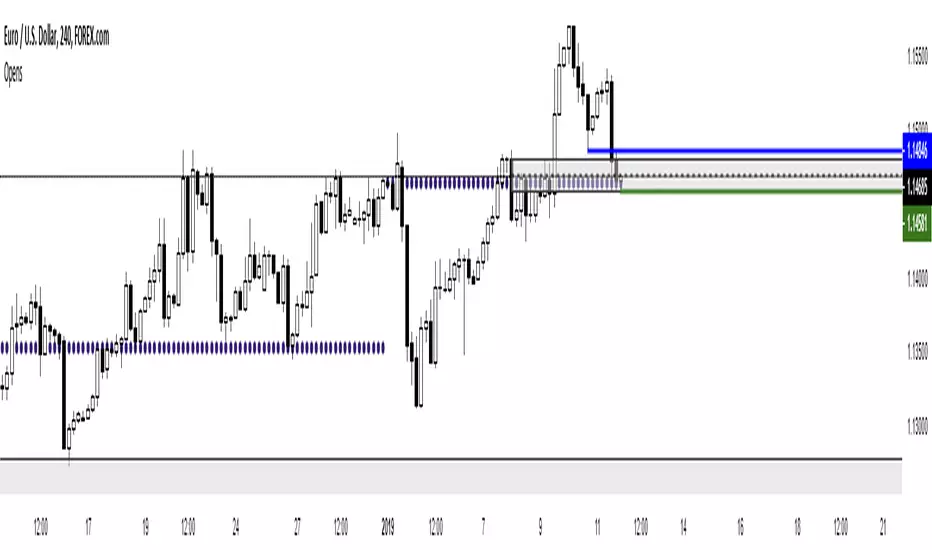
Daily Moving Average to Intraday Chart BradleyRUses Robertob's Script with Mike's colors for Warrior Pro Students.


BTC Swinger v1Daily interval swing trading algorithm based on momentum techniques using ATR Stops. Made by Kory Hoang from Stably.
Shout out to the Advanced Crypto Asset Trading crew! ;)

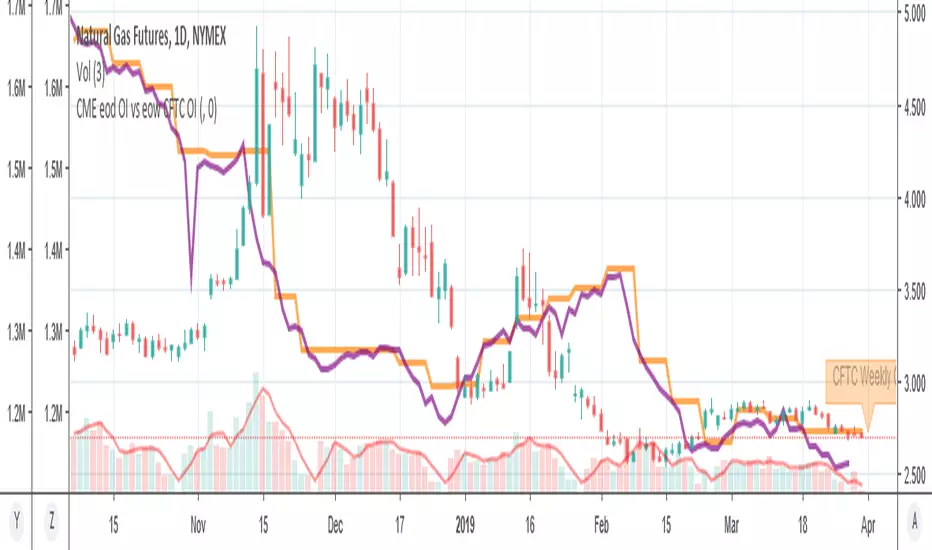
MY_CME eod OI vs CFTC eow OIDaily e-o-d Open Interest as published by CME.
As CFTC COT Open Interest relates to last Tuesday, here you can have an idea how things evolved day-by-day since then.
As CME total OI is not accessibl as data, here I sum OI of the next 9 outstanding contracts, which gives a fair idea of the trend in OI

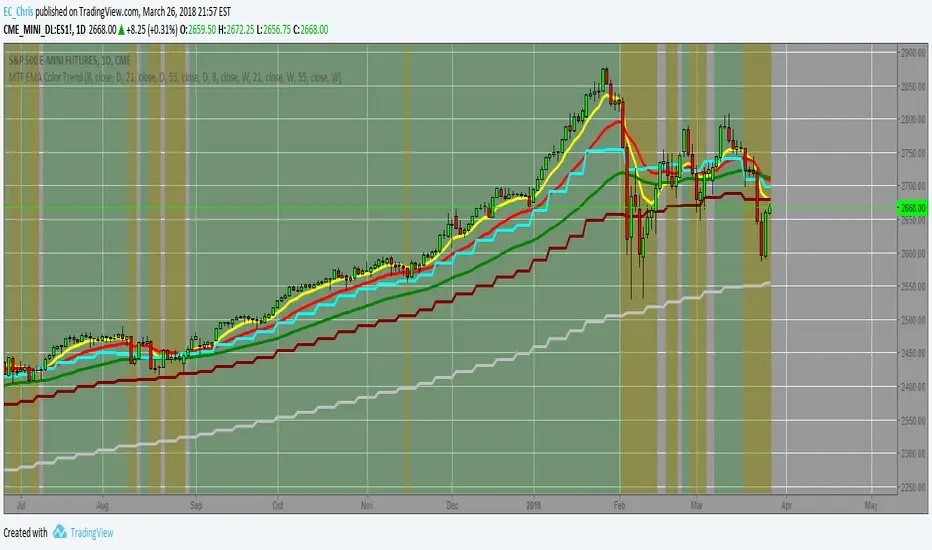
MTF EMA Combo with Background ColorDaily/Weekly EMA combo for longer term trend direction, with combo background color for varying trend direction.


Daily Average True Range OverlayPlots the upper and lower average true range away from the previous days close on all time frames.

Daily Deviations (Lazy Edition)
Plots the standard deviation resistance/support lines.
Uses Previous days close and the VIX as the volatility factor.
credit to u/UberBotMan and u/Living_Granger for the idea and formulas

Daily Deviations (Self Input Version)
Plots the standard deviation resistance/support levels.
Input the previous settlement price and the implied volatility.
credit to u/UberBotMan and u/Living_Granger for the idea and formulas
(preview example is using settlement of 2420 and IV of 11)

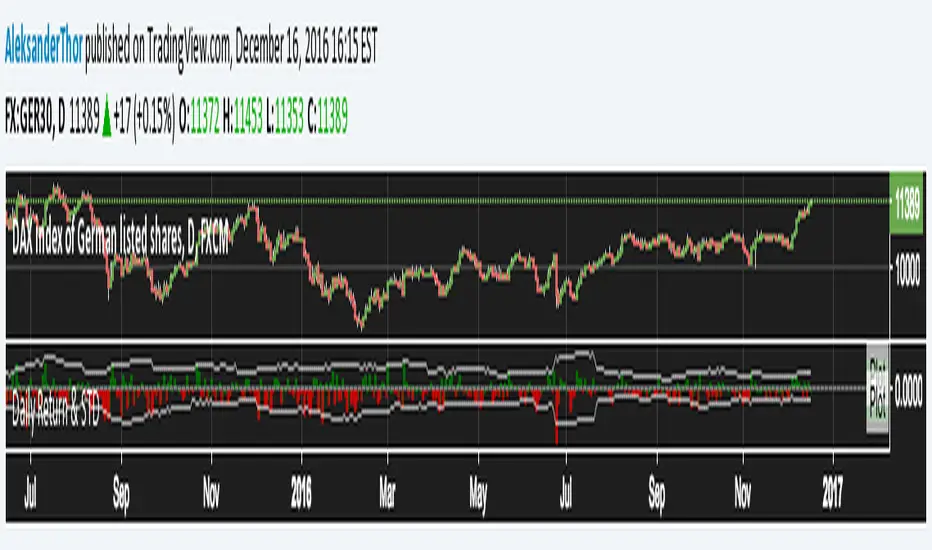
Daily Returns & STDWhat happened last time when xx increased by xx%? - Start collecting some stats!
You can choose the ticker and the timeframe you're interested in
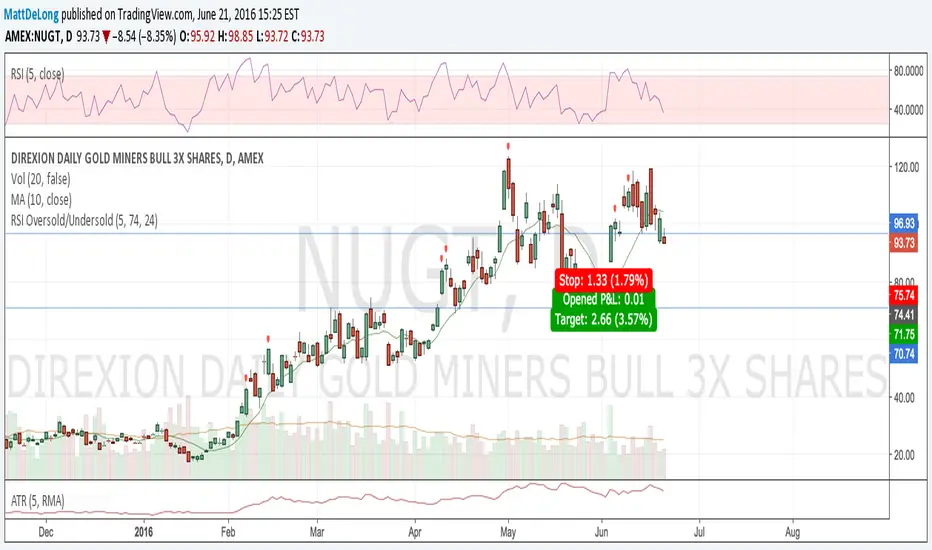
RSI Oversold/UndersoldThe study script will place GREEN BUY arrows BELOW oversold conditions and RED SHORT arrows ABOVE overbought conditions. You can configure the period
Most RSI(14) indicators use a 14-period, I prefer a 5-period. The period, overbought and oversold periods are settings that can easily be changed by adding this study to your chart and clicking the "gear" icon next to the study inside your chart.

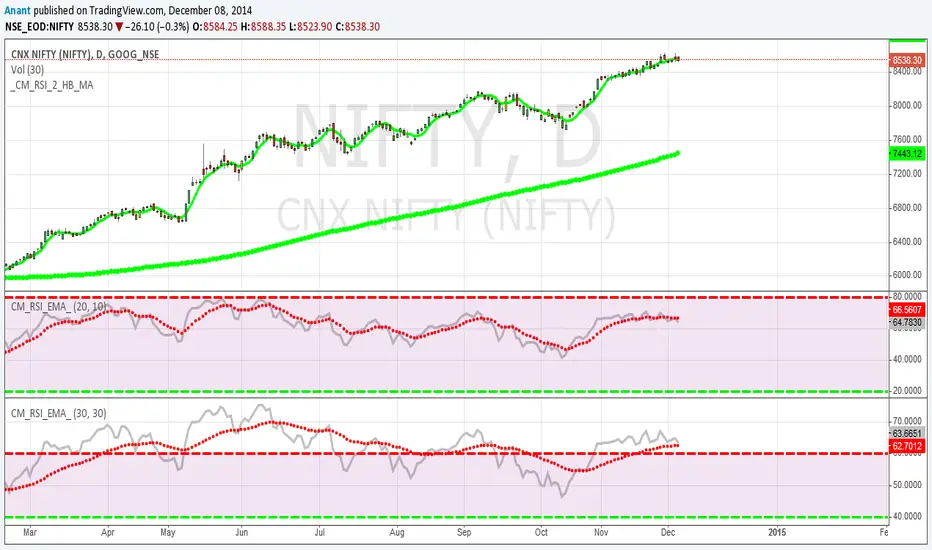
Daily SMAThis pine script on intraday chart is exactly the same SMA as built-in MovingAverage on a 1Day chart (with the same lengths)


Momentum Regime & Confluence EngineMomentum Regime & Confluence Engine is a Stochastic RSI–based momentum framework designed to display live momentum state, higher-timeframe regime context, and an optional pattern-projection timing overlay in a single indicator pane.
This script is intended for momentum structure and regime context, not as an automated strategy. It does not place trades and does not guarantee outcomes.
What This Script Displays
1) Live Stochastic RSI (%K / %D) — Current Chart Timeframe
The script computes a standard Stoch RSI on the active chart timeframe:
RSI is calculated from price
A stochastic transform is applied to RSI
%K is smoothed
%D is a further smoothing of %K
Live %K and %D are plotted in the pane with standard overbought/oversold reference levels (80/20).
2) Weekly Regime Background (Full Pane Shading)
A weekly Stoch RSI series is calculated using higher-timeframe data (request.security() with no lookahead).
The script classifies the weekly environment into Bull / Bear with an optional Neutral state.
To reduce rapid flip-flopping near crossovers, the weekly regime uses a hysteresis model based on the signed percentage distance between weekly %K and %D:
Enter thresholds require stronger separation to switch regimes
Exit thresholds allow a smaller move to transition out
Optional Neutral zone treats a small band around zero as neutral
The weekly regime is displayed as full-pane background shading.
3) Daily Regime Overlay (Secondary Shading)
A daily Stoch RSI series is also sampled via request.security() (no lookahead) and classified into Bull / Bear with an optional Neutral state.
Daily regime shading is drawn as a lighter overlay on top of the weekly background to make daily-vs-weekly alignment visually apparent.
4) Weekly Context Tag (Optional)
An optional small table “W Context” tag can be displayed in a selectable corner.
It shows the current weekly regime state (Bull / Bear / Neutral) so higher-timeframe context remains visible even when focusing on live oscillator movement.
5) Forward Projection of a Historical Stoch RSI Pattern (Optional)
A projection feature can sample a historical Stoch RSI pattern (%K and %D) from a user-defined bars-back window and shift that pattern forward in time.
Optional normalization can rescale the sampled pattern to the recent observed range for visual comparability.
This projection is a pattern-visualization and timing-reference tool, not a prediction engine.
6) Projected Cross Markers (Optional)
When projection is enabled, the script can identify projected cross events inside the projected pattern:
vertical dotted timing markers in the pane
small arrows at the approximate projected cross level
an optional single “Projected Cross” balloon for the nearest upcoming projected cross
These markers are intended as timing reference points, not trade signals.
Alert System (Optional)
The script includes alert conditions for weekly and daily momentum events, including:
Confirmed bullish crosses (%K crossing above %D), optionally restricted to fully formed bars (daily/weekly close)
Imminent bullish cross conditions, based on proximity and slope behavior (approaching crossover logic)
Alignment alerts, where daily events can be filtered to trigger only when a bullish weekly context exists
Dual confirmed alerts when weekly and daily confirmed crosses occur together
Alerts report that a defined condition occurred; they do not imply trade execution or performance.
Chart Setup Notes
The projection feature samples historical data and plots forward graphics. For best accuracy, ensure the chart has fully loaded available history before interpreting projected timing markers.
On symbols or sessions with limited historical data, the sampled pattern window may be incomplete and can shift projected timing features.
Notes and Limitations
Regime shading is a momentum classification based on Stoch RSI relationships; it is not a guarantee of trend continuation or reversal.
Projection is a visual clone of a selected historical pattern and may not repeat.
Alerts indicate that configured conditions occurred; they are not buy/sell commands.
This script is provided for informational and educational purposes only and does not constitute financial advice.

Ed's Swing Ready Ripper v2 (SMC) - RIP + TREND + SMC Filter// ============================================================================
// Ed's Swing Ready Ripper v2 (SMC) - How to Trade It (Rules + Reasoning)
// ============================================================================
//
// PURPOSE
// This indicator is built for swing trades that try to enter strong stocks
// WITHOUT chasing. It uses:
// 1) DAILY filters to choose which type of setup is active:
// - Ready-to-Rip (RIP): strong but not too extended
// - Trend Continuation (TREND): very strong trend, ride it longer
// 2) ENTRY timeframe (default 2H) to time entries.
// 3) Optional SMC filter to reduce late entries:
// - BOS Up confirmation (break of last swing high)
// - Discount pullback (buy the pullback, not the top)
//
// ---------------------------------------------------------------------------
// TIMEFRAMES (IMPORTANT)
// - Daily TF controls the "market regime" filter (RIP vs TREND).
// - Entry TF controls signals and management (BUY PART, BUY FULL, exits).
//
// Suggested workflow:
// 1) Use Daily chart to confirm overall trend + avoid earnings/news spikes.
// 2) Use 2H (or 4H) for entries and trade management.
// 3) Use 1H only if you want more signals (more noise).
//
// ---------------------------------------------------------------------------
// MODE LOGIC (RIP vs TREND)
// - Ready-to-Rip (RIP) activates when:
// * Daily uptrend: Close > EMA20 > EMA50
// * RSI is strong but not too high (default 40-65)
// * Optional Relative Volume >= threshold
// Reasoning: You want strength, but not overextended "already blew off" moves.
//
// - Trend Continuation (TREND) activates when:
// * Daily uptrend: Close > EMA20 > EMA50
// * RSI is stronger (default >= 55)
// * Optional Relative Volume >= threshold
// Reasoning: Some stocks keep trending; this mode exits slower to capture runners.
//
// - Auto mode:
// * Prefers RIP when both qualify.
// * Uses TREND when RIP is not active but TREND is.
//
// ---------------------------------------------------------------------------
// SMC FILTER (OPTIONAL but recommended)
// This is a LIGHT SMC gate (not a full Smart Money Concepts clone).
//
// 1) BOS Up (Break of Structure Up)
// - BOS happens when Entry TF close breaks above the last pivot swing high.
// - When BOS triggers, the script "arms" an impulse range.
// Reasoning: BOS confirms buyers are actually pushing structure higher.
//
// 2) Discount Pullback (Entry Quality)
// - Discount level = impulseLow + (impulseHigh - impulseLow) * discountPct
// default discountPct = 0.50 (50% level).
// - "inDiscount" means price pulls back into the lower part of the impulse.
// Reasoning: This attempts to reduce chasing and improves R:R by entering on pullback.
//
// Notes:
// - If you want MORE signals, turn off Discount requirement.
// - If you want HIGHER quality signals, keep BOS + Discount ON.
//
// ---------------------------------------------------------------------------
// ENTRY RULES
// BUY PART triggers when ALL are true:
// 1) Daily mode is active (RIP or TREND)
// 2) Entry timeframe bias is positive (Close > Entry EMA50)
// 3) Entry trigger fires: Close crosses ABOVE Entry EMA20 (reclaim)
// 4) SMC gate passes (if enabled): BOS armed and/or inDiscount (depending settings)
//
// Reasoning: In strong markets, the EMA20 reclaim after a pullback is a common
// continuation entry. Bias filter avoids countertrend longs.
//
// ---------------------------------------------------------------------------
// ADD RULE ("BUY FULL")
// BUY FULL triggers when:
// - Already in trade
// - TP1 has been hit
// - Not already added
// - Price is still above Entry EMA20
//
// Reasoning: This is a pyramiding concept:
// - You start smaller (risk control)
// - Only add once trade is proving itself
//
// If you do NOT want adding, you can disable it in code later.
//
// ---------------------------------------------------------------------------
// TARGETS (TP1 / TP2)
// Targets are ATR-based from the entryPrice on the Entry TF:
// - TP1 = entryPrice + ATR * atrMult1
// - TP2 = entryPrice + ATR * atrMult2
//
// Defaults:
// - RIP has slightly smaller targets (more "hit and run").
// - TREND has larger TP2 (try to catch runners).
//
// Reasoning: ATR adapts to volatility automatically.
//
// ---------------------------------------------------------------------------
// EXIT RULES
// RIP Exit (faster protection):
// - Exit if Entry TF closes below EMA20, OR TP2 hit.
//
// Reasoning: RIP is not meant to sit through deep pullbacks.
// If it loses EMA20, momentum likely fading.
//
// TREND Exit (slower, runner-friendly):
// - Trail Entry EMA20 with grace bars.
// - If close stays below EMA20 for more than graceBars, exit, OR TP2 hit.
//
// Reasoning: Trends often dip below EMA20 briefly before continuing.
// Grace bars prevent exiting too early.
//
// ---------------------------------------------------------------------------
// RISK MANAGEMENT (HOW TO SIZE + STOPS)
// This script gives entries/exits/targets, but YOU manage risk.
// A simple approach:
// - Risk 0.5% to 1.0% of account per trade.
// - Stop idea (manual):
// * Conservative: below the most recent Entry TF swing low
// * Aggressive: below EMA50 on Entry TF
// - If stock gaps hard against you (earnings/news), exit quickly.
// - Avoid holding through earnings unless you accept gap risk.
//
// ---------------------------------------------------------------------------
// BEST PRACTICES (REALISTIC USE)
// - This works best on liquid stocks/ETFs and strong sectors.
// - Use your screener to narrow candidates, then use this indicator to time entries.
// - If too many signals are "late":
// * require Discount ON
// * raise RelVolMin
// * tighten RIP RSI max (e.g., 60)
// - If too few signals:
// * turn Discount OFF (keep BOS on)
// * lower RelVolMin
//
// ---------------------------------------------------------------------------
// DISCLAIMER
// For educational use only. Not financial advice.
// ============================================================================

ZLT - Date and Time MarkerPine Script v5 indicator called “DateTime Marker” that overlays on the chart and marks bars whose timestamp matches a user-defined schedule. When a bar “matches,” it can draw:
a vertical line through the bar,
a label with a time/date string, and
a triangle marker below the bar (always plotted on matches).
What you can configure
Marker Type (the matching rule)
You choose one of five modes:
Every Minute
Inputs: everyNMinutes (default 15), minuteOffset (default 0)
Match condition: minute % everyNMinutes == minuteOffset
Example with defaults: marks bars at :00, :15, :30, :45 each hour.
Hourly
Inputs: everyNHours (default 4), hourlyMinute (default 0)
Match condition: hour % everyNHours == 0 AND minute == hourlyMinute
Example with defaults: marks bars at 00:00, 04:00, 08:00, 12:00, 16:00, 20:00 (at minute 00).
Daily Time
Inputs: dailyHour (default 10), dailyMinute (default 0)
Match condition: hour == dailyHour AND minute == dailyMinute
Example with defaults: marks 10:00 every day.
Weekly Day & Time
Inputs: weekDay (default Tuesday), weeklyHour (default 16), weeklyMinute (default 0)
It converts the weekday name to Pine’s dayofweek number via getDayNumber().
Match condition: dayofweek == targetDay AND hour == weeklyHour AND minute == weeklyMinute
Example with defaults: marks Tuesday 16:00.
Monthly Date & Time
Inputs: monthlyDay (default 2), monthlyHour (default 23), monthlyMinute (default 0)
Match condition: dayofmonth == monthlyDay AND hour == monthlyHour AND minute == monthlyMinute
Example with defaults: marks the 2nd day of each month at 23:00.
Visual settings
showLine: whether to draw the vertical line.
lineStyle: Solid/Dashed/Dotted (mapped to Pine line styles by getLineStyle()).
lineColor, lineWidth: styling for the line (width is rounded to an integer because Pine line width is integer).
showLabel: whether to draw a label.
labelColor: background color of the label (text is forced white).
What happens when a bar matches
When isMatch becomes true on a bar:
Vertical line: line.new() at that bar’s bar_index, from low to high, extended extend.both (so it spans the full chart vertically).
Label: label.new() at the bar’s high, with mode-specific text:
Minute/Hourly/Daily: "HH:mm"
Weekly: "Tuesday HH:mm" (or whatever day selected)
Monthly: "Day 2 - HH:mm" (or chosen day)
Triangle marker: plotshape() draws a triangle up below the bar on every match (this happens regardless of showLine / showLabel).
Important practical implications
This uses the bar’s exchange/chart time (TradingView’s time, hour, minute, etc.), so results depend on the symbol/session and chart timezone settings.
On timeframes coarser than 1 minute, “Every Minute” still checks only the bar’s timestamp minute value; it won’t mark intra-bar minutes that don’t exist as separate bars.
Because it can create many objects (lines/labels), it sets max_labels_count=500. Lines are not capped here, so very dense marking can still clutter the chart.
If you tell me your intended use (e.g., “mark NY open,” “mark every 15m candle close,” “mark macro events weekly”), I can point out whether the current matching logic fits that precisely or needs adjustments (sessions, timezones, avoiding duplicates, limiting lines, etc.).

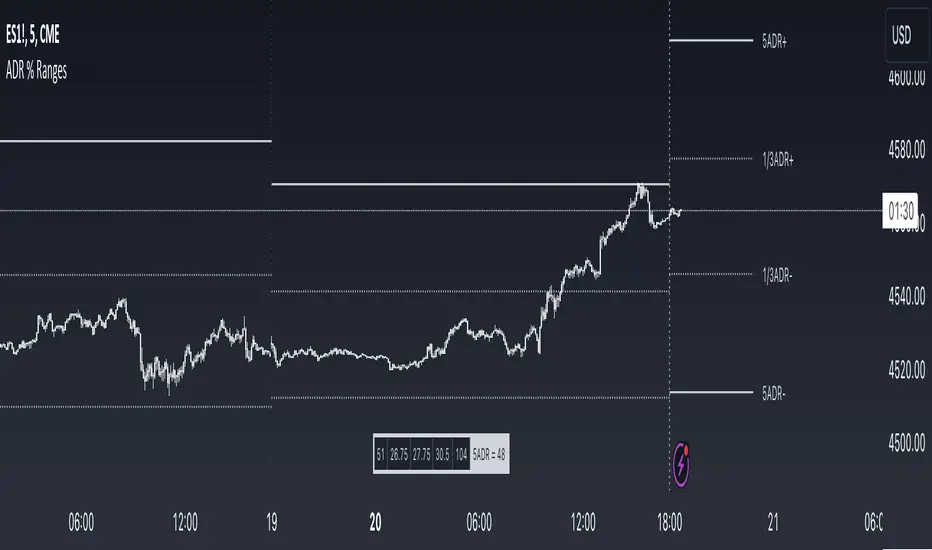
ADR % RangesThis indicator is designed to visually represent percentage lines from the open of the day. The % amount is determined by X amount of the last days to create an average...or Average Daily Range (ADR).
1. ADR Percentage Lines: The core function of the script is to apply lines to the chart that represent specific percentage changes from the daily open. It first calculates the average over X amount of days and then displays two lines that are 1/3rd of that average. One line goes above the other line goes below. The other two lines are the full "range" of the average. These lines can act as boundaries or targets to know how an asset has moved recently. *Past performance is not indicative of current or future results.
The calculation for ADR is:
Step 1. Calculate Today's Range = DailyHigh - DailyLow
Step 2. Store this average after the day has completed
Step 3. Sum all day's ranges
Step 4. Divide by total number of days
Step 5. Draw on chart
2. Customizable Inputs: Users have the flexibility to customize the script through various inputs. This includes the option to display lines only for the current trading day (`todayonly`), and to select which lines are displayed. The user can also opt to show a table the displays the total range of previous days and the average range of those previous days.
3. No Secondary Timeframe: The ADR is computed based on whatever timeframe the chart is and does not reference secondary periods. Therefore the script cannot be used on charts greater than daily.
This script is can be used by all traders for any market. The trader might have to adjust the "X" number of days back to compute a historical average. Maybe they only want to know the average over the past week (5 days) or maybe the past month (20 days).