FxNeel Session (Lite)Here is light version. You can all types of ICT session like Asia, london, new york, Aisa kill zone, CBDR . Happy trading. Please drop your feedback.Pine Script® Indikatorvon FxNeel119
ICT Asian & London Range + First Presented FVGIndicator: ICT Sessions + First Presented FVG What it does: This tool automates the markup of key ICT (Inner Circle Trader) timeframes and entry signals. It allows you to trade on higher timeframes (like the 5m or 15m) while the script automatically "looks inside" the 1-minute chart to find specific setups for you. Key Features: Session Ranges (Asian & London) Automatically highlights the Asian Session (8 PM - Midnight NY) and London Open (2 AM - 5 AM NY). Draws a shaded box for the session's High and Low. New: Extends the High and Low lines to 4:00 PM NY (end of the trading day) so you can use them as liquidity targets. The "First Presented" FVG (Sniper Logic) It detects the very first Fair Value Gap (FVG) that forms on the 1-minute chart immediately after a session starts. It draws this 1-minute gap on your current chart, regardless of what timeframe you are viewing. The FVG box automatically extends to the end of the trading day (4 PM NY), showing you where price might return to "mitigate" or react later in the day.Pine Script® Indikatorvon DropkingICTAktualisiert 87
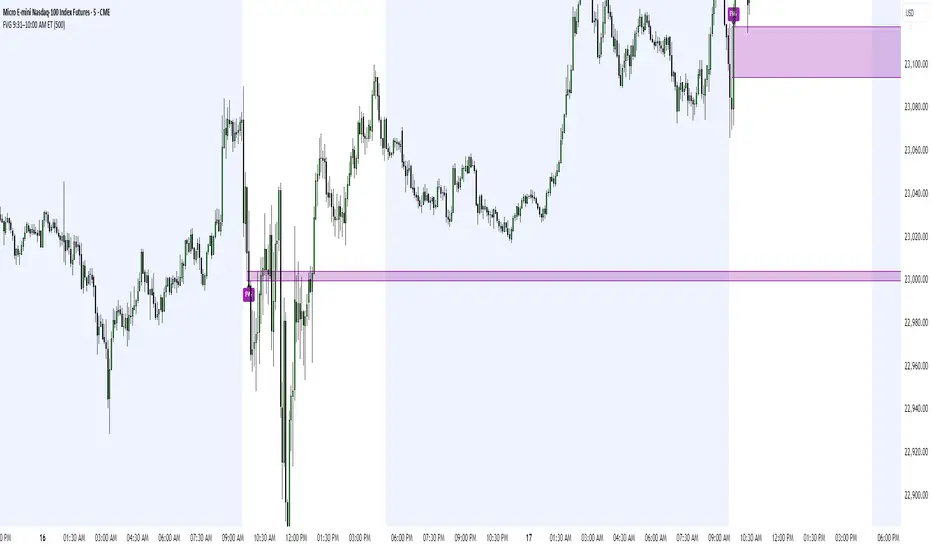
FVG 9:31–10:00 AM ETFVG 9:31–10:00 AM ET - Script Description What This Script Does This indicator finds **Fair Value Gaps (FVGs)** that form during the first 29 minutes of the U.S. stock market (9:31 AM to 10:00 AM Eastern Time). A Fair Value Gap is a price imbalance where there's a gap between candles that often becomes an important support or resistance level. Key Features: - **Time Window**: Only looks for FVGs between 9:31-10:00 AM ET (most important opening period) - **One Per Day**: Finds only the first FVG that forms in this time window each day - **Visual Display**: Draws a purple box around the gap with a clear "FVG" label - **Price Tracking**: Monitors when price comes back to test the gap level - **Alert System**: Sends notifications when price returns to the FVG zone How FVGs Are Detected: - **Bullish FVG**: When there's a gap up (low of middle candle is above high of 3rd candle back) - **Bearish FVG**: When there's a gap down (high of middle candle is below low of 3rd candle back) The 9:31-10:00 AM window is chosen because this is when institutions and algorithms create their biggest price moves right after market open, making these gaps very reliable. Customization Options User Settings Extend FVG Box (Bars) - **What it does**: Makes the purple box longer to the right - **Default**: 0 (box ends right after the gap forms) - **Options**: Any number from 0 to 100+ - **When to use**: - Keep at 0 for clean historical view - Set to 10-20 to track the gap during the current session - Set higher for longer reference Code Settings (Can Be Changed) Time Window - **Start**: 9:31 AM Eastern Time - **End**: 10:00 AM Eastern Time - **Can modify**: Change the hour/minute numbers in the code Visual Style - **Color**: Purple with see-through background - **Label**: Shows "FVG" text in white - **Can modify**: Change colors and transparency in the code How to Use: Setup Chart Settings 1. Use 1-minute, 5-minute, or 15-minute charts (works best on these timeframes) 2. Apply to liquid markets like ES, NQ, major stocks, or forex pairs 3. Set the "Extend FVG Box" to your preference (start with 0 or 10) What You'll See - A purple box appears when an FVG forms during 9:31-10:00 AM - Box shows the exact price levels of the gap - "FVG" label appears on the box - Only one FVG per day will be marked Trading Strategies Basic FVG Trading 1. **Wait for Formation**: Let the purple box appear during 9:31-10:00 AM 2. **Watch Price Movement**: See if price moves away from the gap 3. **Enter on Retest**: When price comes back to the purple box area, consider entering 4. **Trade Direction**: - Bullish FVG = look for long opportunities when price retests - Bearish FVG = look for short opportunities when price retests Entry Methods - **Bounce Play**: Enter when price touches the FVG box and bounces away - **Break Play**: Enter if price strongly breaks through the FVG box - **Rejection Play**: Enter opposite direction if price gets rejected at the FVG Risk Management Stop Losses - Place stops just outside the FVG box (a few ticks beyond the gap) - If trading a bounce, stop goes on opposite side of the gap - If trading a break, stop goes back inside the gap Position Sizing - Start small until you understand how FVGs work in your market - Bigger gaps = smaller position size (more risk) - Smaller gaps = can use larger position size Profit Targets - Take profits at obvious levels like round numbers, previous highs/lows - Consider taking half profits at 1:1 risk/reward ratio - Let some position run if the move is strong Best Practices When It Works Best - High-volume stocks and futures (ES, NQ work great) - Normal market days without major news during the 9:31-10:00 window - When there's clear institutional activity in the opening period When to Be Careful - Low-volume stocks or markets - Major economic news releases during the time window - Market holidays when volume is low - Very choppy or sideways days Alert Usage - The script will alert you when price comes back to test the FVG - Don't trade the alert blindly - always check the current market situation - Use the alert as a heads-up to start watching the setup more closely Tips for Success - The earlier the FVG forms in the 9:31-10:00 window, often the more significant it is - FVGs that form with high volume are usually more reliable - Always consider the overall market direction - don't fight the main trend - Practice on paper first to understand how FVGs behave in your chosen market 🔗 Works Best With: ✅ Liquidity Levels — Smart Swing Lows: Spot key structural lows that can fuel stop hunts and reversals. ✅ ICT Turtle Soup — Liquidity Reversal: Add a classic reversal pattern to your toolkit to catch fakeouts cleanly. ✅ ICT SMC Liquidity Grabs and OBs- Liquidity Grabs, Order Block Zones, and Fibonacci OTE Levels, allowing traders to identify institutional entry models with clean, rule-based visual signals. This script is most valuable for day traders who want to catch institutional moves right after market open, but it can also help swing traders identify important intraday levels. ✅ ICT Macro Zones (Grey Box Version)- It tracks real-time highs and lows for each Silver Bullet session. ✅ Weekly Opening Gap (cryptonnnite) Pine Script® Indikatorvon MrWoof8881181
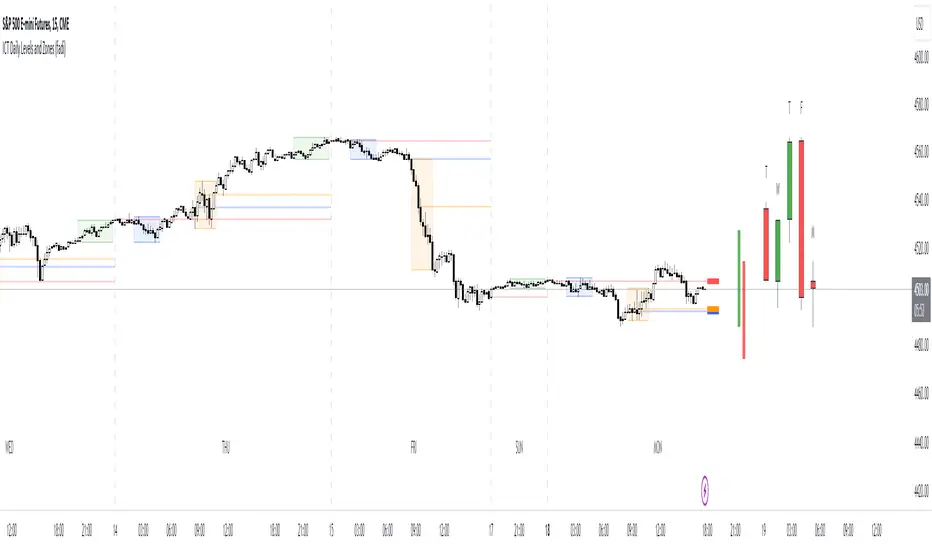
ICT Daily Levels and Zones (fadi)ICT Daily Levels and Zones indicator provides some of the relevant zones and levels for ICT type analysis. The purpose of this indicator is to provide consolidated way of automatically highlighting and identifying relevant levels for ICT type traders. Daily Separator and Day of Week Display a separator based on NY Midnight and day of week. Killzones Highlight ICT Asia, London, and NY killzones. Please note that the default times are based on Index Futures. Update the times of day if you plan on using it for other instruments such as Forex. Open Range The 9:30am to 10:00am open range (Shown with Extend setting on) Open Range Gap The open range Gap is the difference between the 4:15pm close and the 9:30am open. (Shown with Extend setting on) Time of Day Levels The Midnight, 8:30am, and 9:30am open levels. Daily Midnight Candle ICT style Daily candle formation based on Midnight open Pine Script® Indikatorvon fadizeidanAktualisiert 4141 1.8 K
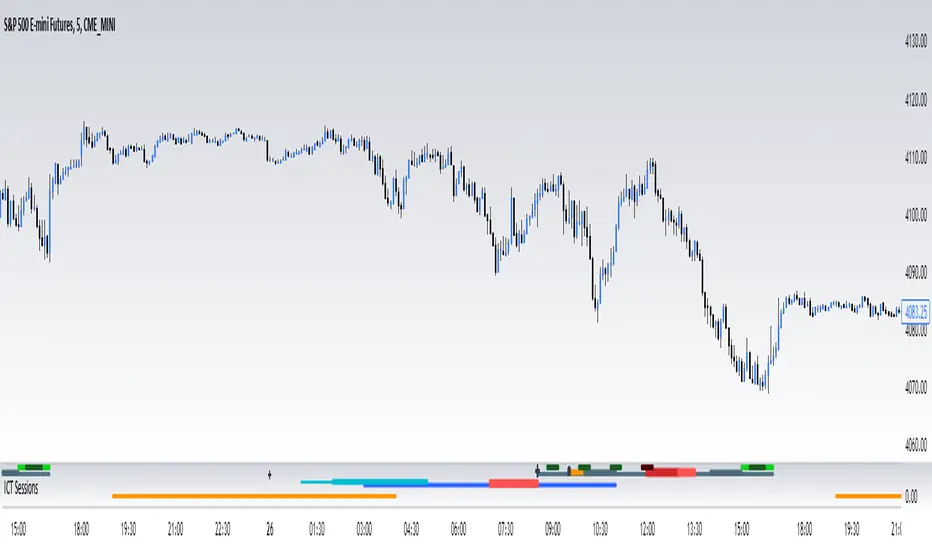
ICT SessionsThis script plots the timewindows of the ICT killzones (for forex) and trading session + makros below the chart. Individual components can be switched of to your likingPine Script® Indikatorvon Remote-TradingAktualisiert 3395
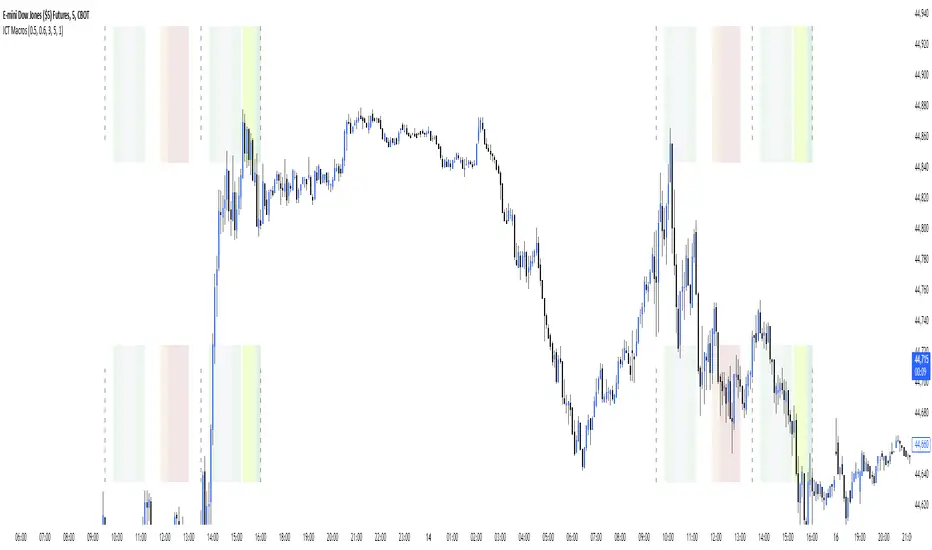
ICT MakrosThis script highlights the ICT trading makros and silverbullet timewindows with different background colors on your chart. The drawings are only visible on the timeframe 1min - 5min because they become useless above and i didnt code the logic for below 1minPine Script® Indikatorvon Remote-TradingAktualisiert 22154
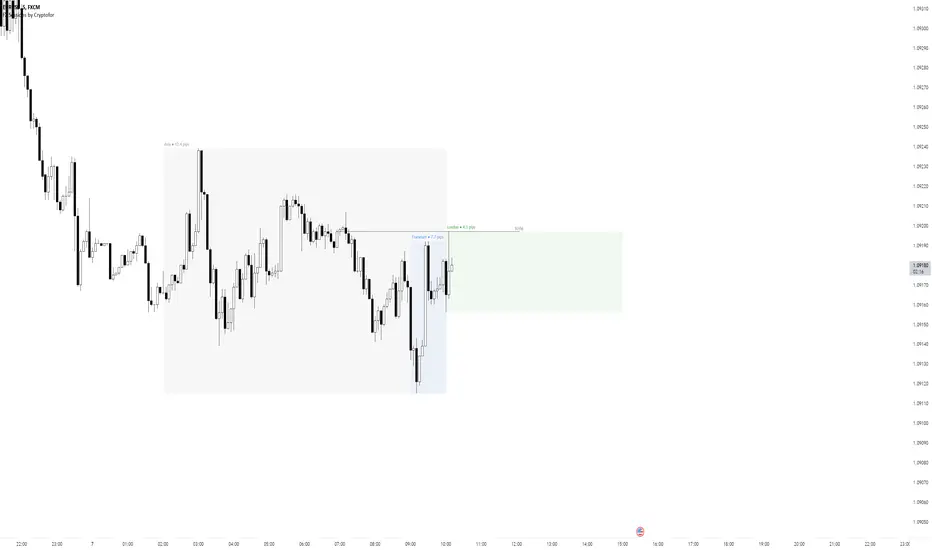
Forex Sessions by CryptoforForex Sessions Boxes Killzones are the period of greatest volatility, and volatility is one of the main factors for finding the optimal trade time (OTT/Optimal Trade Time). That is, in a period of high volatility, we as traders have the most chances to open a good position, and at the same time not to sit on the charts for too long waiting for its closing. Sessions: 1. Asian Session: 2. Frankfurt Session: 3. London Session: 3. New York Session: Features: Time zone change Session time change Show/hide Historical Data Show/hide Pips Show/hide Previous Day High/Low Show/hide New York Midnight/True Daily Open Text size and align customization Borders style Line and border sizes Full customization of colors: borders, price lines, text, background Pine Script® Indikatorvon Anton_ZhezherunAktualisiert 22568
ICT Killzone [Forex Edition]This indicator show in different way the bank session teached by ICT in his channel (Asian Range, London Open, New York Open, London Close). The user have the opportunity to change the visualization from a beacon to a box, and is possible to show the amount of pips of box range with the "info" check. If something isn't clear comment below and I will answer as soon as possible.Pine Script® Indikatorvon SimoneMicucci00Aktualisiert 33709
ICT EverythingVersion 1.0 Global Settings • Timezone Selection • Hide Indicator Above Specified Time Thematic Override • Override Colors For Dark Theme ( Colors Set for White Theme by Default ) • Override Session Highlighting Color Session Options • Show Historical Sessions • Enable/Disable Session Highlighting • Session Specific Visibility • Session's Crucial Time Vertical Lines w/ Options NY Midnight Line Options • Show Historical NY Midnight Vertical Lines • Midnight Verticle Line Options • Show Historical NY Midnight Price Lines • Midnight Price Line Options Opening Price Line Options • New York 8:30 AM Price Line Settings • Equities Open 9:30 AM Price Line Settings • Option to Display Historical Price Lines HTF Levels • Weekly Open • Monthly Open label Settings • Show/Hide Label Text • Show/Hide Label Day of Week • Show Day of Week at the bottom of chart w/ Time Co-ordinates Selection ••• Message Me For Link to Frequently Updated Version of This Indicator •••Pine Script® Indikatorvon coldbrewroshAktualisiert 479479 6.5 K