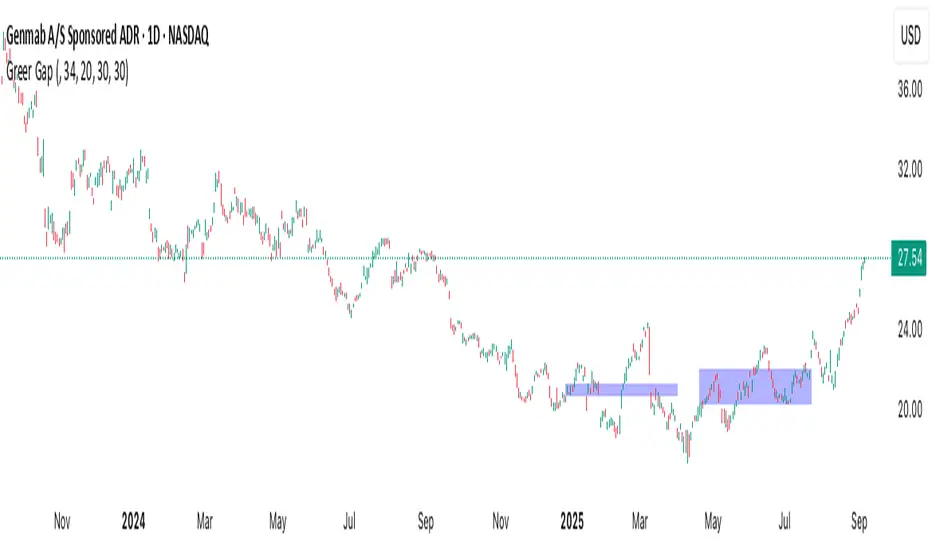
Wolfe Wave Pattern [UAlgo]Wolfe Wave Pattern is a pivot based pattern recognition indicator that scans price structure for a five point Wolfe Wave sequence and automatically draws the pattern on the chart once a valid setup is confirmed. The script works directly on price ( overlay=true ) and is built for visual analysis, giving traders a clear geometric representation of bullish and bearish Wolfe Wave formations with point labels, channel references, and a projected EPA target line.
This implementation uses confirmed swing pivots from TradingView pivot functions as its structural foundation. Every new confirmed pivot is stored, and the script evaluates the most recent five alternating pivots for Wolfe Wave conditions. Instead of trying to detect every possible variation, it applies a practical and consistent ruleset based on swing sequencing, relative highs and lows, convergence of channel lines, and point 5 overshoot behavior beyond the 1 to 3 guide line.
When a valid pattern is found, the script draws the core wave legs (1 to 2, 2 to 3, 3 to 4, 4 to 5), a 2 to 4 channel reference, a 1 to 3 sweet zone guide, and an extended EPA line from 1 to 4 into the future. It also marks the pivot points with labels and triggers an alert message at detection time.
This makes the tool useful for discretionary traders who want a structured way to monitor Wolfe Wave geometry without manually drawing every candidate pattern.
🔹 Features
🔸 1) Pivot Based Wolfe Wave Detection
The script uses ta.pivothigh() and ta.pivotlow() with user configurable left and right bars to build a swing structure map. Each pivot is stored as a custom PivotPoint object containing:
Index of the pivot bar
Pivot price
Pivot type (high or low)
This gives the pattern engine a clean sequence of confirmed turning points rather than raw candle noise.
🔸 2) Automatic Five Point Pattern Recognition
On each newly confirmed pivot, the script checks the most recent five pivots and validates whether they form an alternating sequence suitable for a Wolfe Wave candidate. Only alternating high low high low high or low high low high low structures are considered.
This is an important filter because Wolfe Waves are geometric swing patterns and require clear alternation in pivot direction.
🔸 3) Bullish Wolfe Wave Detection Logic
The bullish model looks for a low high low high low sequence and applies structural and geometric checks, including:
Point 3 below Point 1
Point 4 below Point 2
Point 5 overshooting below the projected 1 to 3 line
Converging channel behavior through slope comparison of 1 to 3 and 2 to 4
This produces a clean descending wedge style candidate that matches the intended bullish Wolfe Wave concept in this implementation.
🔸 4) Bearish Wolfe Wave Detection Logic
The bearish model looks for a high low high low high sequence and applies the inverse logic:
Point 3 above Point 1
Point 4 above Point 2
Point 5 overshooting above the projected 1 to 3 line
Converging channel behavior through slope comparison of 1 to 3 and 2 to 4
This creates a rising wedge style candidate for bearish Wolfe Wave detection.
🔸 5) Full Pattern Drawing on Chart
Once detected, the script draws the pattern directly on price using line objects:
Wave legs 1 to 2, 2 to 3, 3 to 4, and 4 to 5
A 2 to 4 channel reference line
A 1 to 3 sweet zone guide line
An EPA projection line extended from 1 to 4 into future bars
This helps traders quickly inspect geometry and projected target direction without manual plotting.
🔸 6) Point Labels and Pattern Name Display
The indicator labels all five pivot points and positions the labels above or below price depending on pattern direction. This improves readability and makes it easy to verify the sequence visually.
For bullish patterns, low points are labeled below bars and high points above bars. For bearish patterns, the logic is inverted.
🔸 7) EPA Target Projection
The script draws an extended EPA line based on Point 1 and Point 4, projecting it beyond Point 5 to create a visual target path. This offers a practical reference for post detection expectation analysis.
The projection length is proportional to the 1 to 4 horizontal distance, which keeps the target line visually consistent with the pattern scale.
🔸 8) Visual Customization Inputs
Users can customize:
Bullish pattern color
Bearish pattern color
Line width
The script also includes a line style input and line style helper mapping. In the current implementation, core pattern segments are drawn with fixed style choices for visual consistency, while supporting lines use dedicated dashed and arrow styles.
🔸 9) Alert on Detection
When a new bullish or bearish Wolfe Wave is confirmed, the script triggers an alert message at bar close frequency. This allows traders to monitor multiple symbols or timeframes without constantly watching the chart.
🔸 10) Structured Object Design for Maintainability
The script uses custom types for both pivots and patterns:
PivotPoint for swing points
WolfeWave for the full detected pattern including lines, labels, EPA line, and sweet zone line
This object based design keeps the code organized and easier to extend in future versions.
🔹 Calculations
1) Pivot Detection and Storage
The script identifies confirmed swing highs and lows using user defined left and right pivot lengths:
float ph = ta.pivothigh(high, lenLeft, lenRight)
float pl = ta.pivotlow(low, lenLeft, lenRight)
When a pivot is confirmed, it is stored at the actual pivot bar index ( bar_index - lenRight ) because pivot confirmation happens after the right side bars are complete:
if not na(ph)
pivotArray.addPivot(bar_index - lenRight, ph, true)
if not na(pl)
pivotArray.addPivot(bar_index - lenRight, pl, false)
The pivot array is capped to a manageable size:
if pivots.size() > 100
pivots.shift()
2) Pattern Scan Trigger and Five Pivot Window
The pattern engine only runs when at least five pivots exist. It then reads the latest five pivots in order:
PivotPoint p5 = pivotArray.get(pivotArray.size() - 1)
PivotPoint p4 = pivotArray.get(pivotArray.size() - 2)
PivotPoint p3 = pivotArray.get(pivotArray.size() - 3)
PivotPoint p2 = pivotArray.get(pivotArray.size() - 4)
PivotPoint p1 = pivotArray.get(pivotArray.size() - 5)
The check is gated so the recognition logic processes only when a new pivot has just been confirmed:
bool newPivotConfirmed = not na(ph) or not na(pl)
3) Alternation Check
Before applying Wolfe rules, the script requires the five pivots to alternate between highs and lows:
bool alternating = (p1.isHigh != p2.isHigh) and (p2.isHigh != p3.isHigh) and (p3.isHigh != p4.isHigh) and (p4.isHigh != p5.isHigh)
This prevents invalid sequences such as repeated highs or repeated lows from being treated as pattern candidates.
4) Slope and Projection Utilities
Two helper methods provide the geometric basis of the pattern logic:
Slope between two pivots:
method getSlope(PivotPoint pA, PivotPoint pB) =>
(pB.price - pA.price) / (pB.index - pA.index)
Projected price of a line at a target bar index:
method getProjectedPrice(PivotPoint pA, PivotPoint pB, int targetIndex) =>
float slope = (pB.price - pA.price) / (pB.index - pA.index)
pA.price + slope * (targetIndex - pA.index)
These methods are used for overshoot validation, convergence checks, and EPA target projection.
5) Bullish Wolfe Wave Detection Rules
The bullish pattern requires a pivot sequence of:
Point 1 low
Point 2 high
Point 3 low
Point 4 high
Point 5 low
In code, this is checked as:
if not p1.isHigh and p2.isHigh and not p3.isHigh and p4.isHigh and not p5.isHigh
Then the script applies structural conditions:
if p3.price < p1.price and p4.price < p2.price
This enforces a downward contracting structure.
Next, it checks Point 5 overshoot relative to the projected 1 to 3 line at the Point 5 index:
float proj13_at_5 = p1.getProjectedPrice(p3, p5.index)
if p5.price < proj13_at_5
Finally, it checks convergence using slope comparison:
float m13 = p1.getSlope(p3)
float m24 = p2.getSlope(p4)
if m24 < m13
detected := true
Interpretation:
For a bullish setup in this script, both 1 to 3 and 2 to 4 slopes are typically negative, and the 2 to 4 line must descend faster than the 1 to 3 line so the structure converges to the right.
6) Bearish Wolfe Wave Detection Rules
The bearish pattern requires a pivot sequence of:
Point 1 high
Point 2 low
Point 3 high
Point 4 low
Point 5 high
In code:
else if p1.isHigh and not p2.isHigh and p3.isHigh and not p4.isHigh and p5.isHigh
Structural conditions:
if p3.price > p1.price and p4.price > p2.price
This enforces an upward contracting structure.
Point 5 overshoot must be above the projected 1 to 3 line:
float proj13_at_5 = p1.getProjectedPrice(p3, p5.index)
if p5.price > proj13_at_5
Convergence is then checked using slope comparison:
float m13 = p1.getSlope(p3)
float m24 = p2.getSlope(p4)
if m24 > m13
detected := true
Interpretation:
For a bearish setup, both lines are typically rising, and the 2 to 4 line must rise faster than the 1 to 3 line so the wedge contracts to the right.
7) Sweet Zone Guide and Channel Reference
After detection, the script draws a sweet zone guide using the 1 to 3 geometry projected to the Point 5 index:
this.sweetZoneLine := line.new(
this.p1.index, this.p1.price,
this.p5.index, this.p1.getProjectedPrice(this.p3, this.p5.index),
color=color.new(c, 50), width=1, style=line.style_dashed)
It also draws a 2 to 4 reference line as a dashed channel boundary:
this.patternLines.push(line.new(this.p2.index, this.p2.price, this.p4.index, this.p4.price, color=color.new(c, 50), width=1, style=line.style_dashed))
Together, these lines visually frame the Wolfe Wave channel and the Point 5 overshoot area.
8) EPA Line Projection
The EPA line is projected from Point 1 to Point 4 and extended into the future. The horizontal projection length is based on the bar distance from Point 1 to Point 4:
int dist14 = this.p4.index - this.p1.index
int targetIdx = this.p5.index + dist14
float targetPrice = this.p1.getProjectedPrice(this.p4, targetIdx)
The EPA line is then drawn with an arrow style:
this.epaLine := line.new(this.p1.index, this.p1.price, targetIdx, targetPrice, color=color.yellow, width=2, style=line.style_arrow_right)
This provides a projected target path for the expected move after Point 5.
9) Label Placement Logic
The script places point labels above or below bars based on pattern direction so the labels remain readable and consistent with swing polarity.
For bullish patterns:
Points 1, 3, and 5 are placed below bars
Points 2 and 4 are placed above bars
For bearish patterns:
Points 1, 3, and 5 are placed above bars
Points 2 and 4 are placed below bars
This logic is encoded through direction dependent yloc assignment before creating labels.
10) Detection Object Construction and Drawing
Once a pattern is validated, the script creates a WolfeWave object and calls its draw method:
WolfeWave ww = WolfeWave.new(p1, p2, p3, p4, p5, isBull)
ww.draw()
The object stores the five pivots, direction, line arrays, label arrays, and special lines (EPA and sweet zone), which makes the implementation modular and easier to manage.
11) Alert Logic
After a bullish or bearish pattern is drawn, the script sends an alert message:
alert("Wolfe Wave " + (isBull ? "Bullish" : "Bearish") + " Detected", alert.freq_once_per_bar_close)
This allows users to automate notification workflows and review setups only when a complete pattern has been confirmed.
Pine Script® Indikator